 Collider Lab · iPhone, iPad & Mac · One universal app
Particle collision simulator for iPhone, iPad and Mac.
Run the collision. Read the detector.
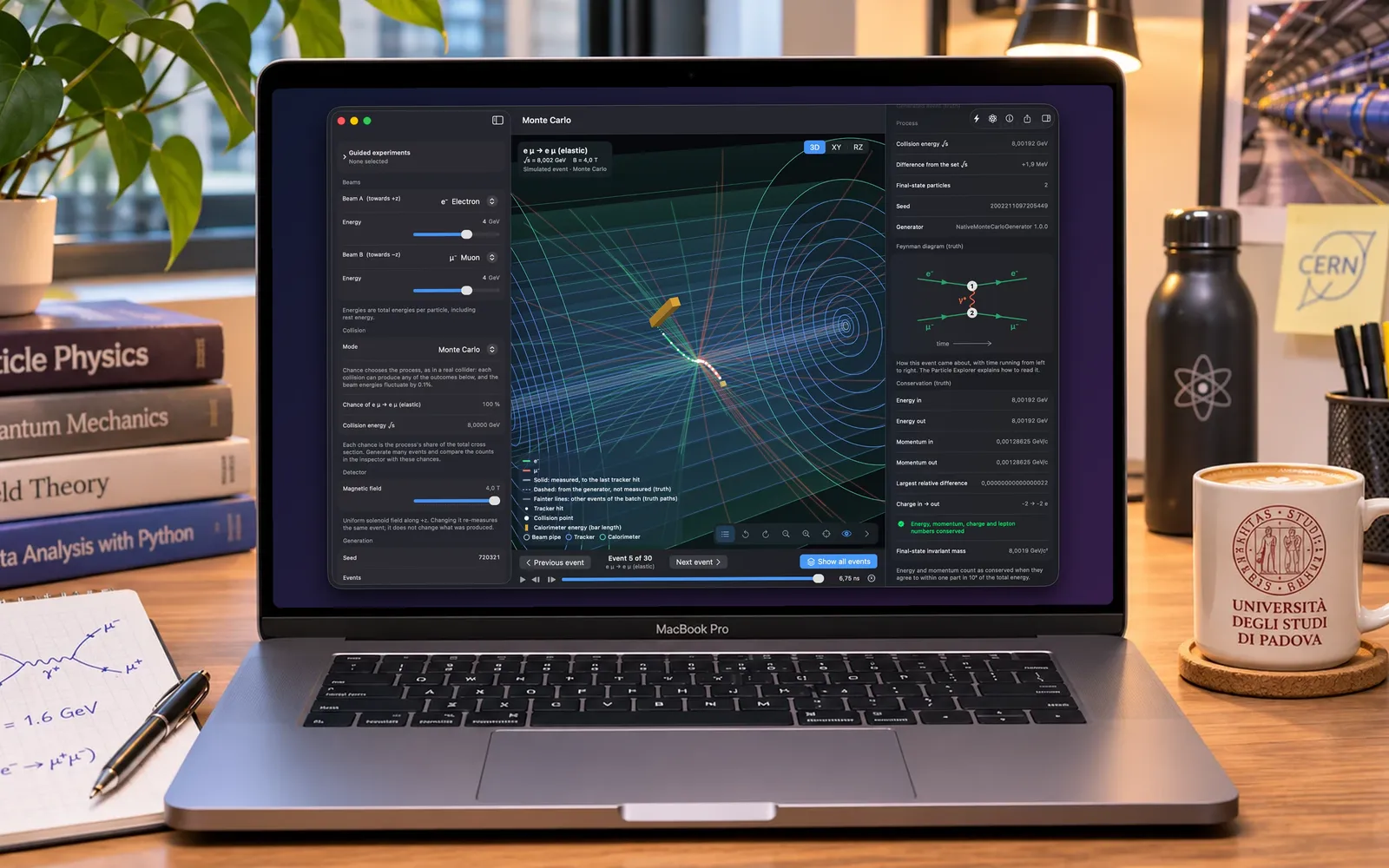
An interactive particle collision simulator. Set two beams, an energy and a magnetic field, collide, and watch what a layered detector records in 3D. Then measure it: curvature, momentum, calorimeter energy, invariant mass, with every number carrying its unit and saying whether it was generated or measured.
Sixteen guided experiments, batch histograms and a ten-page particle physics reference. Fully offline, no account.
Version 1.0 · One app. iPhone, iPad and Mac.
Available now for iPhone and iPad · The Mac version is coming soon
Works entirely offline · No account · No data collected
What happened, what was seen, what you can know
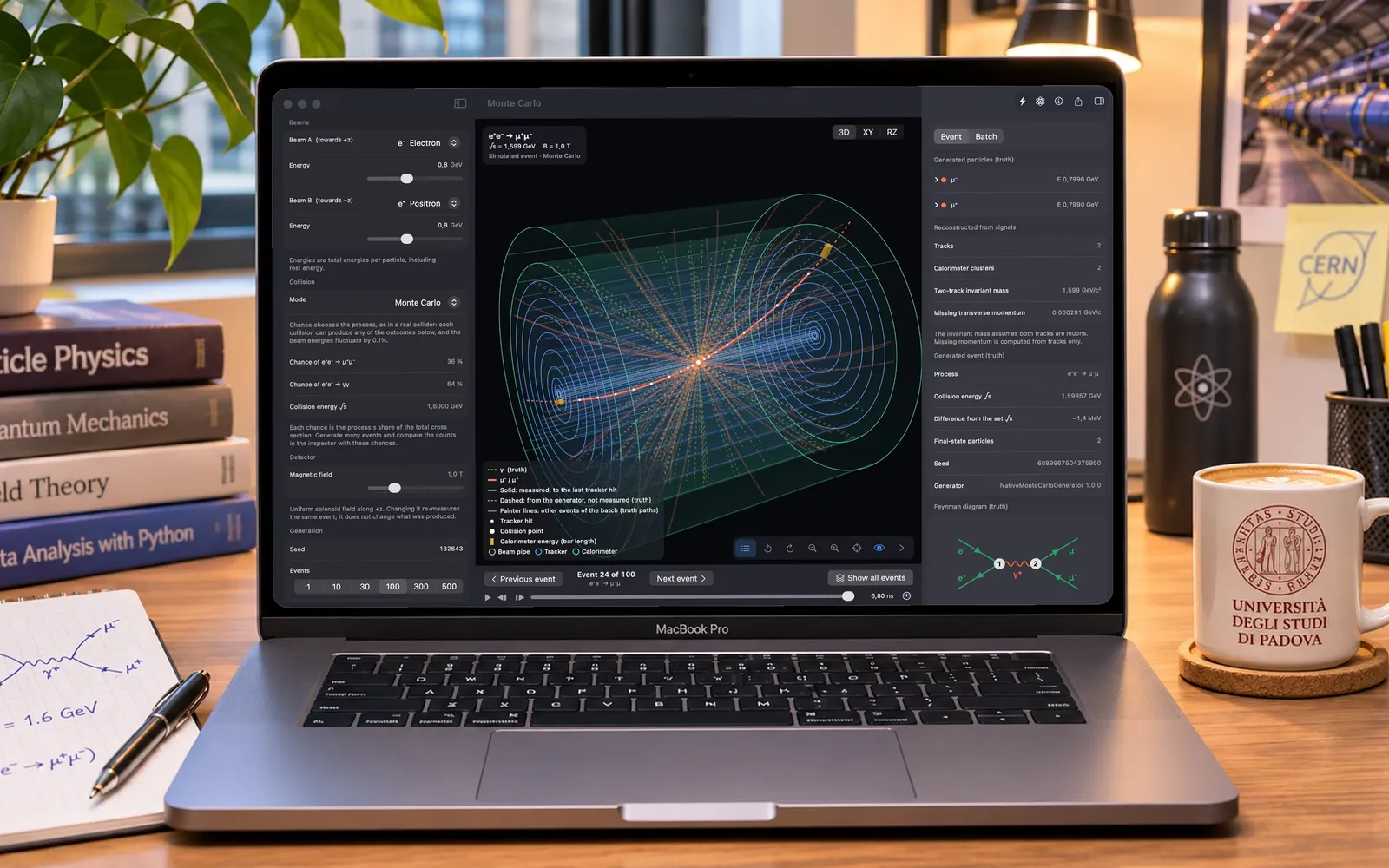
Collider Lab keeps three things apart, the way an experiment has to. The generator decides what happened: which particles left the collision and with what four-momenta. The detector records only signals: hits on nine tracker layers, each smeared by about 50 µm, and energy in an electromagnetic calorimeter. The reconstruction works from those signals alone, fitting a circle to the hits to recover each track's charge sign and momentum.
So the inspector shows two lists for the same muon: measured by the detector, and generated (truth). They are close and never identical. That gap is the point. Change the field and the same event is measured again, better or worse.
Generated
What the collision produced. Labelled truth everywhere it appears.
Measured
Tracker hits and calorimeter energy, each with its own resolution.
Reconstructed
Tracks, momenta and invariant mass inferred from the signals.
Set the beams. Press Collide.
The setup panel has the controls an experiment has, and it will not generate an impossible final state. Below threshold it tells you the collision energy and the threshold it failed to reach, and stops.
Two beams
Electrons, positrons, muons or antimuons, each from 0.05 to 50 GeV per particle on a logarithmic slider, or any energy typed in. Equal beams, unequal beams, or one particle at rest for a fixed-target collision.
Three processes
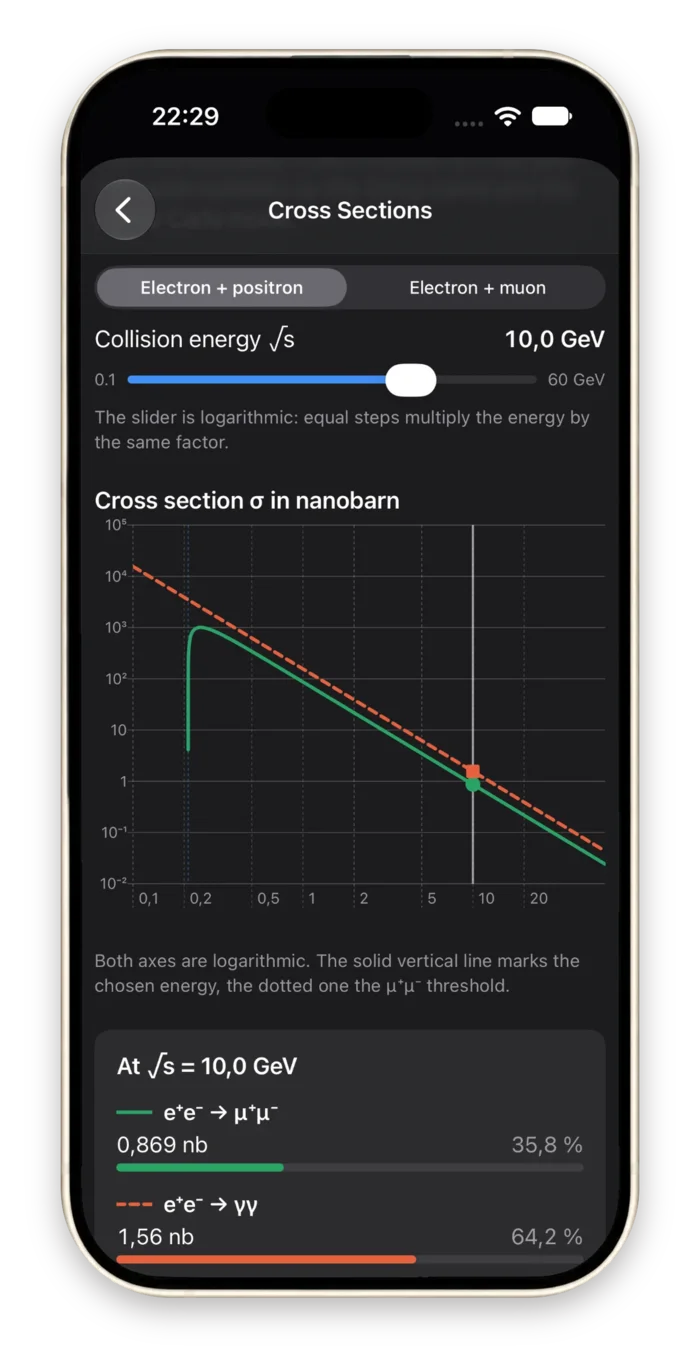
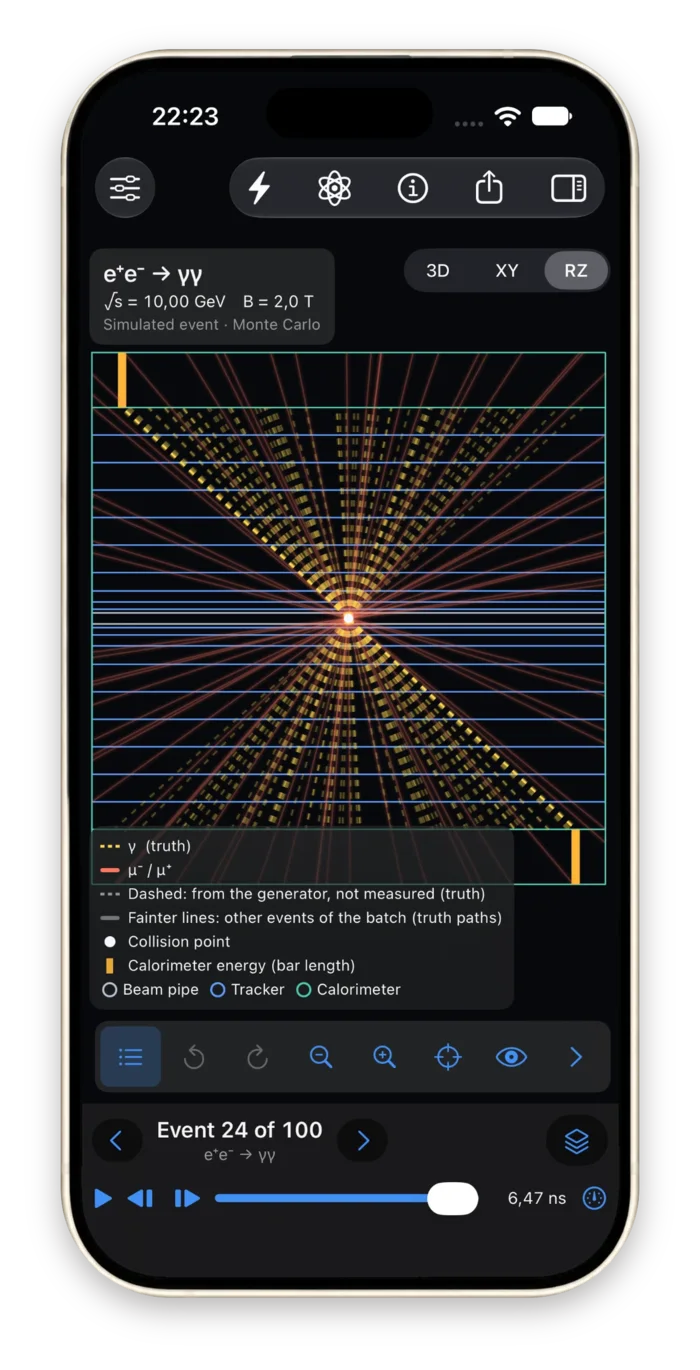
e⁺e⁻ → μ⁺μ⁻ through a virtual photon, e⁺e⁻ → γγ annihilation, and elastic electron-muon scattering. Each is sampled from its lowest-order QED cross section, with the muon mass kept near threshold.
A solenoid field
From 0 to 4 T along the beam. Changing it measures the same event again: what was produced stays, the curvature and the precision of the momentum change.
Educational or Monte Carlo
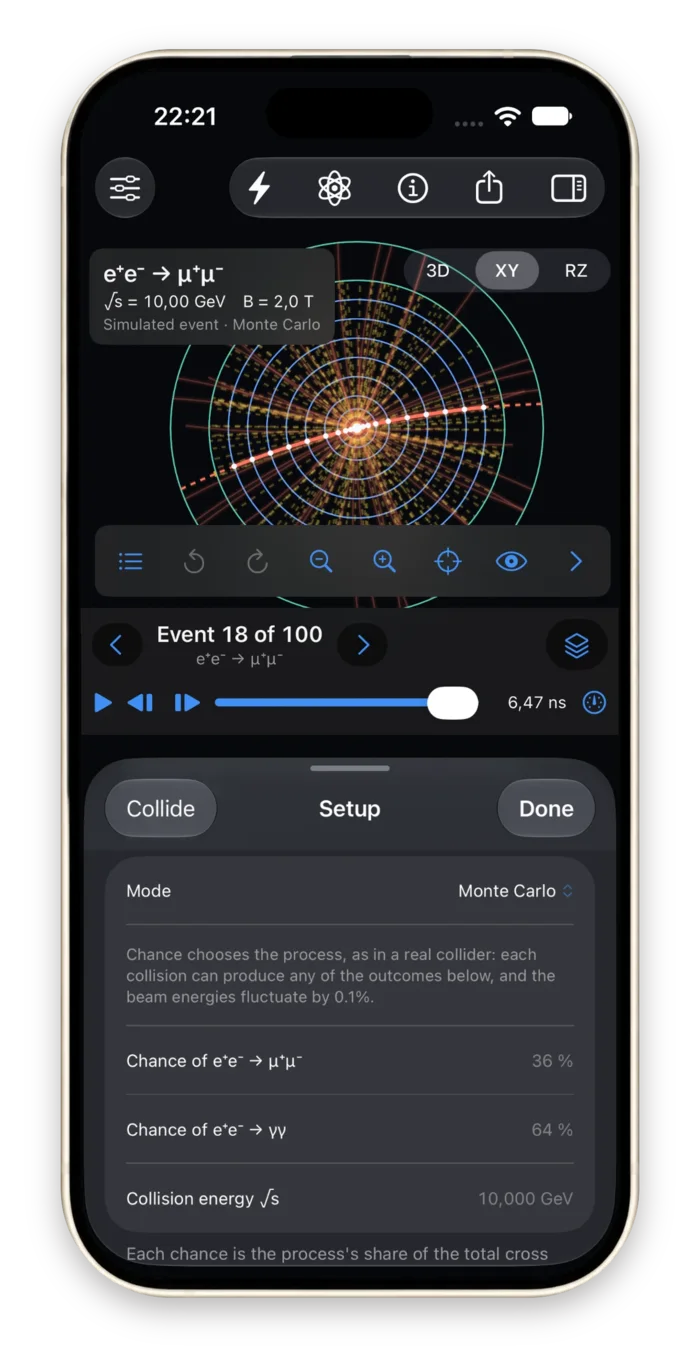
Educational mode generates the process you chose at exactly the energies you set. Monte Carlo mode draws the process of each event in proportion to its cross section and gives each beam a 0.1% energy spread.
A seed for every event
Collide draws a new random seed. Enter a seed to reproduce an event exactly: same seed, same settings, same generator version, same event.
One event or a batch
Generate 1, 10, 30, 100, 300 or 500 events. Step through them one at a time, or draw every path of the batch at once.
The numbers before you collide
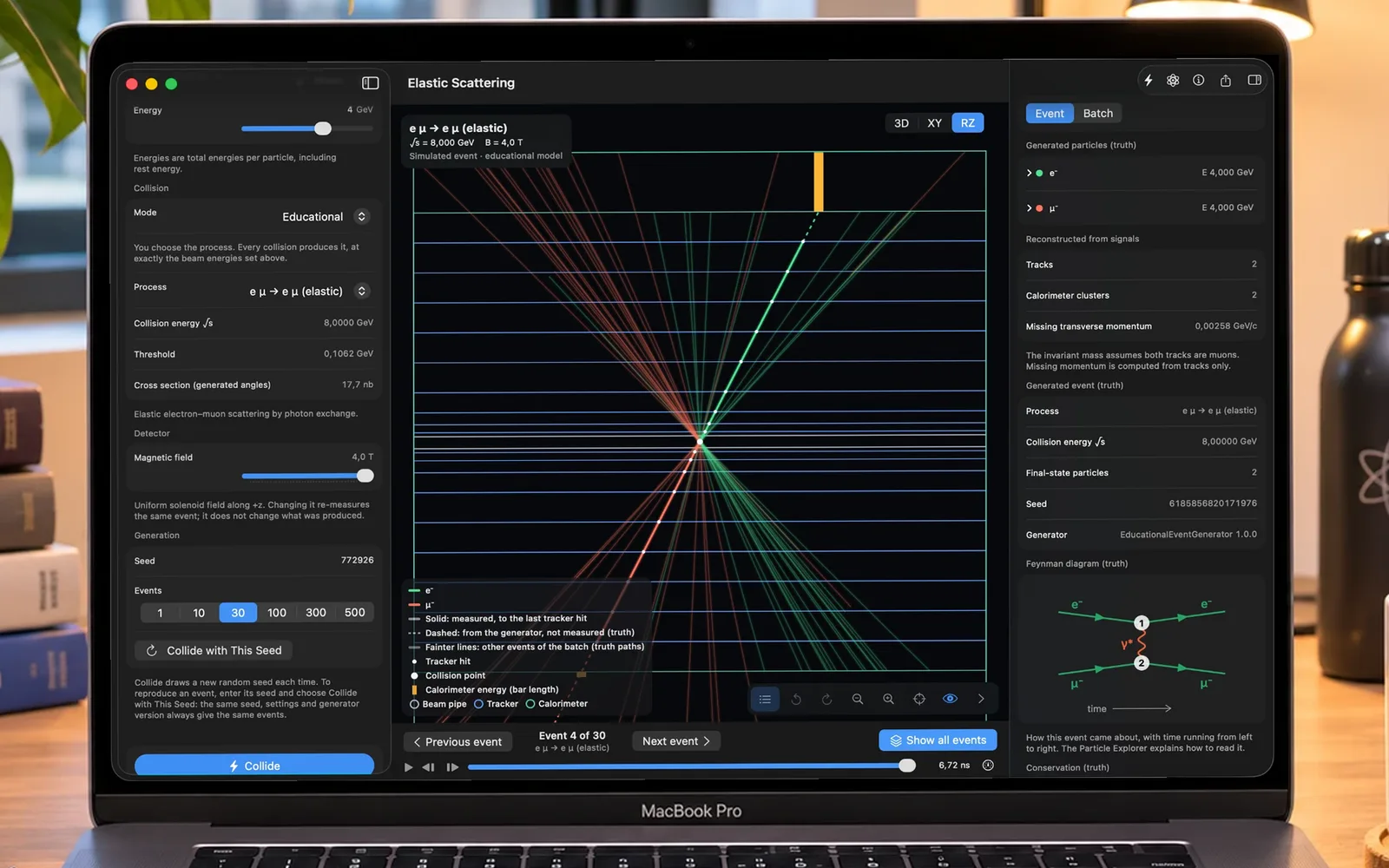
The setup panel recomputes the collision as you move a slider. Two 4 GeV beams, an electron and a muon, in Educational mode: √s = 8 GeV, a threshold of 0.1062 GeV and a cross section of 17.7 nb over the angles the generator covers.
Below that sit the field, the seed and the number of events, then Collide. Collide with This Seed runs the seed you typed instead of drawing a new one.
Unequal beams, a moving system
Send a 7.14 GeV electron against a 50 GeV muon and nothing leaves back to back: both particles are carried along the stronger beam. The collision energy is √s = 37.79 GeV, far less than the 57 GeV the two beams bring, because most of it stays in the motion of the system.
The final state still has an invariant mass equal to the collision energy, because invariant mass does not care which way the system is moving. The inspector also checks energy, momentum and charge before and after for every event, to one part in 10⁹.
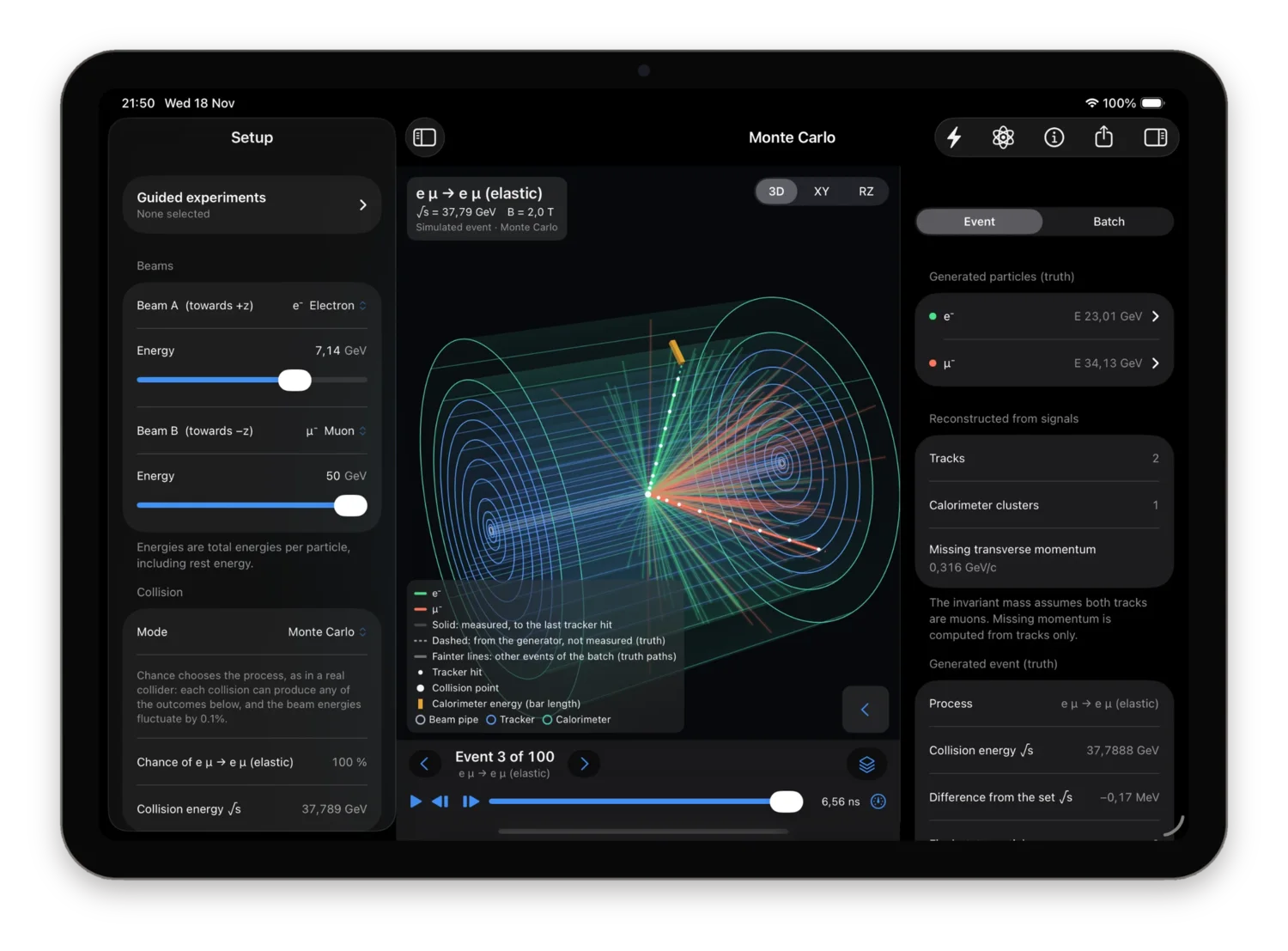
An event display you can turn in your hands
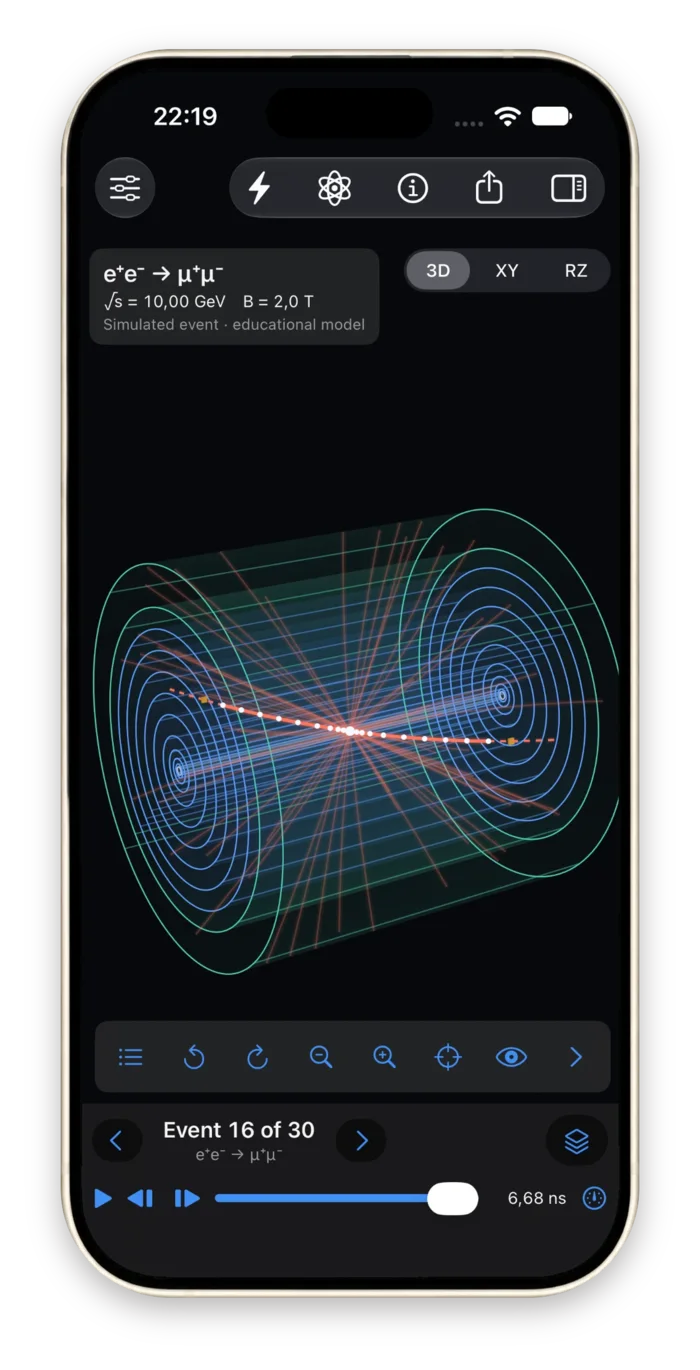
The detector is drawn in Metal as a real event display draws it: a beam pipe, nine silicon tracker layers from 50 mm to 1 m, and an electromagnetic calorimeter, 2.8 m long, inside a solenoid field of 0 to 4 T. Orbit it in 3D, or look along the beam (XY) and from the side (RZ). Tap a track to select it; isolate it; hide the tracker or the calorimeter.
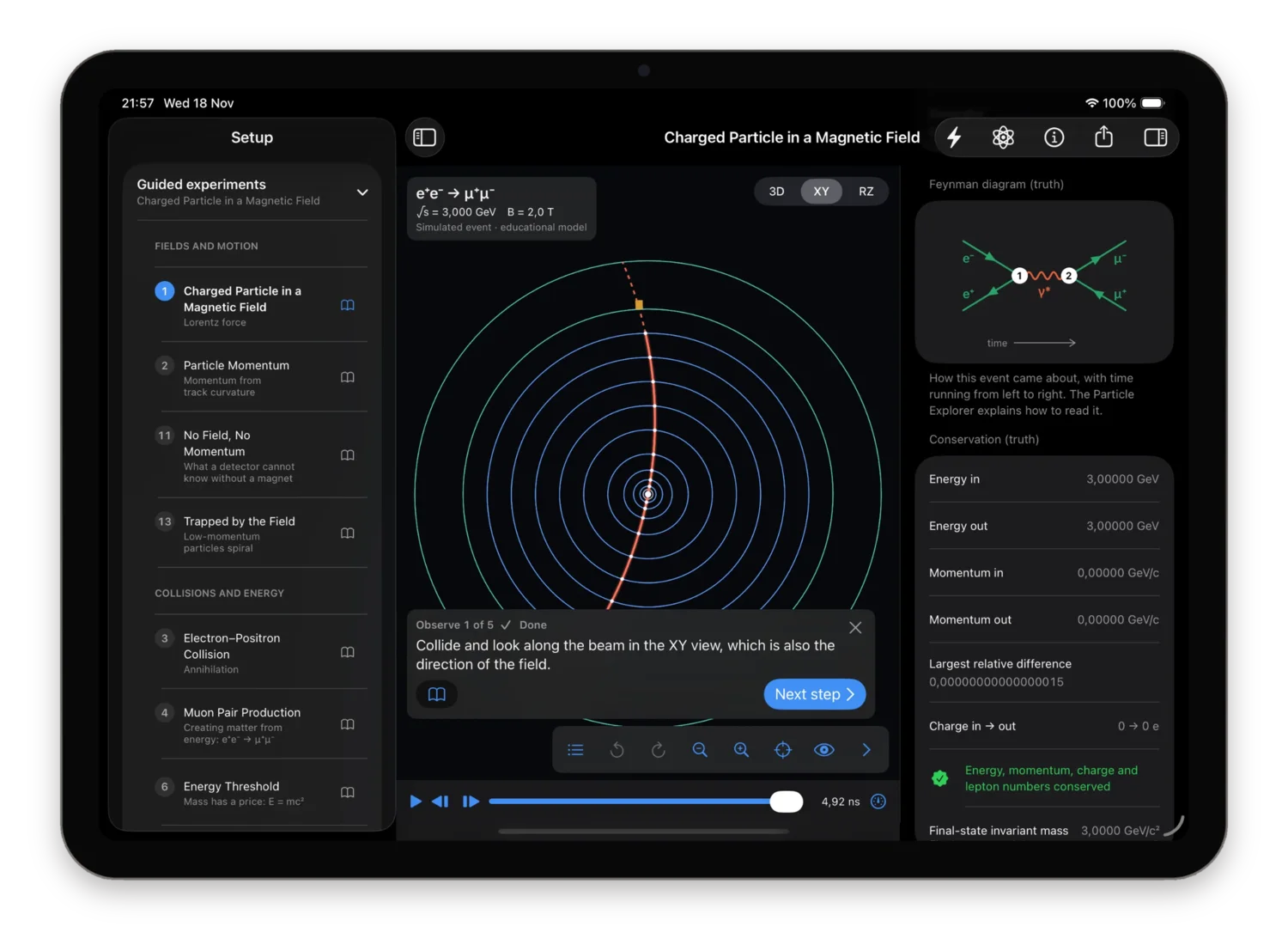
Along the beam (XY)
The view the field points along. A charged track is an arc of a circle here, and its radius is its transverse momentum: one muon of a 3 GeV pair in a 2 T field, crossing all nine layers.
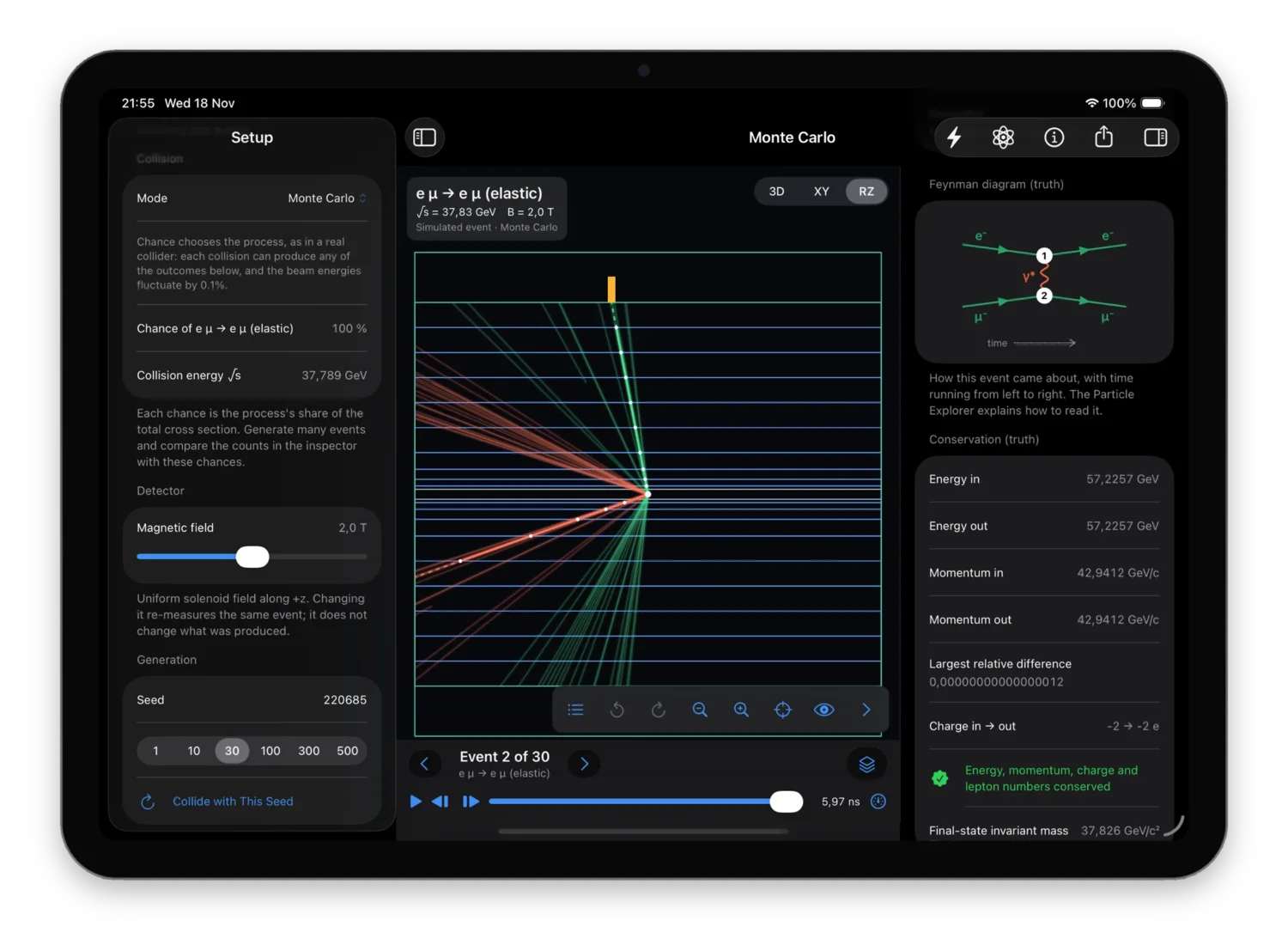
From the side (RZ)
Unequal beams seen from the side: every track of the batch leaves towards the same end. In the inspector, 57.2257 GeV in and 57.2257 GeV out, momentum and charge conserved.
Three views
Free-orbit 3D, transverse XY along the beam, longitudinal RZ from the side. Rotate, zoom, pan and reset, by gesture, button or keyboard.
Playback in nanoseconds
A particle crosses the detector in about 5 ns, shown over 4 s. Play, pause, step, scrub the timeline, from 0.1× to 2×.
A legend that tells the truth
Solid: a reconstructed track. Dashed: taken from the generator alone. Colour is a display convention, backed by a label.
What to show
Tracker hits, calorimeter deposits, neutral paths, the field direction, the beam pipe, the tracker, the calorimeter, or the selected track alone.
Sixteen experiments, each with a guide
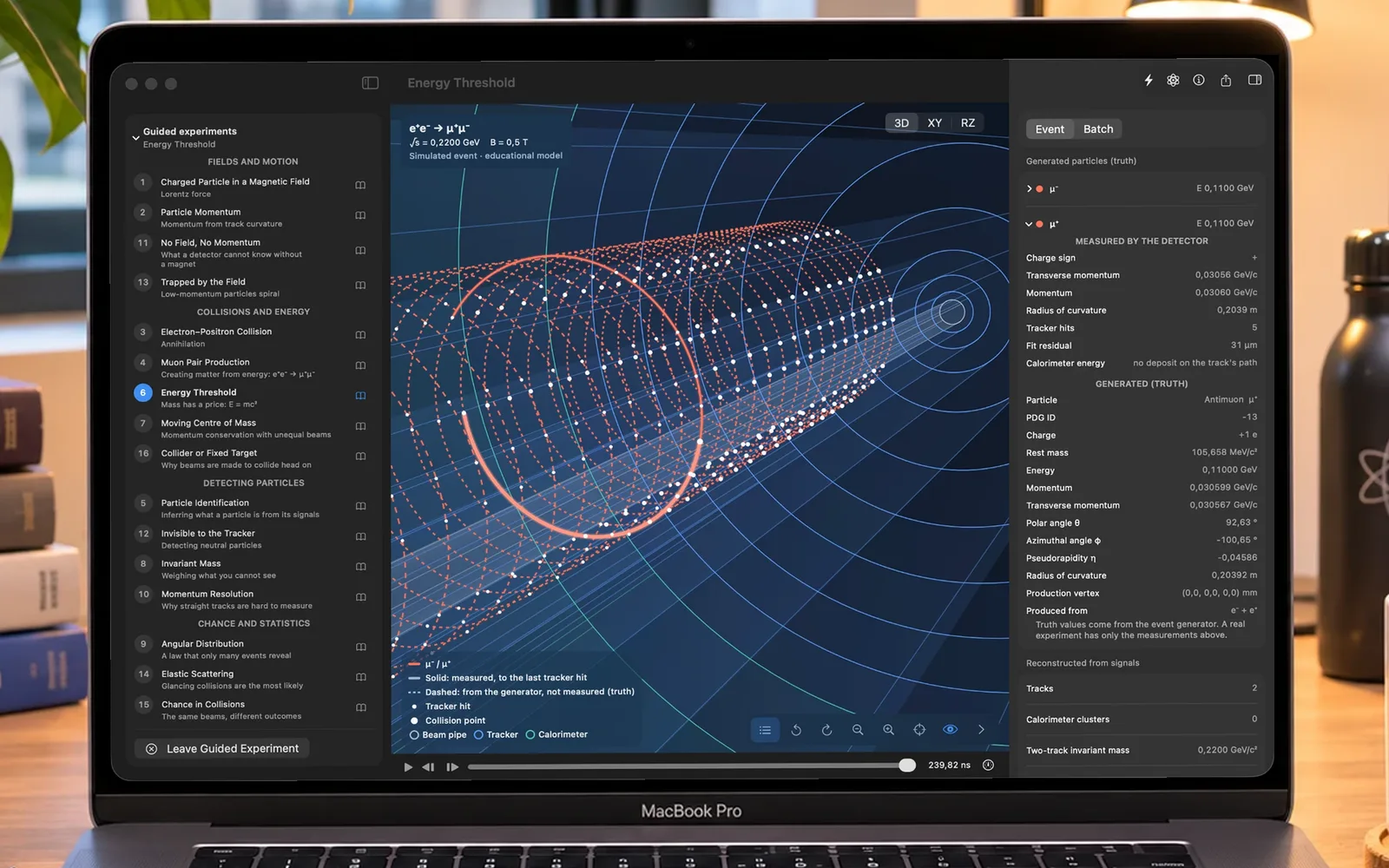
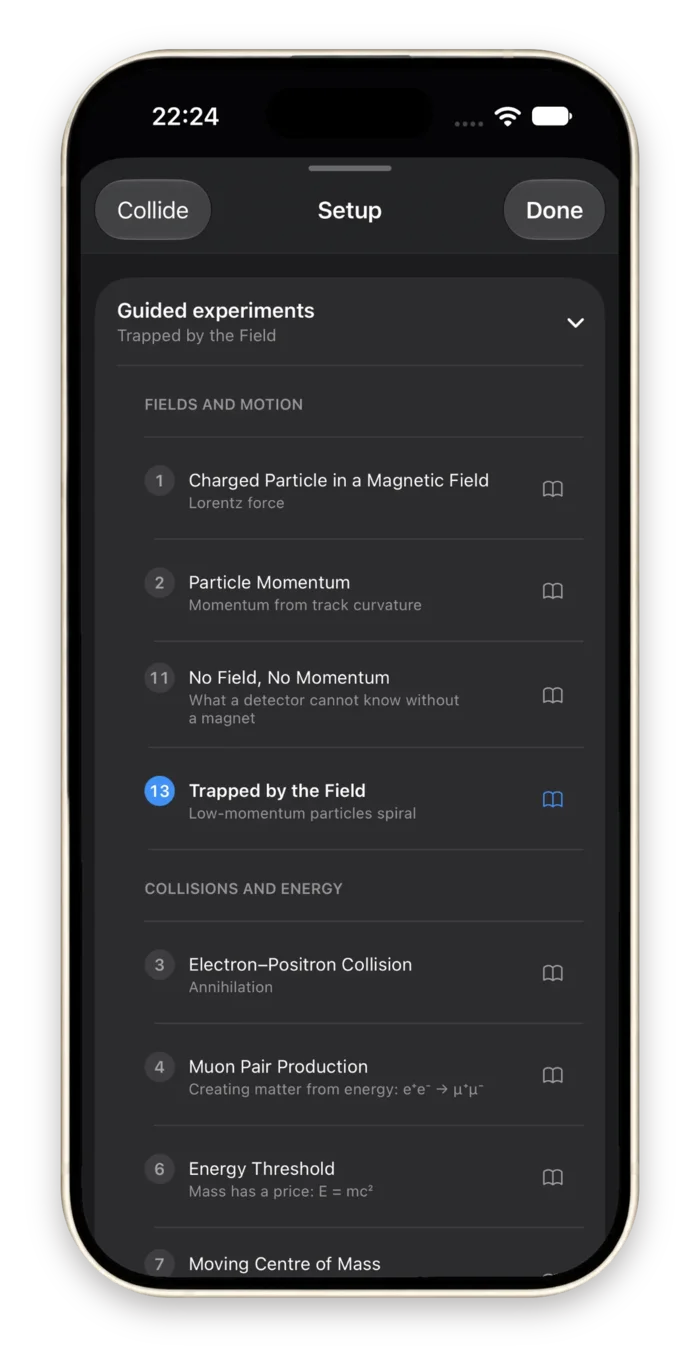
Every experiment is a lab exercise in the same order: an introduction, what to observe, what to analyse, and the explanation. Each step can be carried out by the app. Press Carry Out and it sets the field, switches the view, selects the track or opens the plot the step is talking about, so you watch the physics instead of hunting for a control.
Fields and motion
Charged Particle in a Magnetic Field
Lorentz force
Particle Momentum
Momentum from track curvature
No Field, No Momentum
What a detector cannot know without a magnet
Trapped by the Field
Low-momentum particles spiral
Collisions and energy
Electron–Positron Collision
Annihilation
Muon Pair Production
Creating matter from energy
Energy Threshold
Mass has a price: E = mc²
Moving Centre of Mass
Momentum conservation with unequal beams
Collider or Fixed Target
Why beams are made to collide head on
Detecting particles
Particle Identification
Inferring what a particle is from its signals
Invisible to the Tracker
Detecting neutral particles
Invariant Mass
Weighing what you cannot see
Momentum Resolution
Why straight tracks are hard to measure
Chance and statistics
Angular Distribution
A law that only many events reveal
Elastic Scattering
Glancing collisions are the most likely
Chance in Collisions
The same beams, different outcomes
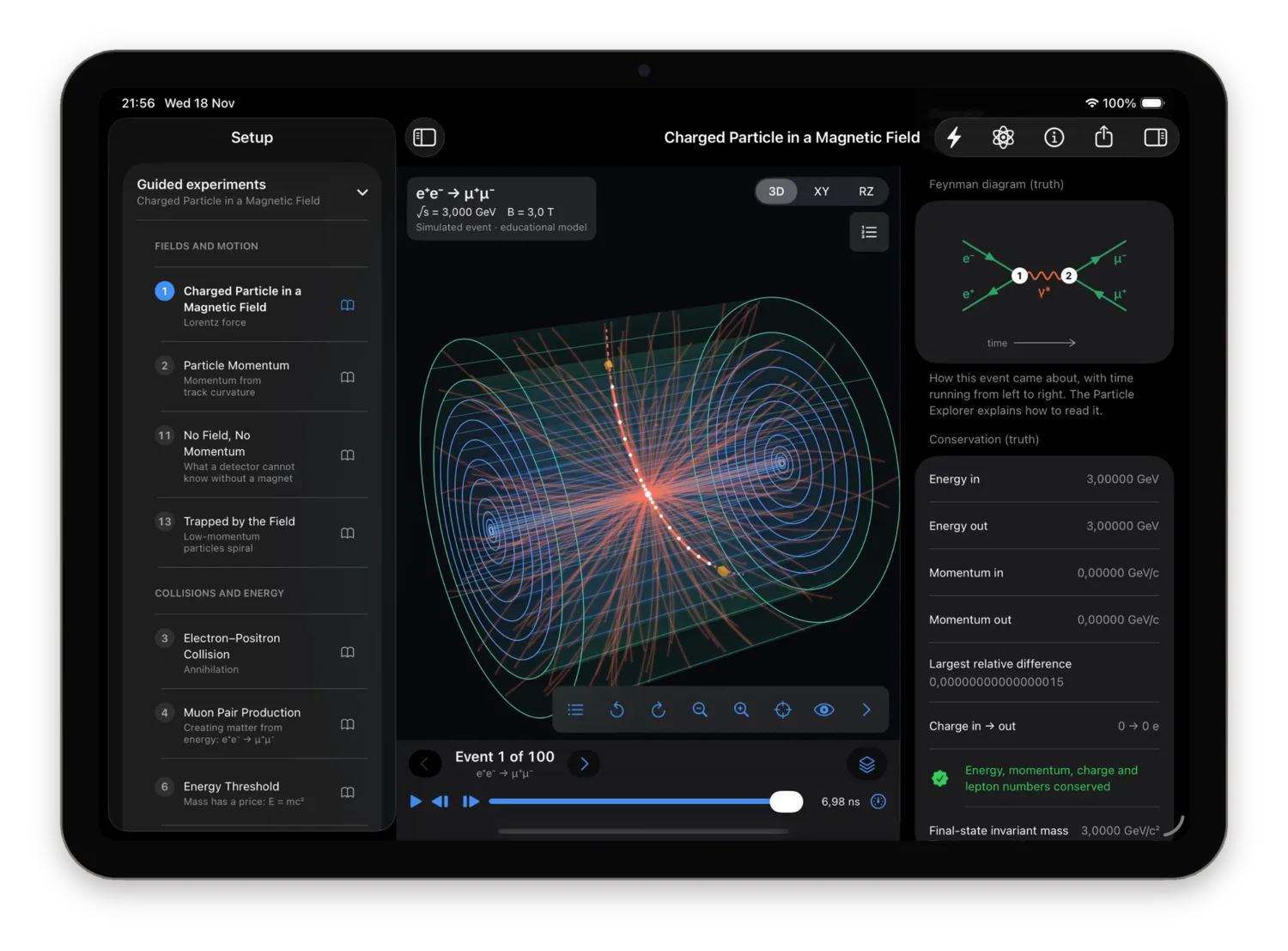
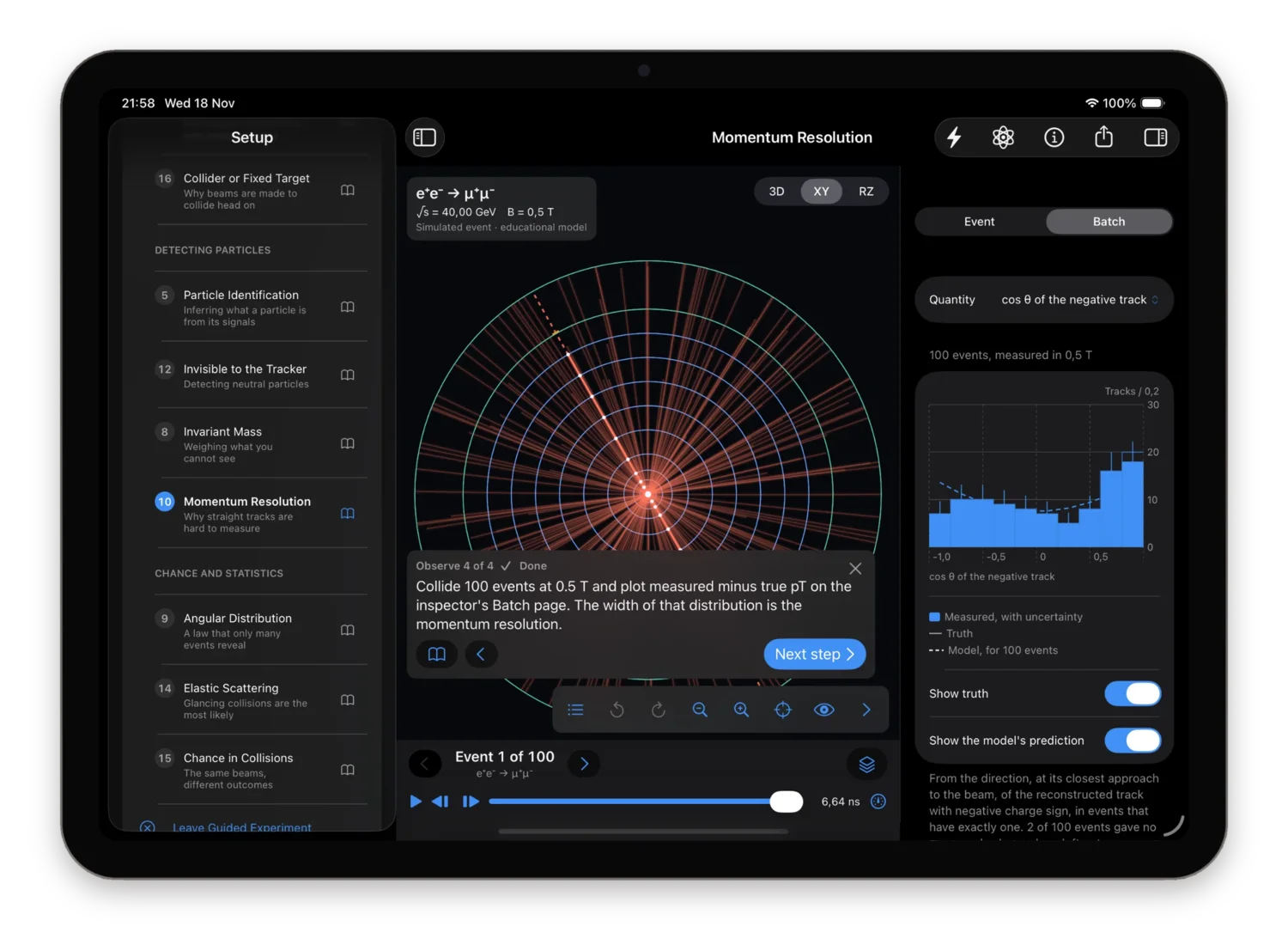
Two of them are challenges
In Particle Identification and Invisible to the Tracker the generator's truth is hidden. The event is labelled unidentified, every track is drawn in the same colour, and the process is not named.
In the first you decide which track is the electron and which the muon from what the detector recorded: the momentum of each track and the calorimeter energy it points to. In the second the tracker is empty, and two calorimeter deposits are all you have to work out what crossed it. Then you reveal the truth and check.
Laws that only many events reveal
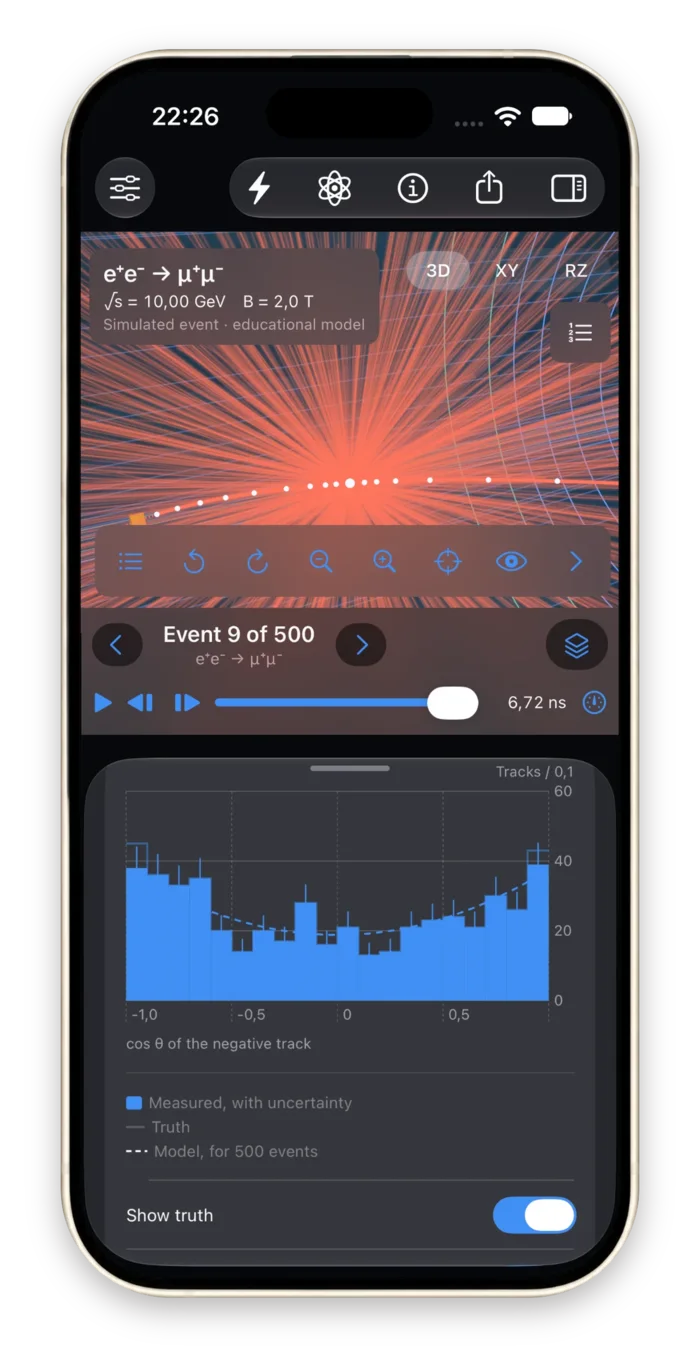
One collision tells you nothing about a probability. Generate up to 500 events at once: the detector response of every one is simulated and its tracks reconstructed, and the inspector's Batch page turns them into a histogram with error bars, a mean and a standard deviation. Tap a bin to list the events in it and jump to any of them.
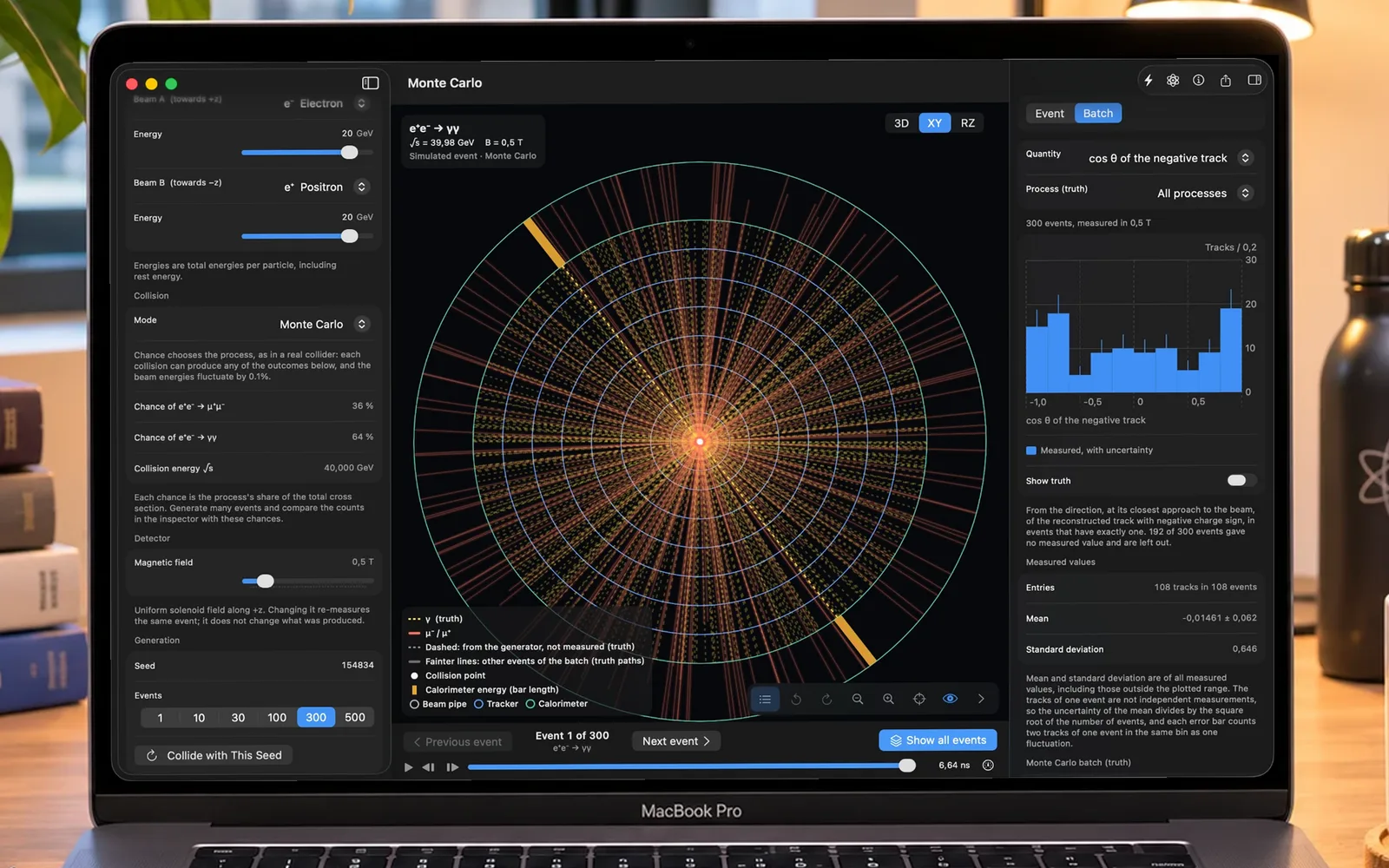
Chance decides the process
300 collisions at 20 + 20 GeV in Monte Carlo mode, where muon pairs have a 36% chance and photon pairs 64%. The histogram of cos θ has 108 entries: the other 192 events, exactly 64%, left no track to measure.
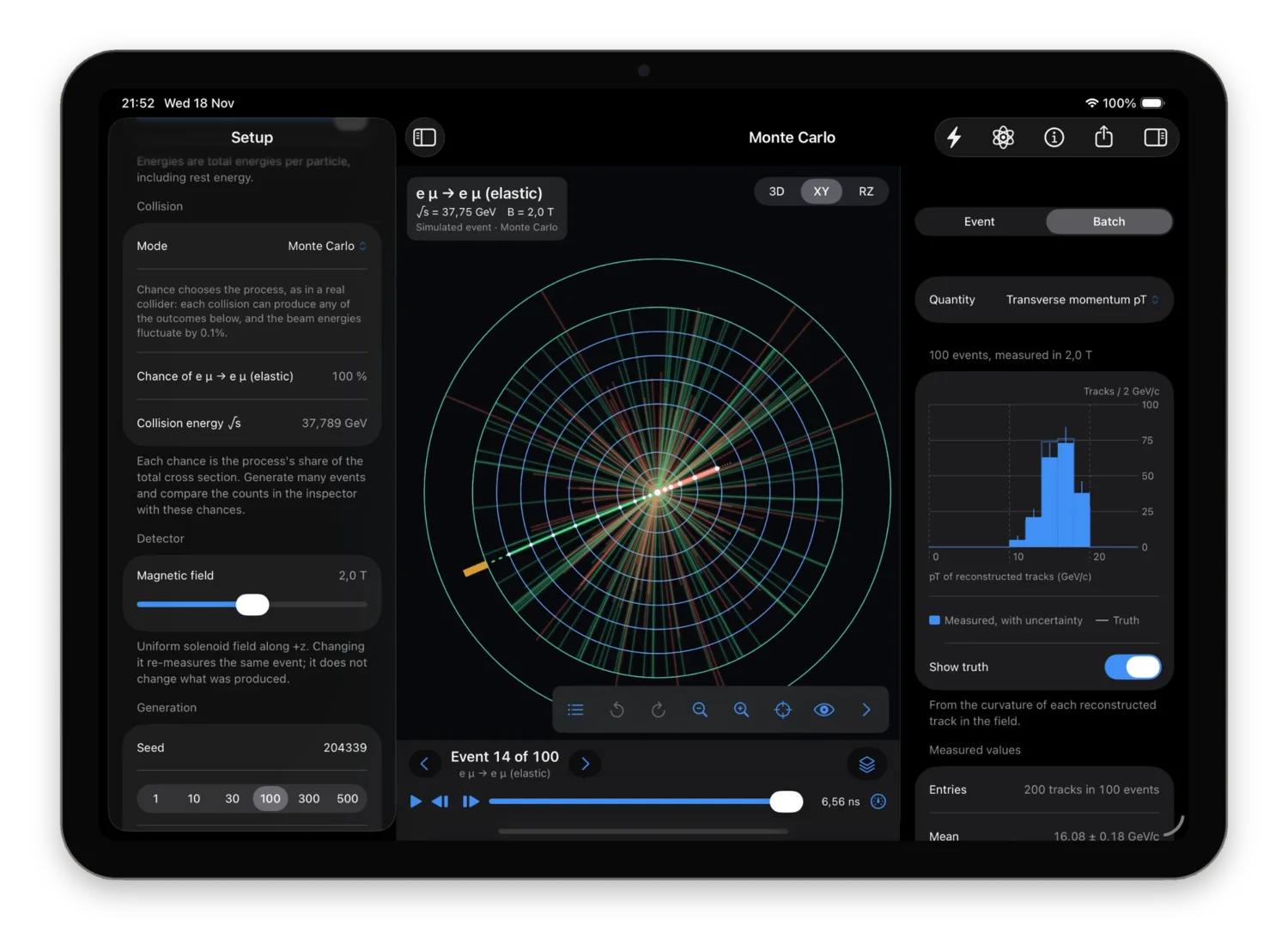
Transverse momentum, track by track
pT of all 200 reconstructed tracks of 100 electron-muon scatterings in a 2 T field, with the generated distribution drawn over it. Mean 16.08 ± 0.18 GeV/c, from the curvature of each track alone.
cos θ
The polar angle of the negative track, showing the 1 + cos²θ of muon pairs. Where tracks alone cannot say which particle is which, as in elastic scattering, it is drawn from the generator's truth and labelled so.
Transverse momentum
pT of every reconstructed track in the batch, with the generated distribution drawn over it on request.
Two-track invariant mass
One value per event, peaking at √s. Its width is the mass resolution, read below the plot.
Measured minus true pT
Each track against the particle that made its hits. A real experiment cannot plot this; a simulation can.
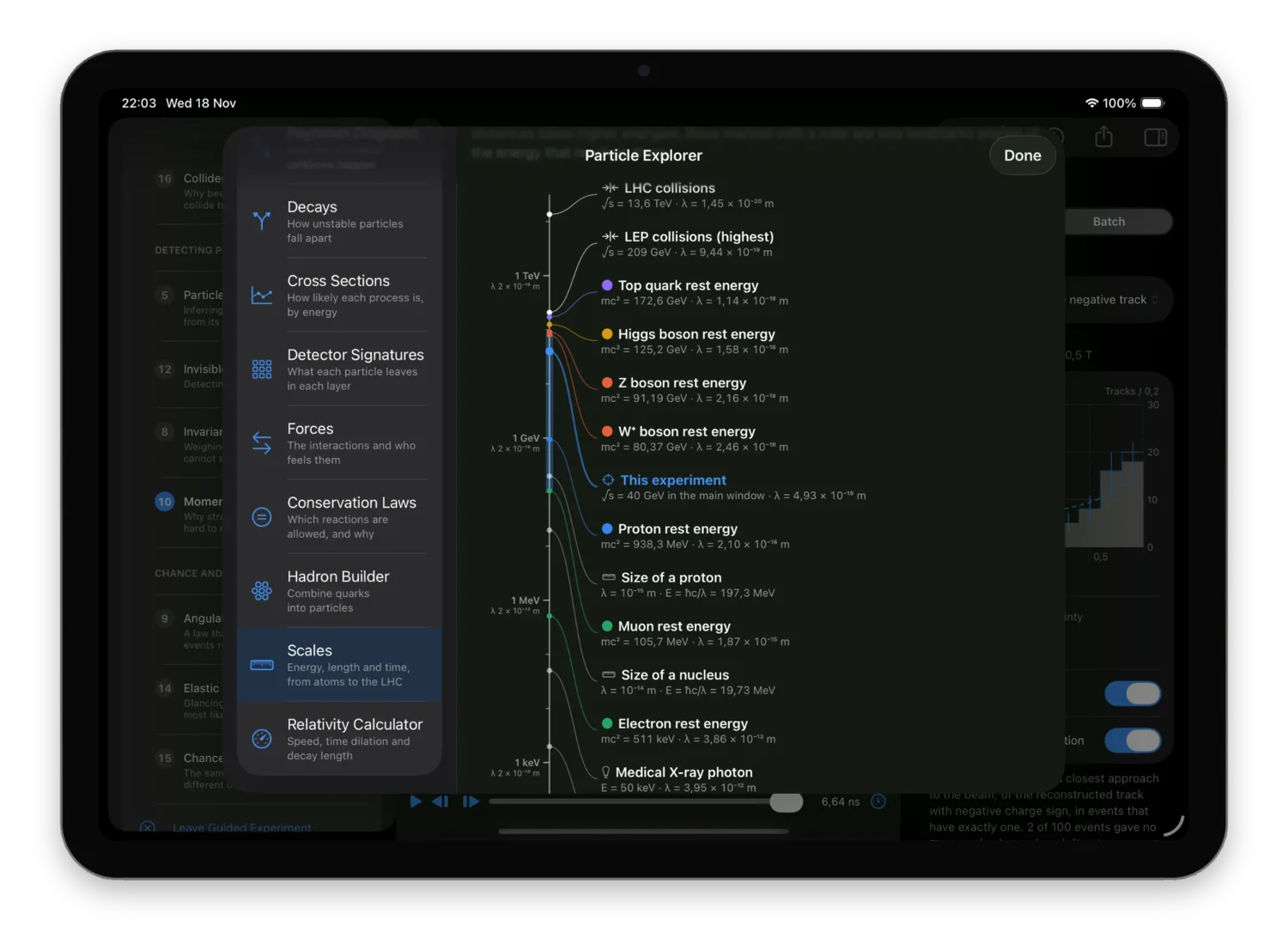
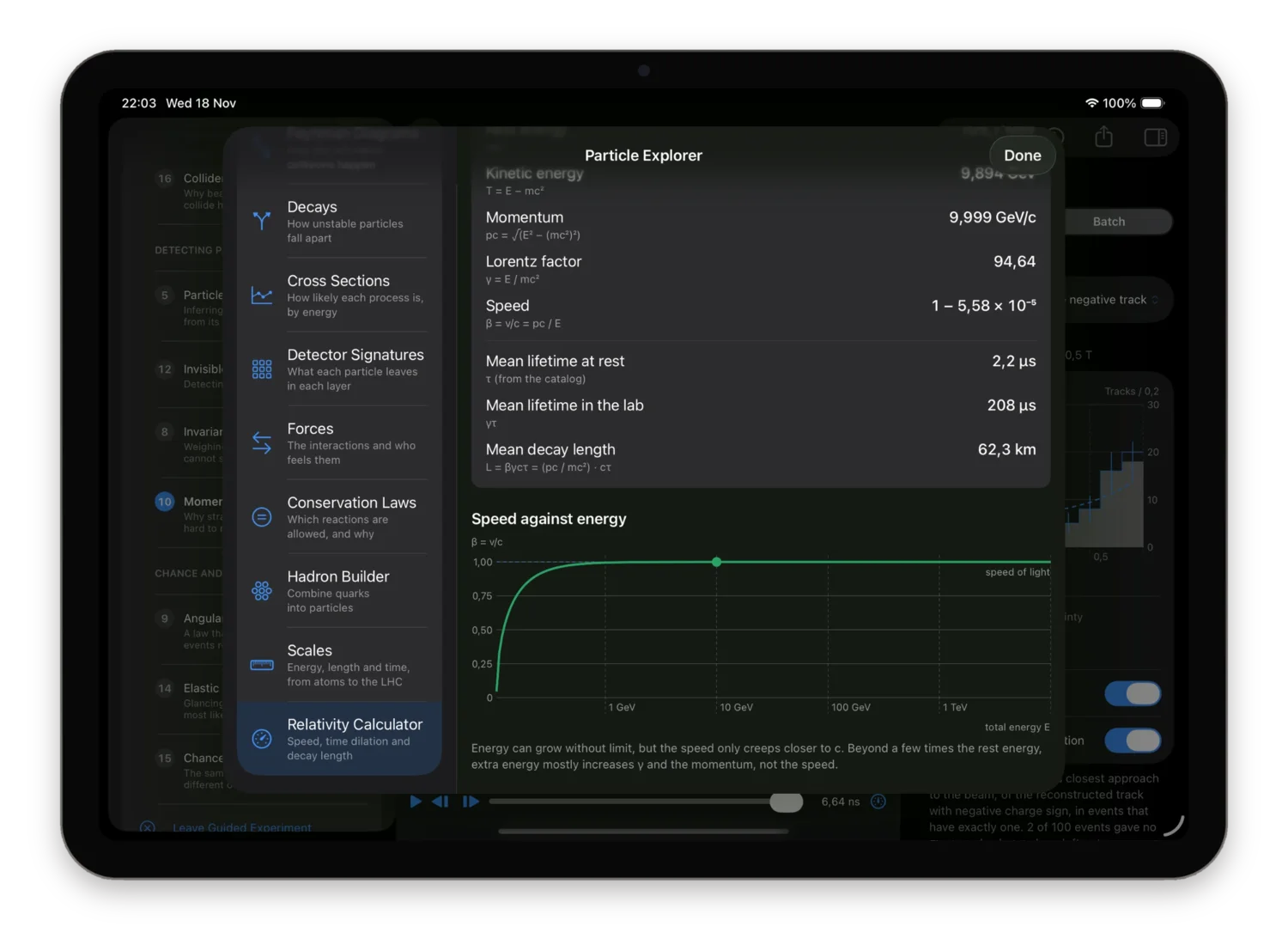
The Particle Explorer: ten reference pages
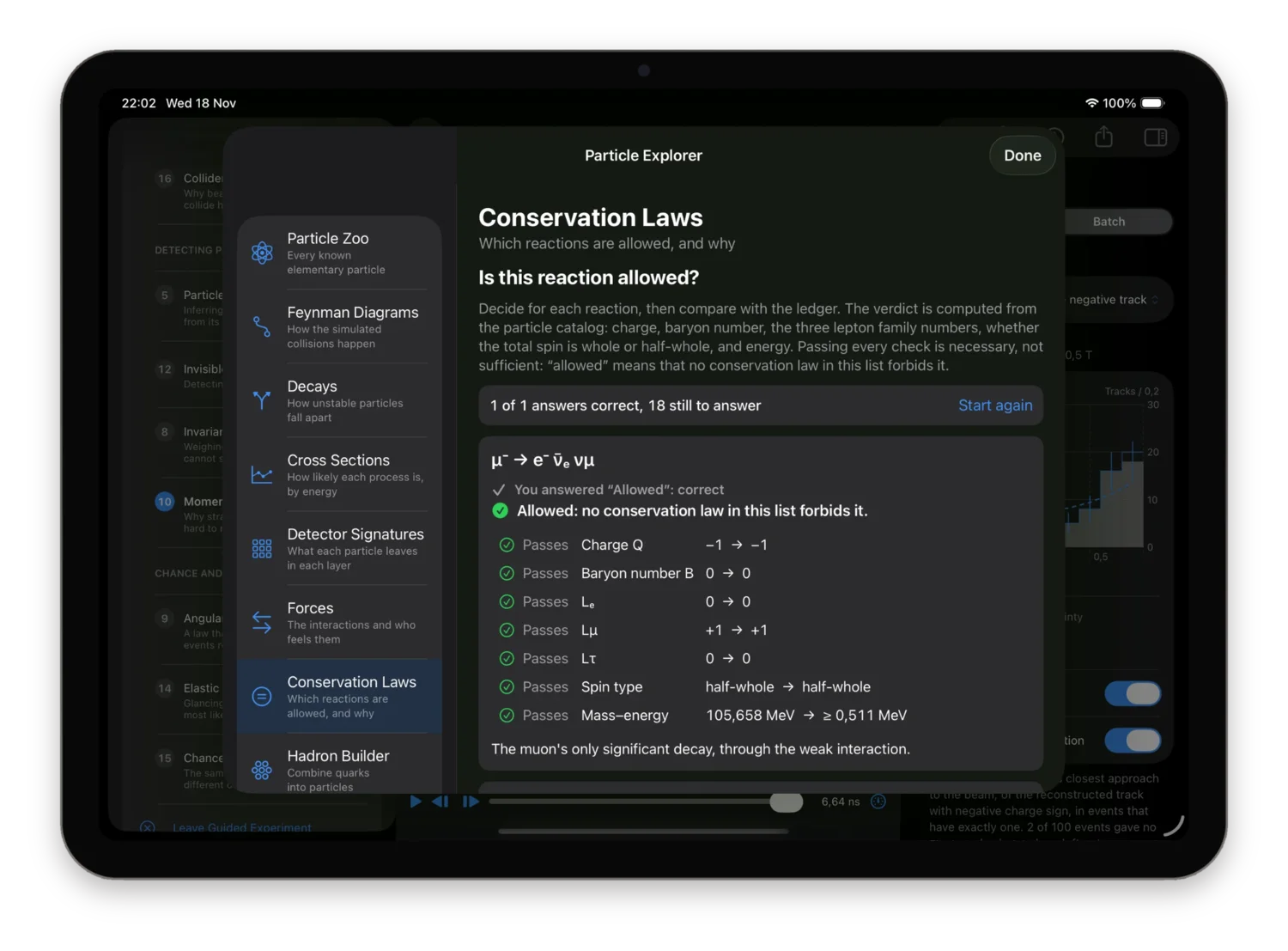
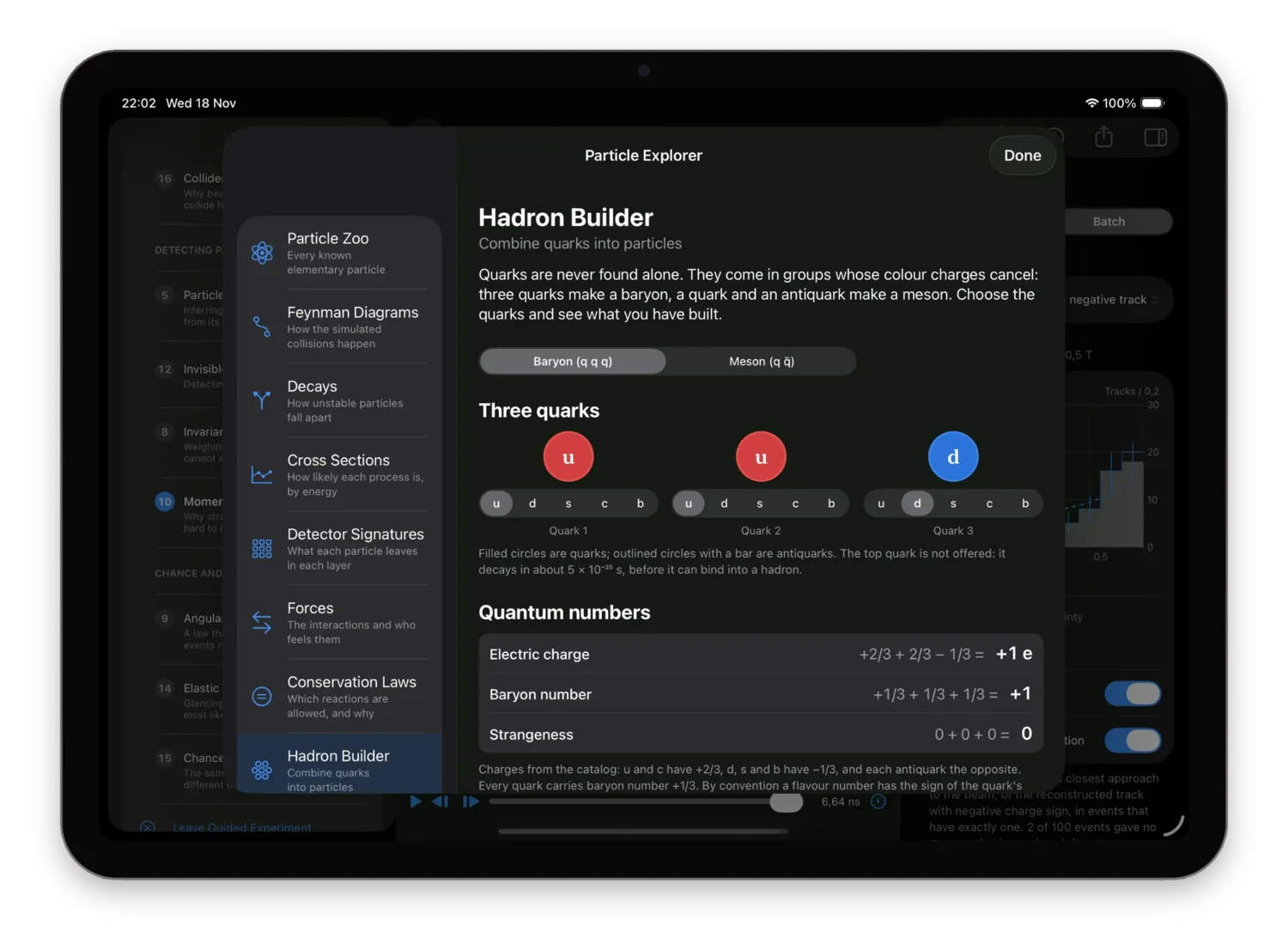
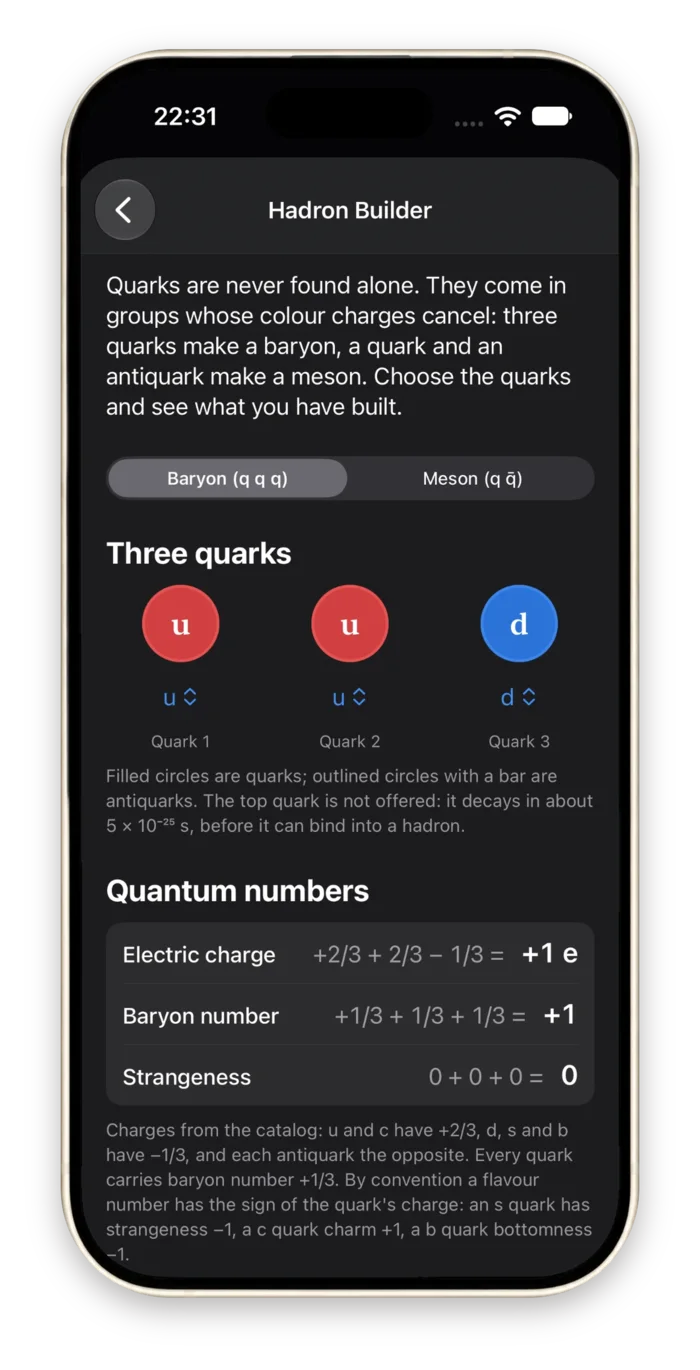
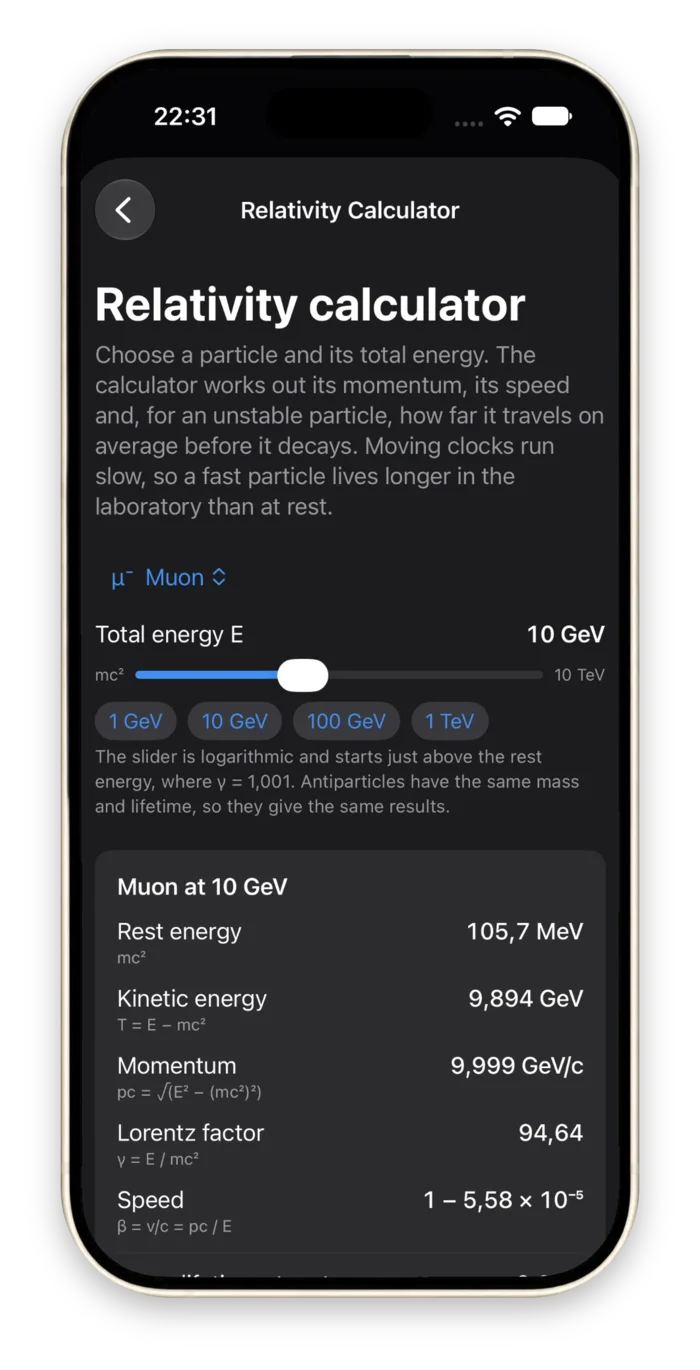
A reference library that travels with the simulator, and most of it is interactive. Its numbers come from the same particle catalog and the same process models the simulator runs on, with values from the Particle Data Group's 2024 Review of Particle Physics.
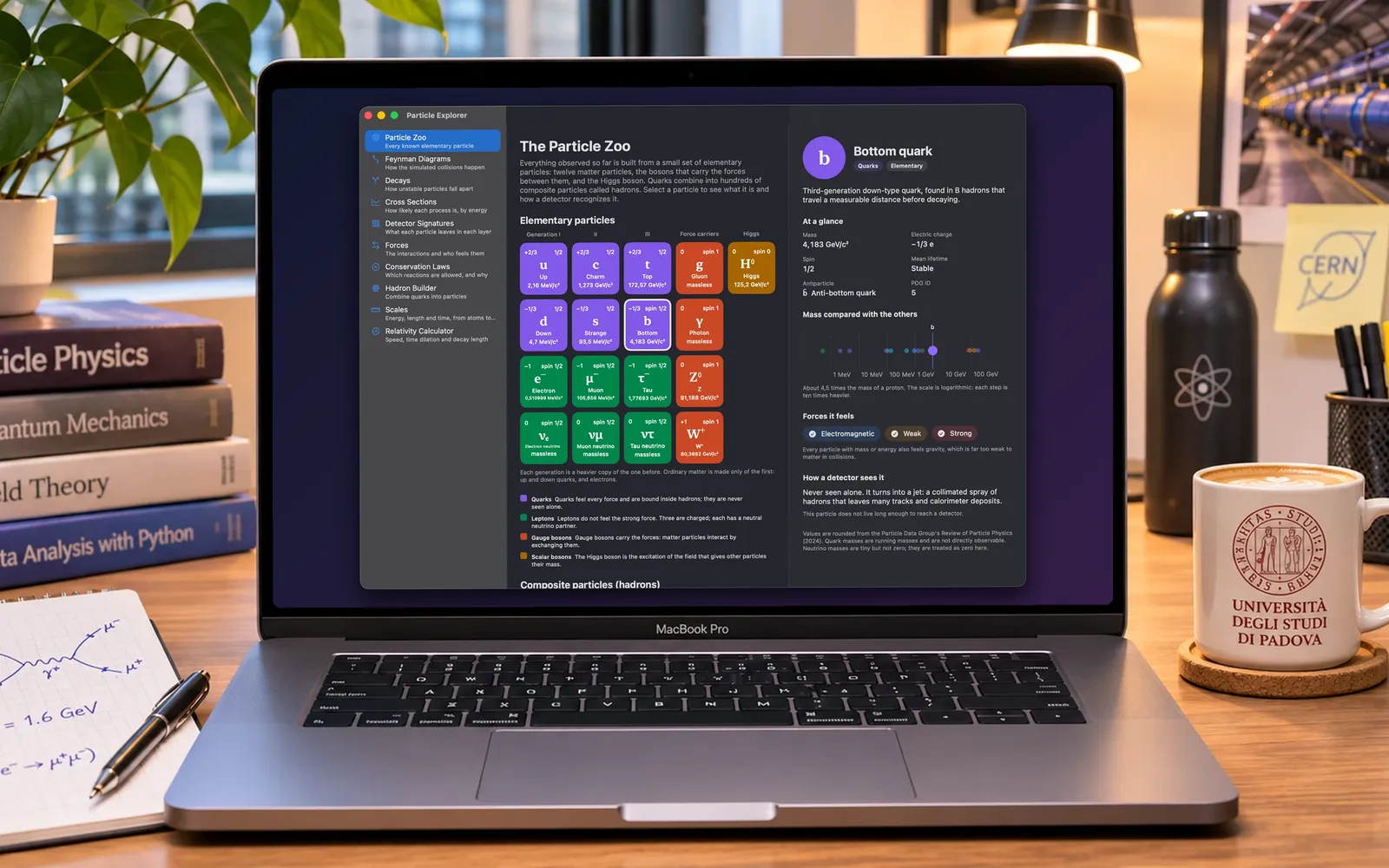
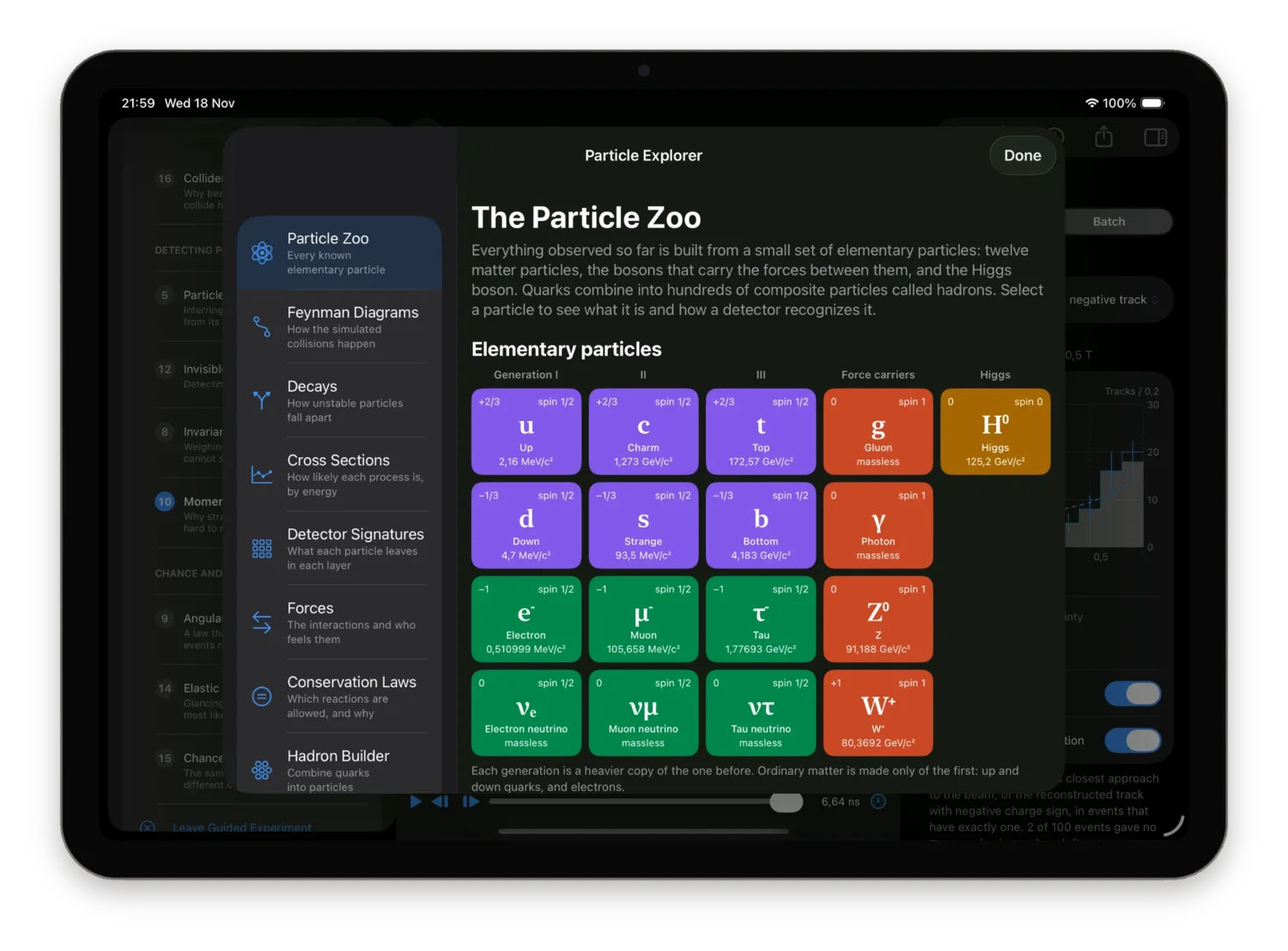
Page 1 of 10
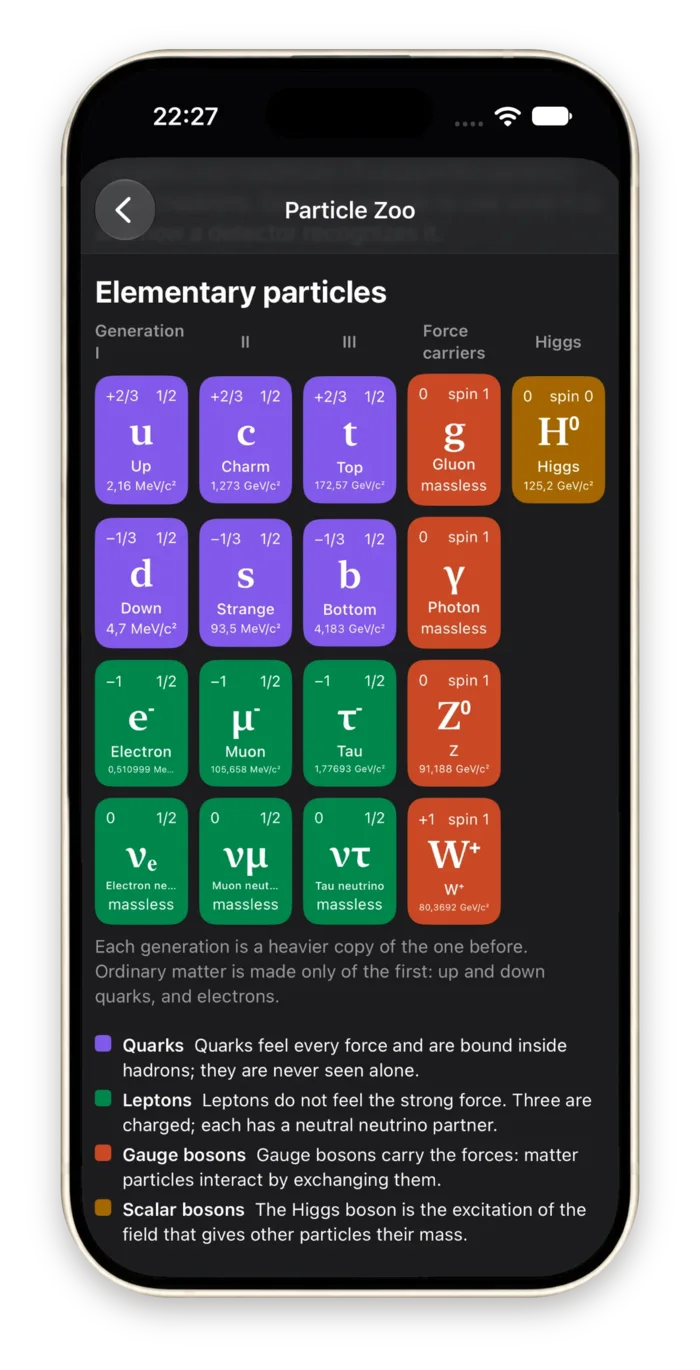
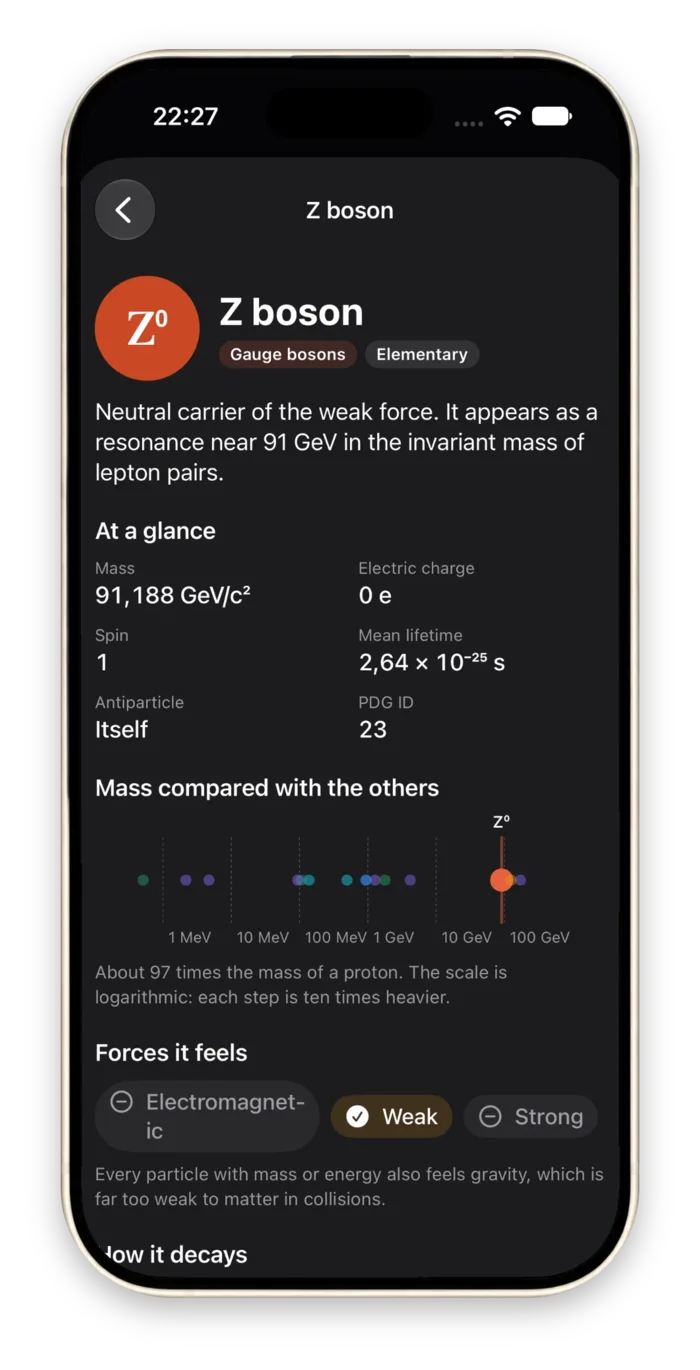
Particle Zoo
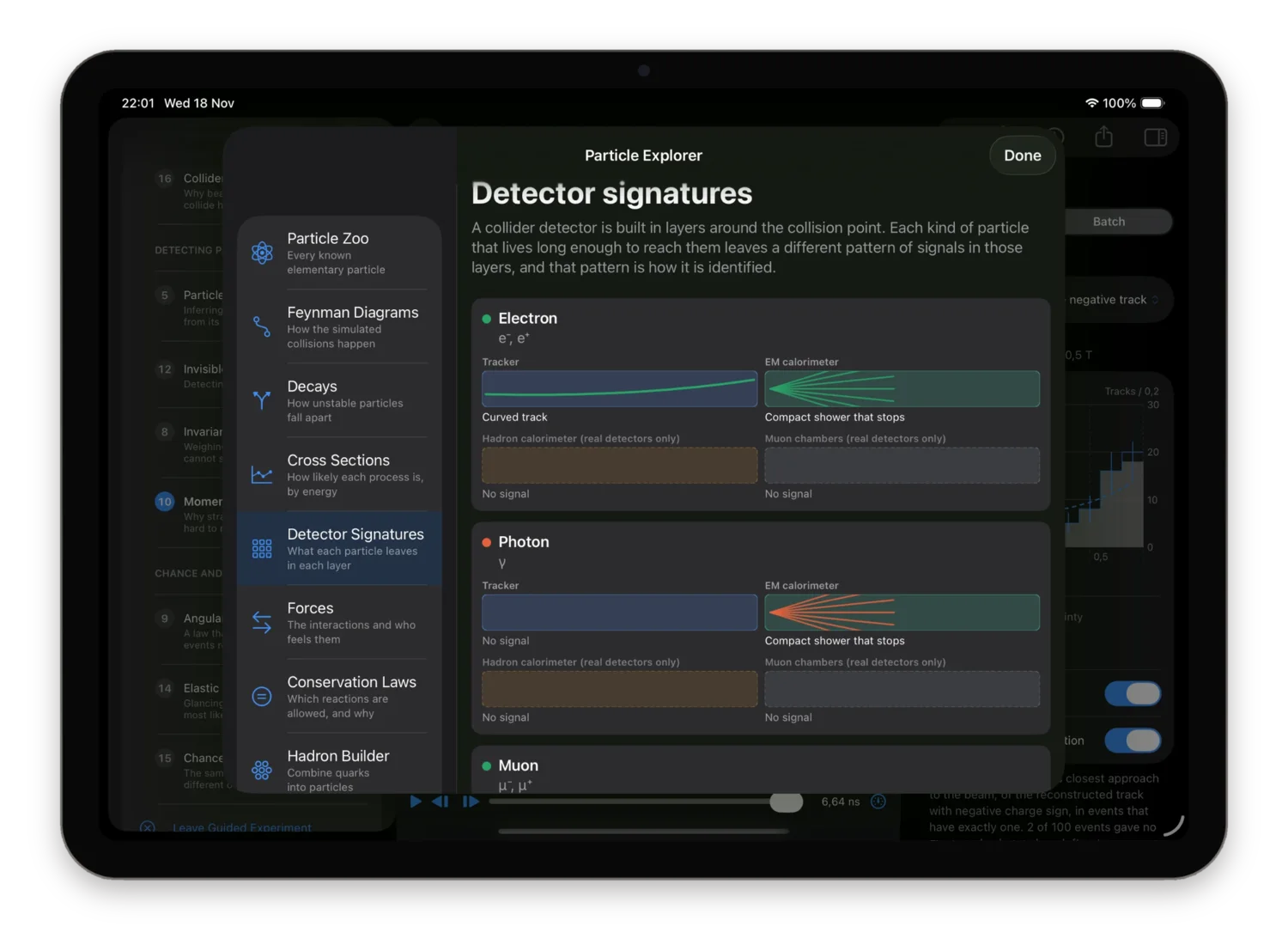
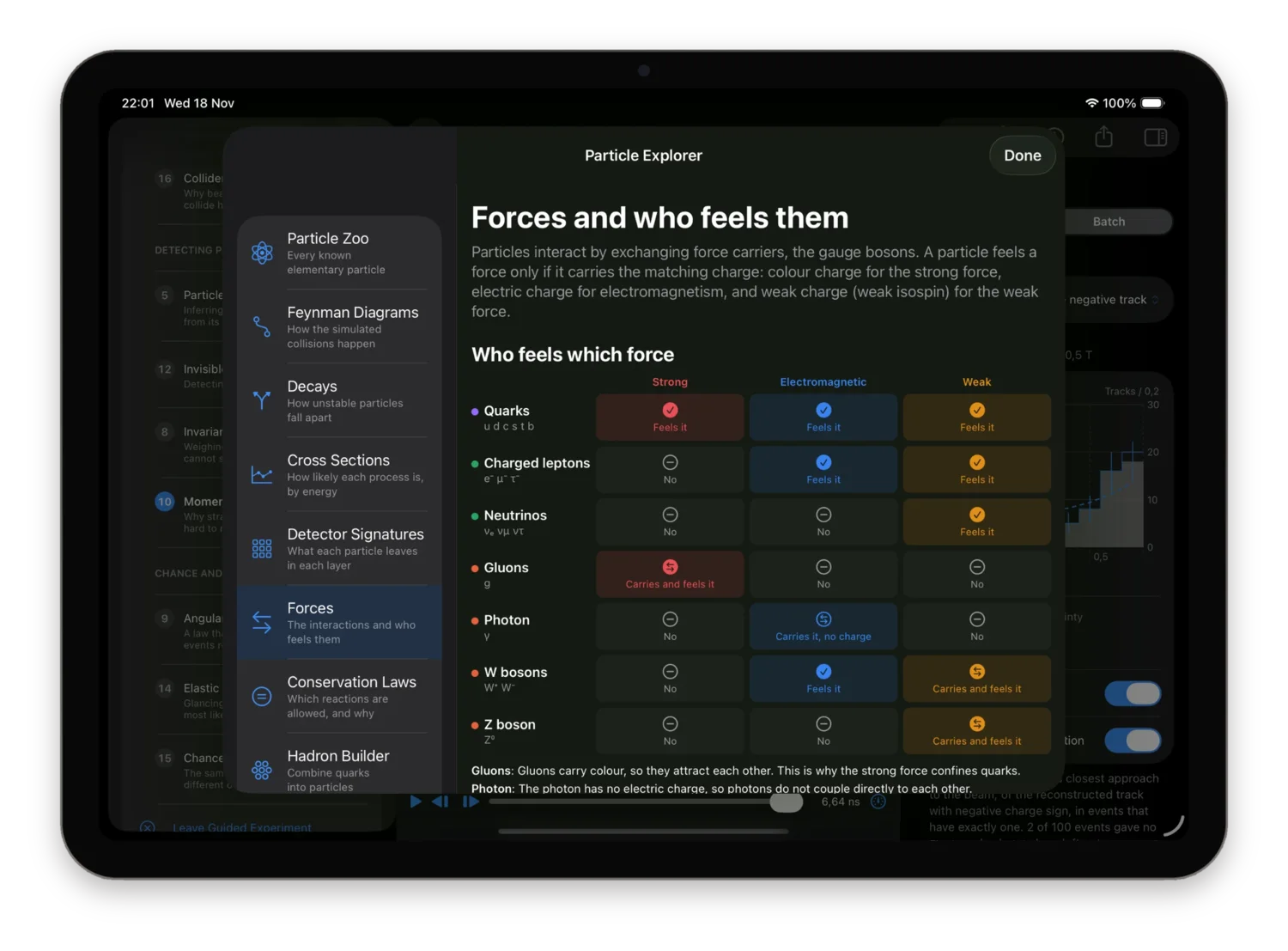
The Standard Model as a chart, plus common hadrons. Select a particle for its mass, charge, spin, lifetime, the forces it feels, its main decays and how a detector sees it.
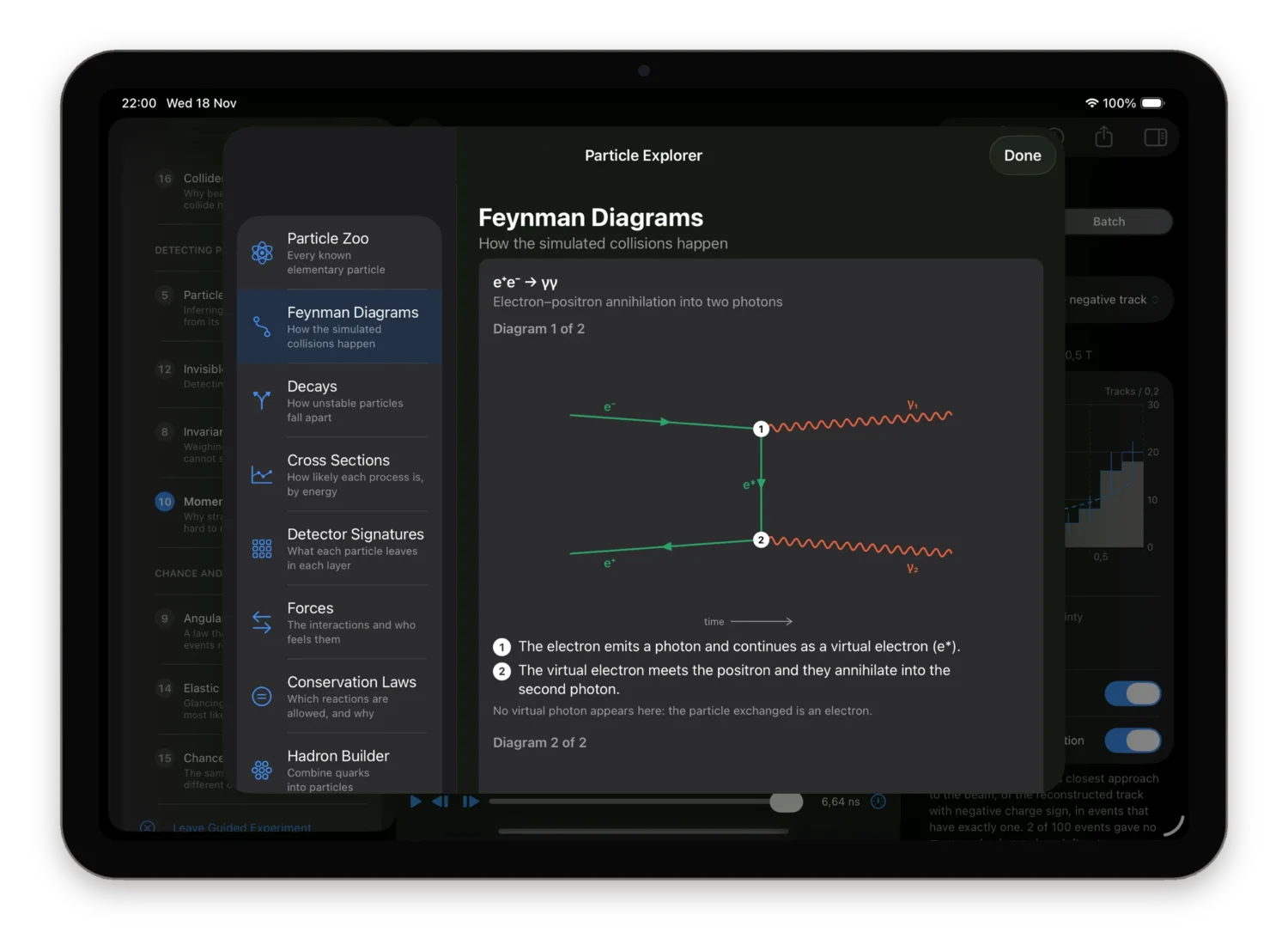
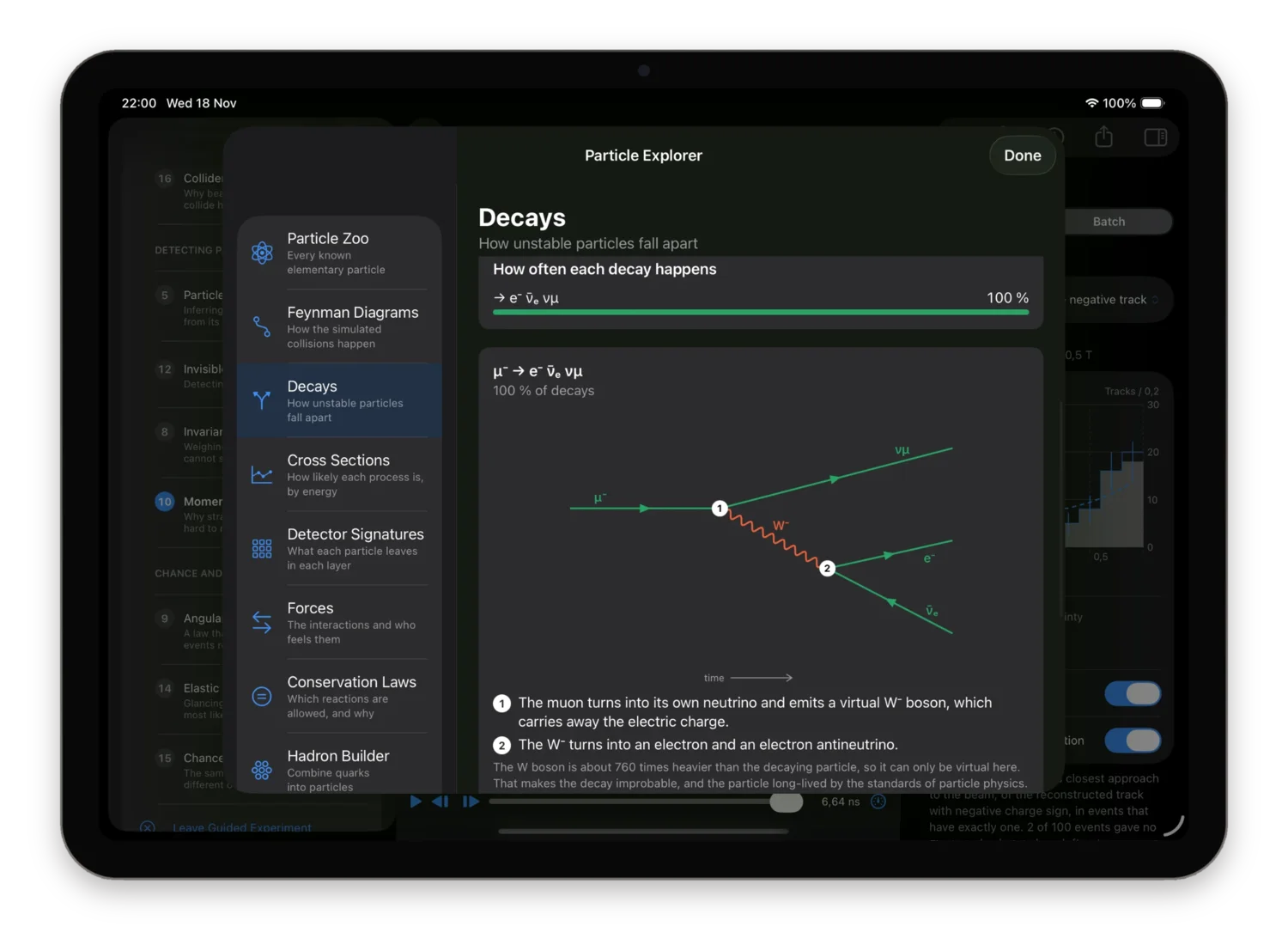
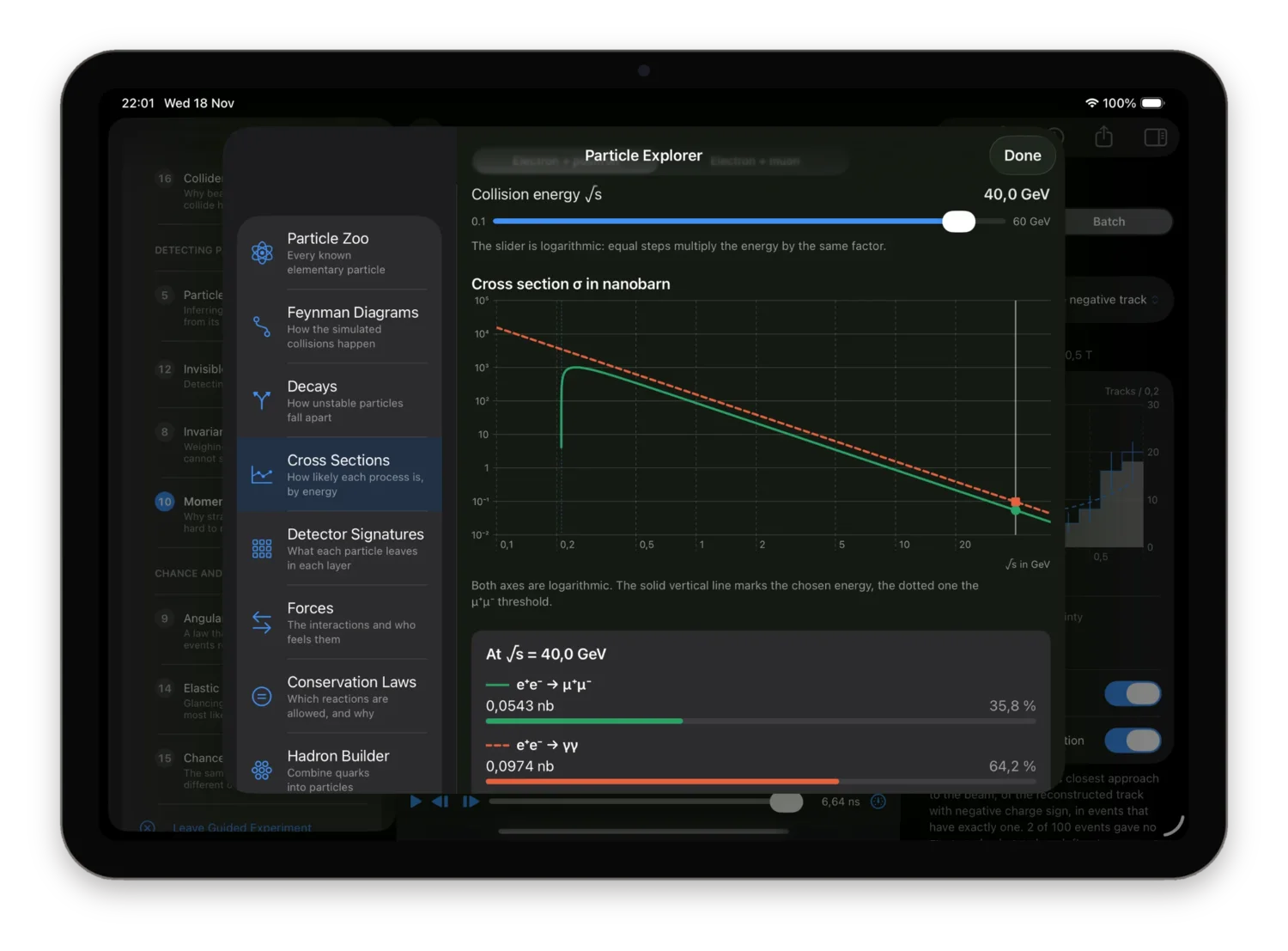
Every model states its limits
An honest approximation is better than an impressive one. Models and Settings lists, for each process, for track propagation, for the detector response and for the reconstruction, exactly what is included and what is left out. Each model is exact within those assumptions and no further.
Where a cross section diverges, the app says which range of angles the quoted number covers. Where the detector has no calorimeter, the generator does not send photons. A bibliography names the textbooks and papers behind the cross sections, the helix, the circle fit and the random number generator.
Tracks are exact helices
The path in a uniform field is the exact solution of the Lorentz force, sampled to within 1 µm. Energy loss, multiple scattering and decays in flight are not modelled, and the app says so.
Momentum comes from the hits
A circle fit to the measured hit positions and the known field, with pT = 0.2998 · B · R. The true vertex and the true momenta are not used.
Sources named
Particle Data Group 2024, Peskin and Schroeder, Halzen and Martin, Griffiths, Jackson, Kolanoski and Wermes, and the Taubin circle fit.
One instrument, three benches
A single universal app with the same experiments, the same physics and the same vocabulary everywhere, laid out for the screen it is on. No desktop layout forced onto a phone.
On the Mac
A three-panel workspace: setup, detector, inspector. The guide, the Particle Explorer and Models and Settings open as windows beside it. Simulation and Camera menus with shortcuts: ⌘↩ to collide, ⇧⌘R for the same seed again, ⌘1, ⌘2, ⌘3 for the views, ⌘↑ and ⌘↓ through the events.
On iPad
A large touch-first display with collapsible side panels. In landscape all three panels fit; upright, the inspector and the setup panel take turns. The same shortcuts work with a hardware keyboard.
On iPhone
An immersive detector view. Setup and inspector are sheets that stop just under half height, so a change of field or energy is seen while it is made.
Light, dark or automatic
Collider Lab starts in Dark and can follow the system or stay Light. The panels change; the detector view is always dark, like the event displays of real experiments.
VoiceOver labels on the controls, the timeline and the histograms, and Dynamic Type in the panels. Buttons for rotating, zooming and resetting the 3D view, with keyboard shortcuts on Mac and iPad. Reduce Motion is respected: playback stays available as stepping and scrubbing.
Reproducible, and yours to take away
Random does not mean unrepeatable. Every event carries its seed and the generator's name and version, and the same seed with the same settings reproduces it exactly, on any device. Type a seed and choose Collide with This Seed to get a classmate's event on your own screen.
Export one event or the whole batch for your own analysis in Python, R or a spreadsheet. Generated and measured values go to separate files or separate columns, so truth is never mistaken for a measurement. While a challenge hides the truth, only the measured tracks can be exported.
- Event as JSON
- The versioned event record: process, seed, generator, particles and vertices, together with the detector response and the reconstruction.
- Particles as CSV
- One row per generated particle with its four-momentum. Generated values only.
- Tracks as CSV
- One row per reconstructed track: charge sign, momentum components, radius, hit count, fit residual and pair mass. The generated particle behind each track is added in separate truth columns, unless truth is hidden.
- Whole batch
- For a batch of up to 500 events: the generated events as one JSON file, all particles as one CSV and all reconstructed tracks as one CSV.
Who it is for
University physics students
Four-momenta, pseudorapidity, invariant mass, resolution: change a parameter, see what the physics does, and read the numbers that prove it.
Teachers and lecturers
Project the detector and change one thing live. Each guide step can be carried out with one click, with no login and no network in the lecture hall.
Secondary-school students
The guided experiments start from the Lorentz force and E = mc² and need no prior particle physics. The reference pages fill in the rest.
Enthusiasts and museums
For anyone who has seen an event display from CERN and wondered how to read one. Works on a kiosk Mac or iPad with no connection.
No account. No network. Nothing to collect.
Collider Lab has no sign-in, no analytics, no cookies and no server. Every event is computed on your device, and the app behaves exactly the same in Airplane Mode. Nothing leaves your device, because nothing is collected in the first place.
No account, no login, no server
There is nothing to sign up for and nothing to sign in to. The app has no backend at all.
No data collection of any kind
No analytics, no advertising frameworks, no telemetry, no third-party code. The only things stored are your last setup and display preferences, on your device.
No network use at all
Every feature works offline, in Airplane Mode, identically. The app makes no requests, so nothing about you can be sent anywhere.
Files only when you export
JSON and CSV files are written only when you choose Export, to the place you pick. They contain simulation data and nothing about you.
Change the field, watch the curvature, read the momentum, and know where the number came from.
More apps from Arpacore
All Science & Engineering apps
Asteroid Close Approach
iPhone & Apple Watch
Every asteroid passing close to Earth and the other planets in the coming weeks, straight from NASA/JPL, with distance, speed, size and energy for each.
Details

Muon Tracker
iPhone & iPad
Watch the cosmic-ray muons that cross your phone screen right now, simulated from your position and altitude with the physics that governs them.
Details

Fouling Impact Calculator
iPhone & iPad
How much extra fuel, CO₂ and money a fouled hull costs on a voyage.
Details
Collider Lab is an educational simulation. Every event it shows is simulated; none is experimental data. Its detector is an idealized cylinder inspired by the layered design of collider experiments and does not reproduce ATLAS, CMS or any other real detector. It is a teaching aid, not a research tool.