Asteroid Close Approach · iPhone & Apple Watch · iOS 14 or later
What is passing close,
and how close.
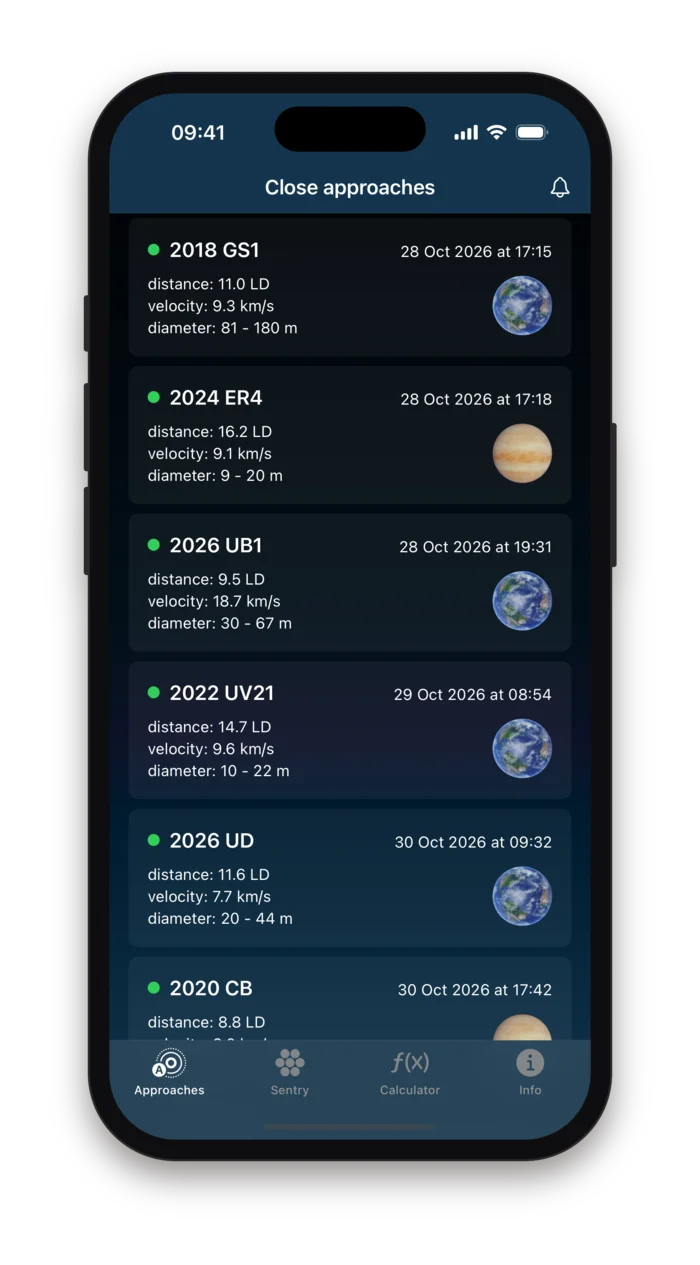
Asteroid Close Approach reads NASA's close approach data as it is published and lists every asteroid due to pass near Earth, the Moon or another planet in the coming weeks: when, at what distance, how fast, and roughly how big.
Behind each row sits the full record: the time to the minute with its uncertainty, the distance in four units, the diameter range and the kinetic energy. A second tab holds NASA's Sentry list, the objects with a measurable chance of hitting Earth in the next hundred years.
Version 1.8 · Data from NASA/JPL's Center for Near-Earth Object Studies
No account · No analytics · No tracking · Nothing collected
The same numbers the observatories use
Every figure in the app comes from the Solar System Dynamics group at NASA's Jet Propulsion Laboratory, through the two public interfaces its Center for Near-Earth Object Studies maintains: the close approach data service, which publishes every predicted pass of an asteroid or comet near a planet, and the Sentry service, which lists the objects whose orbits leave open a possibility of impact.
The app asks JPL directly from your phone each time you open it, so what you see is what the catalogue says that day. Nothing is cached on a server of ours, re-edited or ranked by us. When JPL refines an orbit with new observations, the next refresh shows the new numbers, and an object that drops off the Sentry list drops off your screen too.
Approaches
Every predicted pass within 0.05 AU of a planet or the Moon in the next sixty days, as a list you can scroll, with the full record a tap away.
Sentry
The impact risk list: each object with its potential impact years, probability and Palermo rating, filterable and sortable, with the complete risk analysis behind it.
Calculator
Four sliders that turn an absolute magnitude into a diameter, a mass and a kinetic energy, so you can see what the estimates in the lists rest on.
Close approaches, one card each
The first tab lists every approach JPL predicts for the next sixty days within 0.05 astronomical units, about nineteen and a half times the distance to the Moon, to any body in the solar system. Passes that have already happened fall off the top of the list as the clock moves on. Tap a card for the full record.
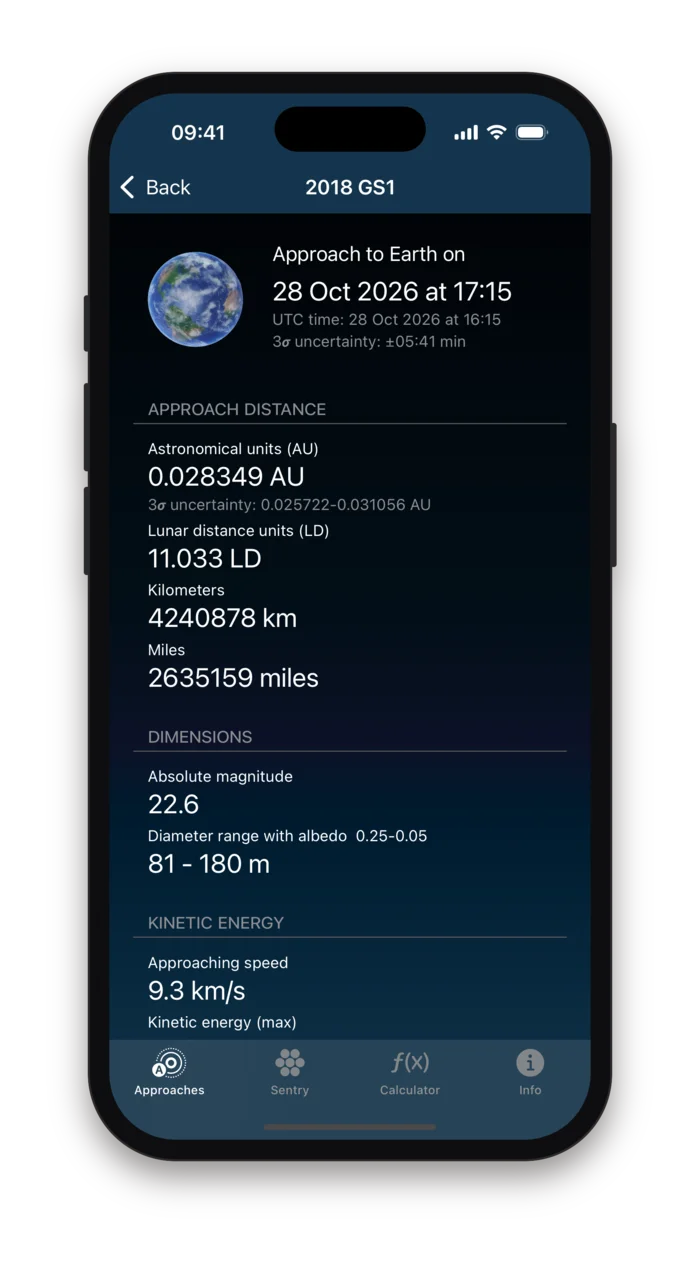
- When
- The moment of closest approach in your local time and in UTC, with the three-sigma uncertainty JPL attaches to it, from seconds for a well-observed object to days for a freshly discovered one.
- How close
- The nominal distance in astronomical units with its uncertainty range, then the same distance in lunar distances, kilometres and miles, so you can read it against whichever scale you have a feel for.
- How big
- The absolute magnitude H, which is what is actually measured, and the diameter range it implies for albedos between 0.25 and 0.05, the bright and dark ends of what asteroids typically reflect.
- How fast, how much energy
- The relative velocity in km/s, and from it the kinetic energy for a sphere of mid-range diameter at a density of 3 g/cm³, in joules and in tons of TNT. An illustration of scale, not an impact forecast: the object is passing by.
- Which one
- The full designation, with the name if it has one, and the orbit ID: the number of the orbit solution the prediction is based on. A higher number means more observations have gone into it.
The dot next to the designation
Orange marks a potentially hazardous asteroid: one whose orbit can come within 0.05 AU of Earth's and whose absolute magnitude is 22 or brighter, which puts it at roughly 140 metres or more. Green is everything else. The colour says something about the object's orbit and size in general, not about the pass in the card, which for both colours is a miss.
New in version 1.8
Tell me when something passes closer than this
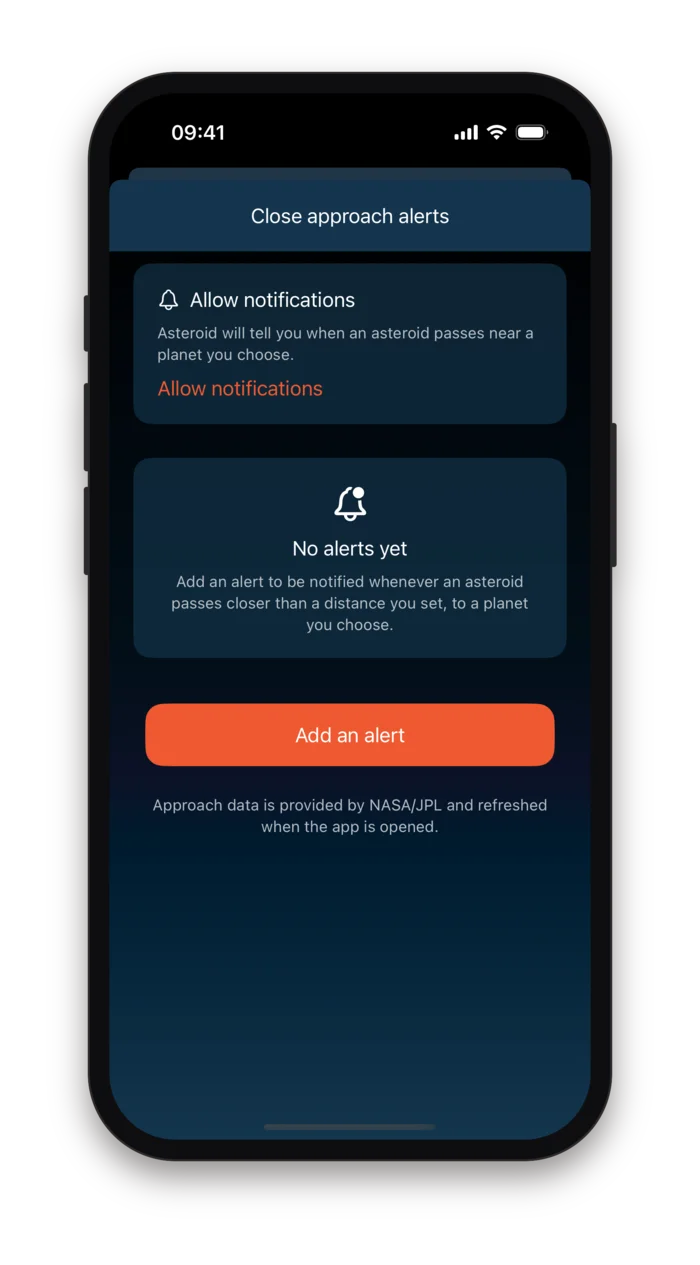
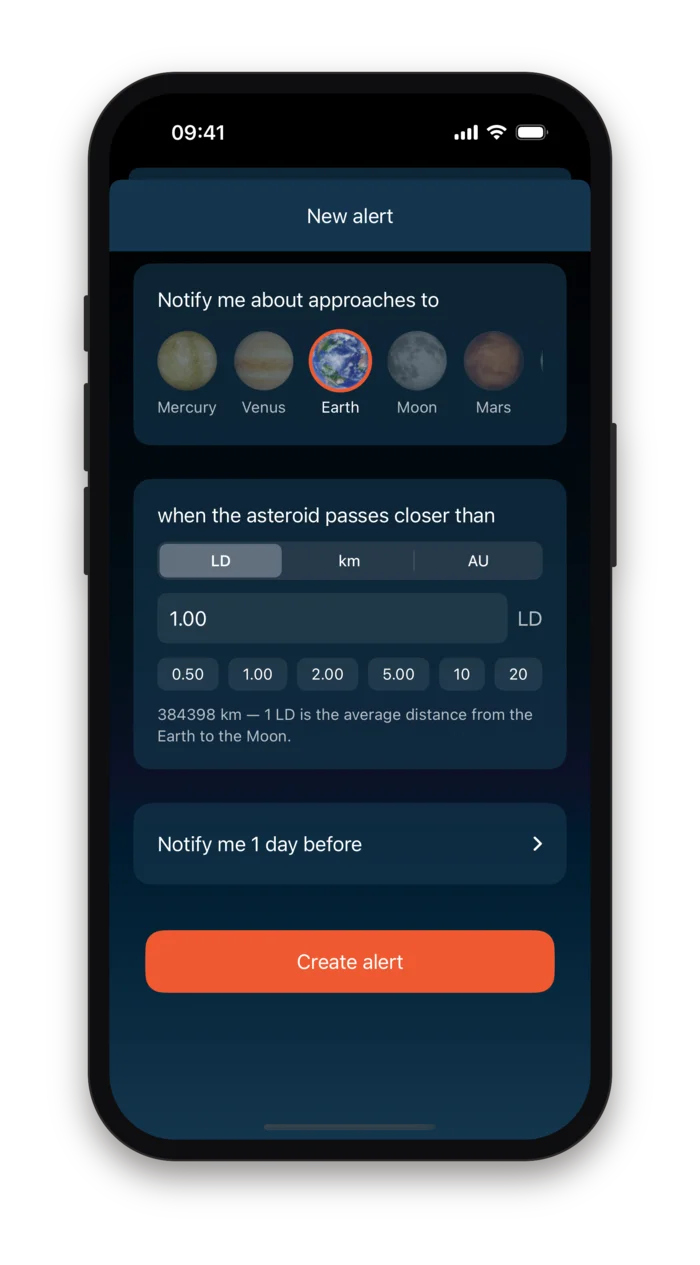
An alert is a rule in three parts: a body, a distance and a lead time. Pick Earth, say 1 lunar distance, ask for a day's notice, and the phone will tell you about every asteroid that passes inside the Moon's orbit the day before it does, with its designation, distance, time and speed in the notification itself.
- A body
- Mercury, Venus, Earth, the Moon, Mars, Jupiter, Saturn, Uranus, Neptune or Pluto. One rule watches one body; add as many rules as you like.
- A distance
- In lunar distances, kilometres or astronomical units, typed or picked from the presets. The editor shows the conversion as you choose.
- A lead time
- At the moment of approach, or one hour, six hours, one day, three days or one week before it.
Alerts are ordinary local notifications, scheduled on the phone itself for every matching approach in the year ahead. The app refreshes the schedule against JPL whenever you open it, and asks iOS for an occasional background window to do the same. There is no server pushing anything to you.
Sentry: the objects that might hit
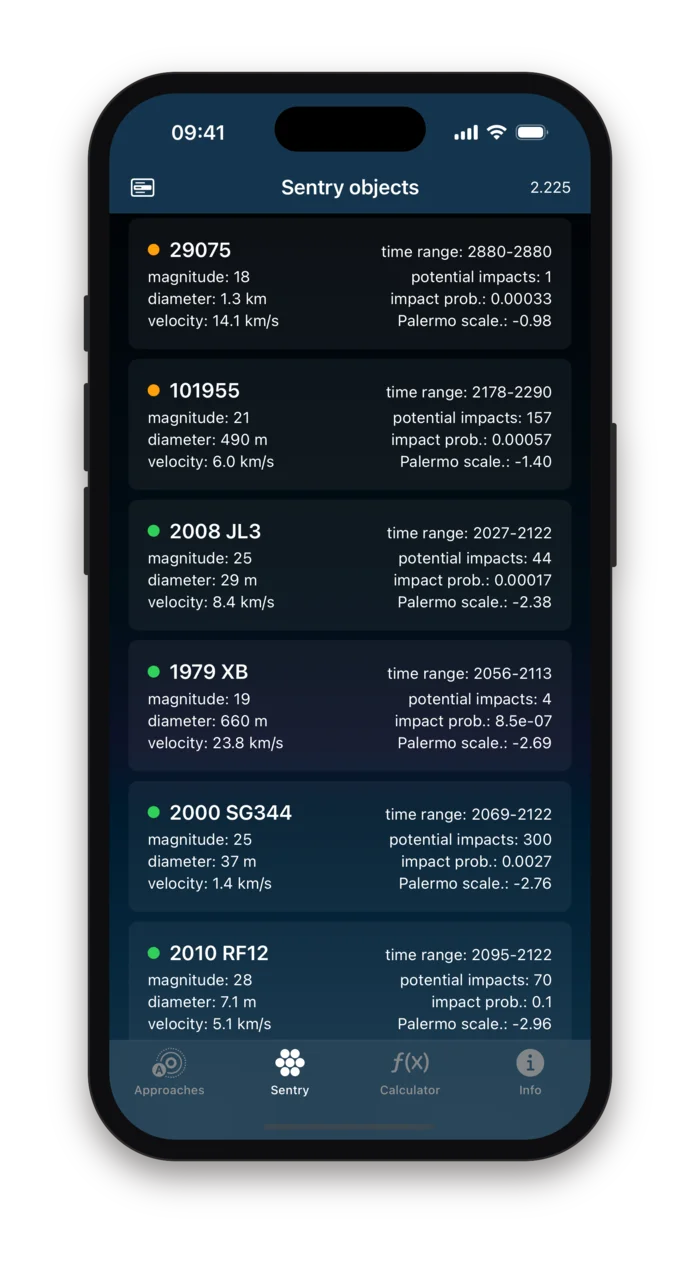
Sentry is JPL's automated impact monitoring system. It continually runs the latest orbit of every known near-Earth asteroid a hundred years forward, and keeps a list of those for which an impact cannot be ruled out, with a probability and a hazard rating for each. The second tab is that list, live, sorted by hazard.
The list
One card per object: the span of years in which an impact is possible, magnitude, diameter, velocity, the number of potential impacts, the cumulative probability and the Palermo rating. Sorted by hazard, with the count in the corner.
The object
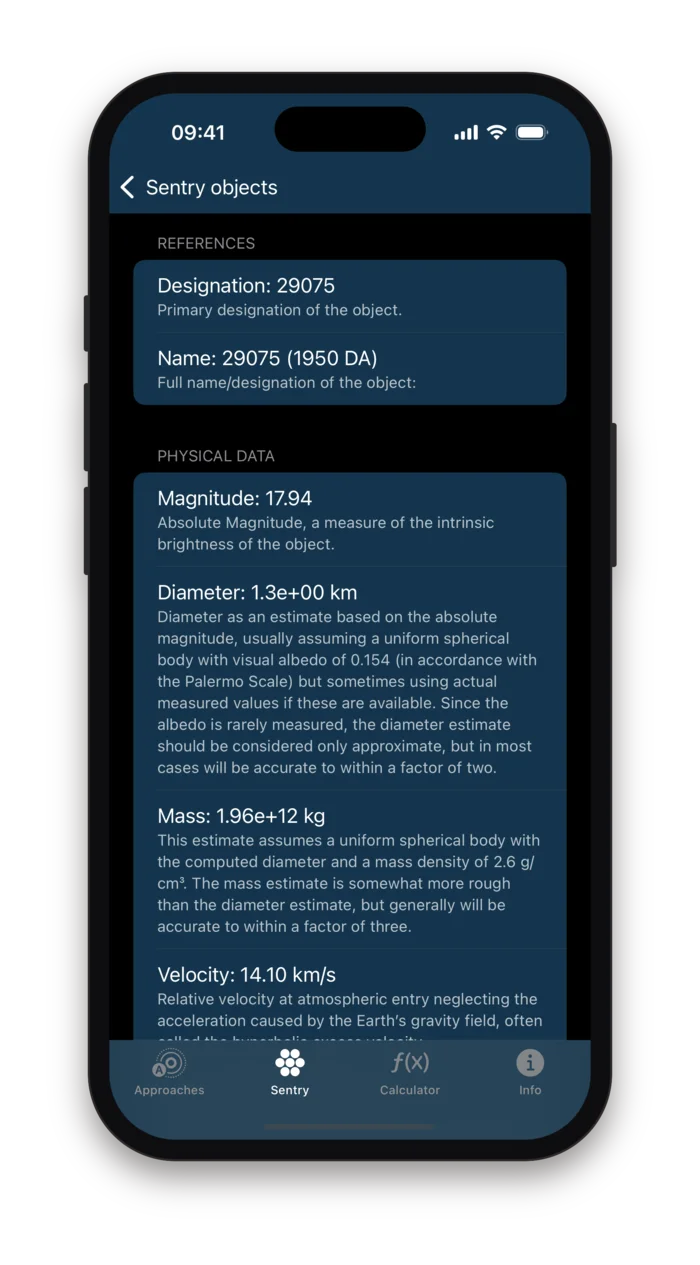
Tap a card for JPL's full risk summary: mass and entry velocity, impact energy in megatons, the analysis method, the Torino rating, and the observation arc behind it, with every figure explained in a line underneath.
The filters
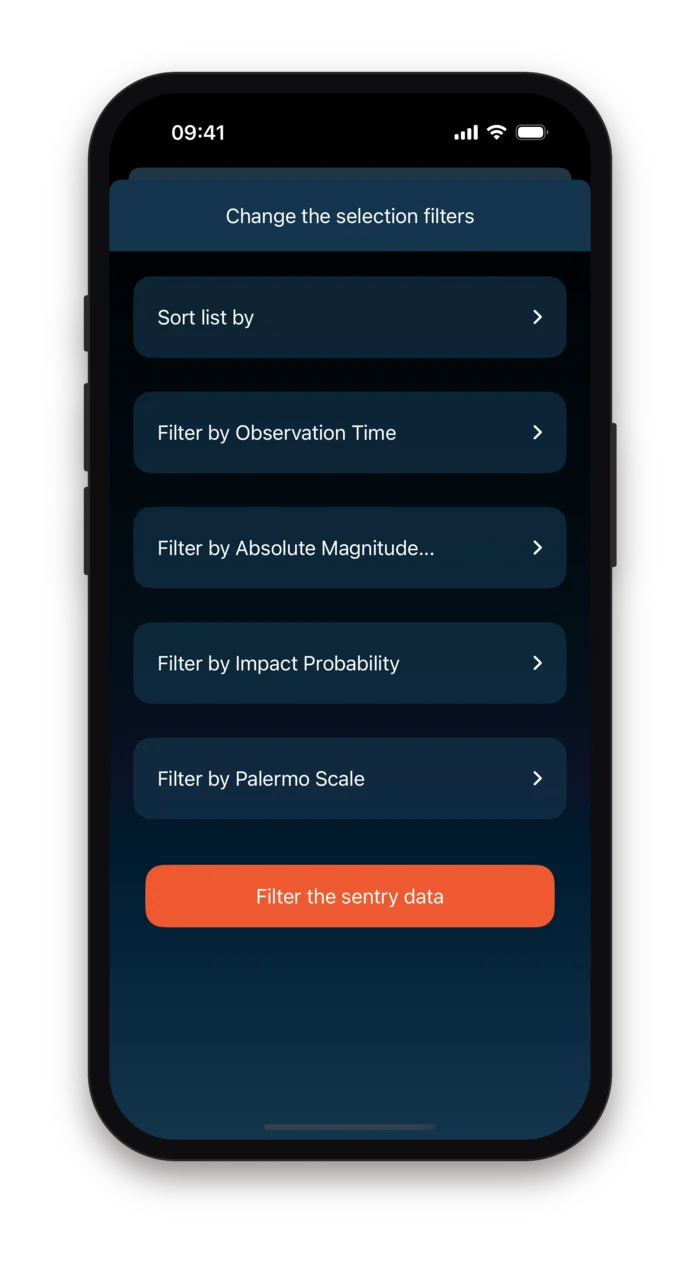
Narrow the list to objects observed in the last 30, 60 or 180 days, brighter than a magnitude you set, above an impact probability from one in a hundred to one in ten million, or above a Palermo rating. Sort by any column.
The Palermo scale, in colour
The Palermo technical scale compares an object's impact probability and energy with the background risk from all objects of that size. Below minus two is green, a hazard far below background; between minus two and zero is orange, worth monitoring; above zero would be red, and no object has been there for long.
Probabilities, honestly stated
JPL's own note on impact probability is quoted on the object page: the computation rests on assumptions that are hard to verify, and a stated probability can easily be off by a factor of a few, occasionally more. The app shows the number and the caveat together.
A hundred years, not forever
Sentry looks a century ahead, which is also the range on which the Torino scale is defined. Years beyond that appear in the list only for objects, such as 29075 (1950 DA), whose risk JPL tracks further out.
Objects come and go
Most objects leave the list within weeks of discovery, once more observations rule the impacts out. The app loads the current list on every open, so the roster you see is the roster that day.
From a magnitude to a megaton
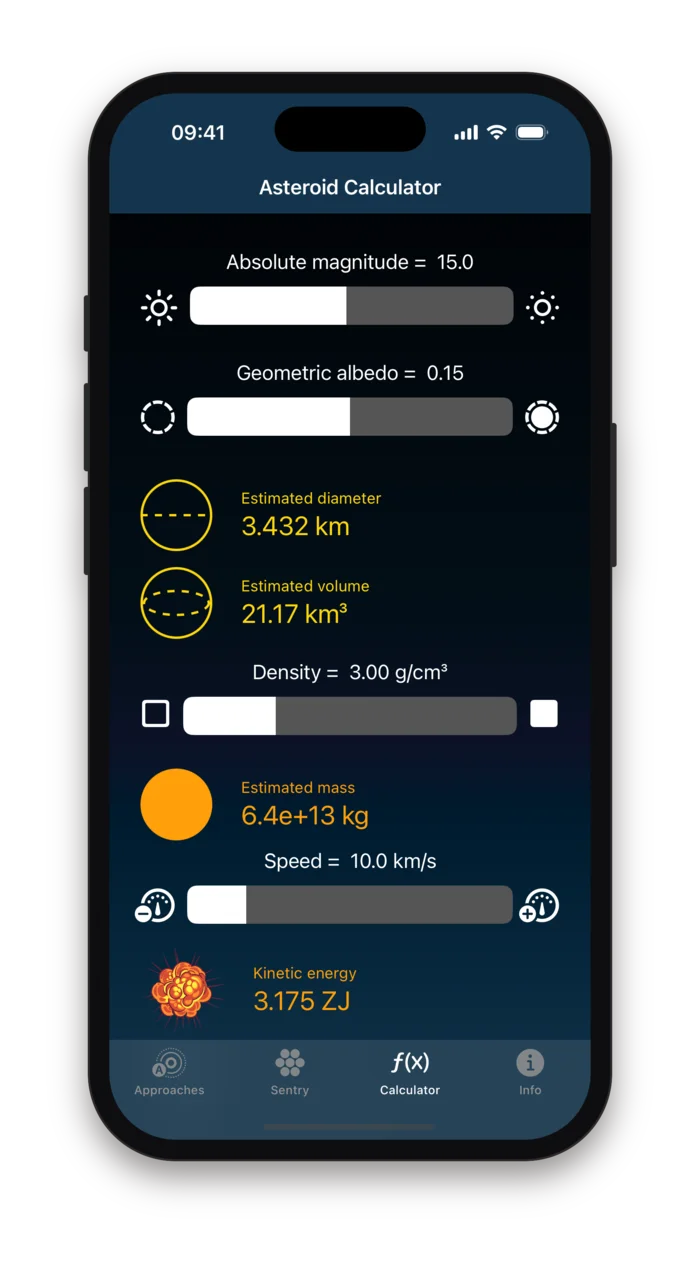
Telescopes do not measure an asteroid's size. They measure how bright it is, the absolute magnitude H, and everything else is inferred. The third tab makes that inference visible: four sliders, and the diameter, volume, mass and kinetic energy that follow from them.
The relation underneath
D = 1329 km · 10−H/5 / √pDiameter from absolute magnitude H and geometric albedo p, the standard formula used by the Minor Planet Center and JPL. Mass is the volume of a sphere of that diameter times the density; energy is ½mv² at the speed you set.
- Absolute magnitude
- From 1 to 30. Brighter is bigger: every five magnitudes is a factor of ten in diameter.
- Geometric albedo
- From 0.05 to 0.25, the fraction of sunlight the surface reflects. A dark object has to be larger to look as bright.
- Density
- In grams per cubic centimetre, from loose rubble to solid rock and metal.
- Speed
- In km/s, typically 5 to 30 for an Earth encounter.
The words, explained where you need them
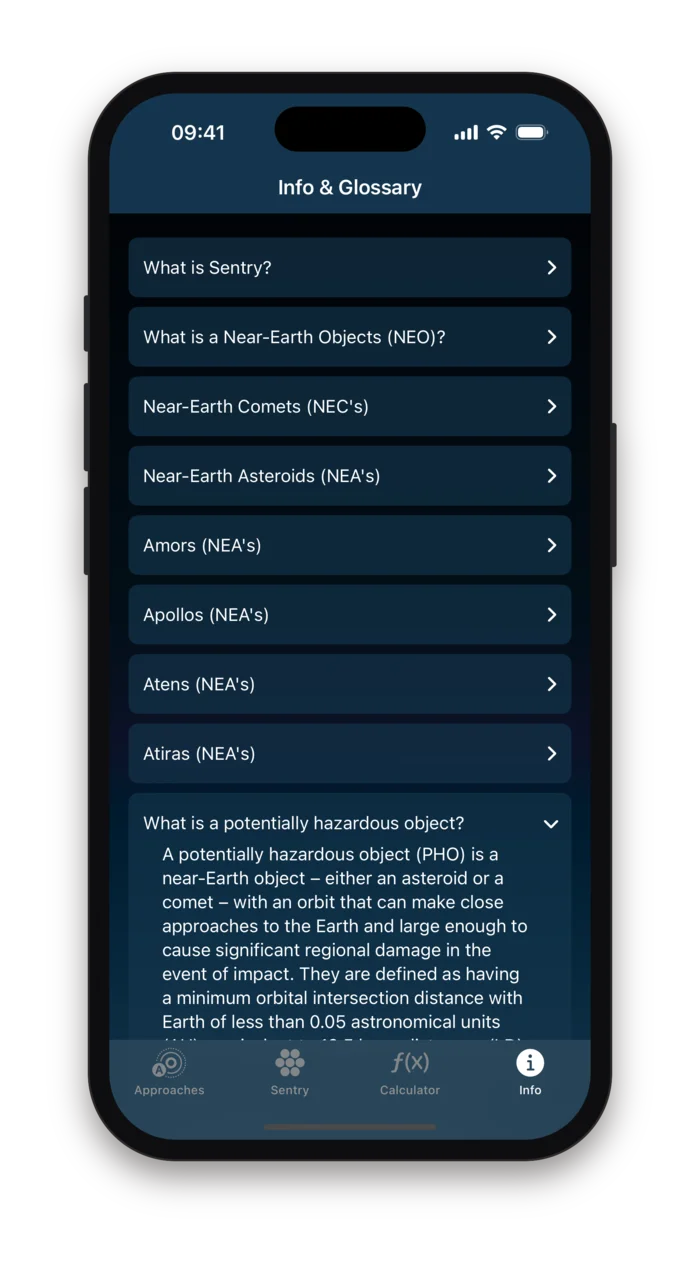
The Info tab is a short glossary of the terms the lists use, written from the definitions JPL publishes: what makes an object near-Earth, the difference between an Amor, an Apollo, an Aten and an Atira, what potentially hazardous means in numbers, and why the same asteroid can carry several orbit IDs. On the Sentry object page, every figure has its own one-line explanation underneath it.
On your wrist, and on the home screen
The Apple Watch app shows the same upcoming approaches, one per screen: time of encounter, distance in lunar distances, diameter range, approaching speed and impact energy, over a picture of the body being passed.
A small home screen widget shows the next approach without opening the app.
One connection, to NASA
The app talks to a single host, JPL's data server, and to nobody else. There is no account to create, no server of ours in between, and nothing about you or your use of the app leaves the phone. The App Store privacy label reads "Data Not Collected", and that is the whole of it.
No account, ever
No sign-up, no sign-in, no profile. The app opens straight onto the list and asks you for nothing.
One host, and only one
ssd-api.jpl.nasa.gov, for approach, Sentry and object data. The requests carry no identifier of yours and are subject to NASA's own policies, which we have no part in.
Alerts stay on the phone
Your alert rules live in the app's settings, and the notifications are scheduled locally by iOS. Nothing is registered with a push service.
No analytics, no ads
No advertising SDK, no tracking technology, no crash reporting that leaves the device. We do not know who uses the app, or when.
Who it is for
Amateur astronomers
The designation, the time and the distance of the pass, so you know what to look for and when, without parsing JPL's tables on a laptop.
Teachers and students
Real objects with real numbers for a lesson on orbits, magnitudes or kinetic energy, and a calculator to show where the estimates come from.
Anyone who read a headline
When the news says an asteroid is "headed for Earth", the card tells you how far away it will actually pass, in a unit you can picture.
People who like to know
An alert for anything inside the Moon's orbit, and the next approach on your wrist. Most weeks there is one.
Asteroid Close Approach has been on the App Store since April 2021 and is still maintained. This is version 1.8.
Something is passing tonight. Now you know how far away.
Asteroid Close Approach is an educational viewer for public data. Orbital data, approach times, distances, impact probabilities and hazard ratings are published by NASA/JPL and shown as received; Arpacore B.V. is not affiliated with NASA or JPL and does not verify the data. Diameters, masses and energies are the app's own estimates from absolute magnitude under stated assumptions about albedo, density and speed, and can be off by a factor of two or more. A kinetic energy figure describes an object's motion, not a predicted impact. Do not use the app for safety or scientific decisions; consult cneos.jpl.nasa.gov for the authoritative record.