Dilution +
C₁V₁ = C₂V₂,
without the arithmetic.
Dilution+ is a bench calculator that does one thing. Tell it the concentration you have, the concentration you want, and how much of it you need — it tells you how much stock to measure and how much solvent to add.
Four stacked bars, one screen, no menus. Every number you tap is a value and its unit, so the conversion between mg/dl and litres is the app's problem rather than yours.
Version 1.2 · 15 units across mass, volume and molarity
Works entirely offline · No account · No analytics · No tracking
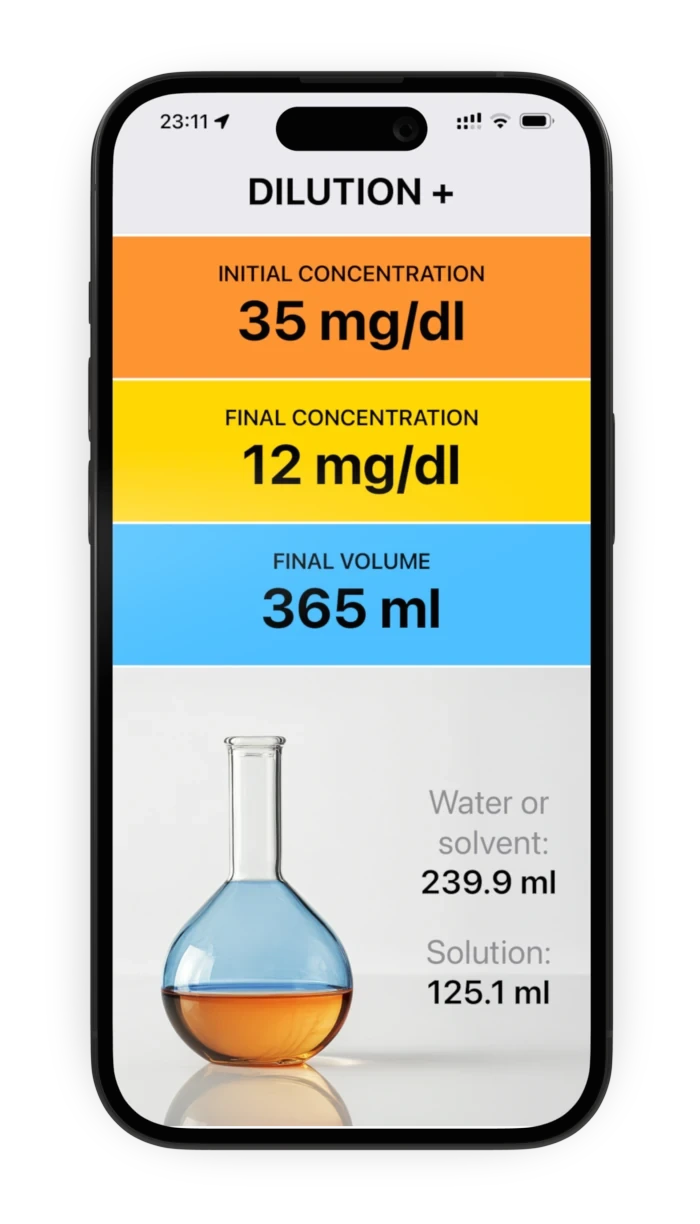
The formula is trivial. Doing it at the bench is not.
Nobody has ever struggled with C₁V₁ = C₂V₂. What goes wrong is everything around it: the stock is quoted in mg/dl, the protocol asks for a final volume in litres, and the answer is wanted while one hand is already holding a pipette. That is where a factor of ten goes missing.
Dilution+ removes the conversion step entirely. Units are part of the input, not something you normalise first, and the result comes back in whatever unit keeps it a readable number. The app opens straight onto the calculation — there is no home screen, no project to create and nothing to sign into.
Three numbers in, two numbers out
Each of the three coloured bars opens its own keypad in the same colour, so you always know which value you are editing. Type the digits, tap a unit, press ↵ — and the result underneath has already updated by the time the bar comes back.
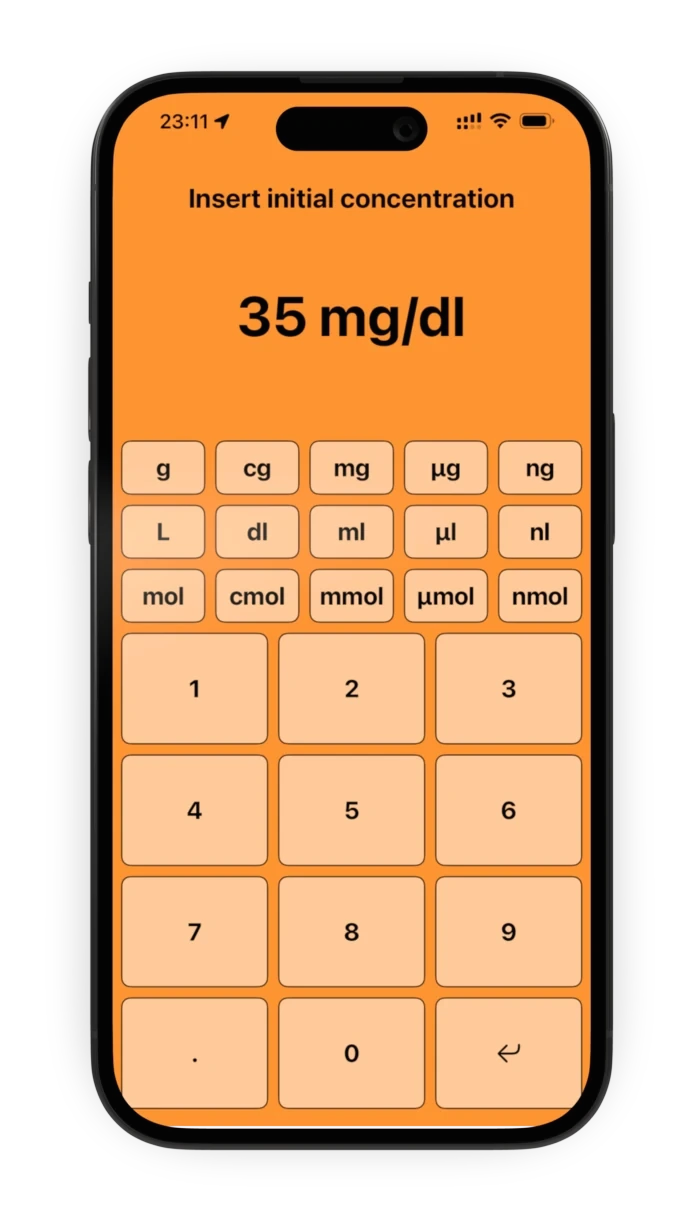
Step 1
What you have
The concentration of the stock solution, in the orange bar. Tap the digits, then a mass unit and a volume unit — or a single molar unit.
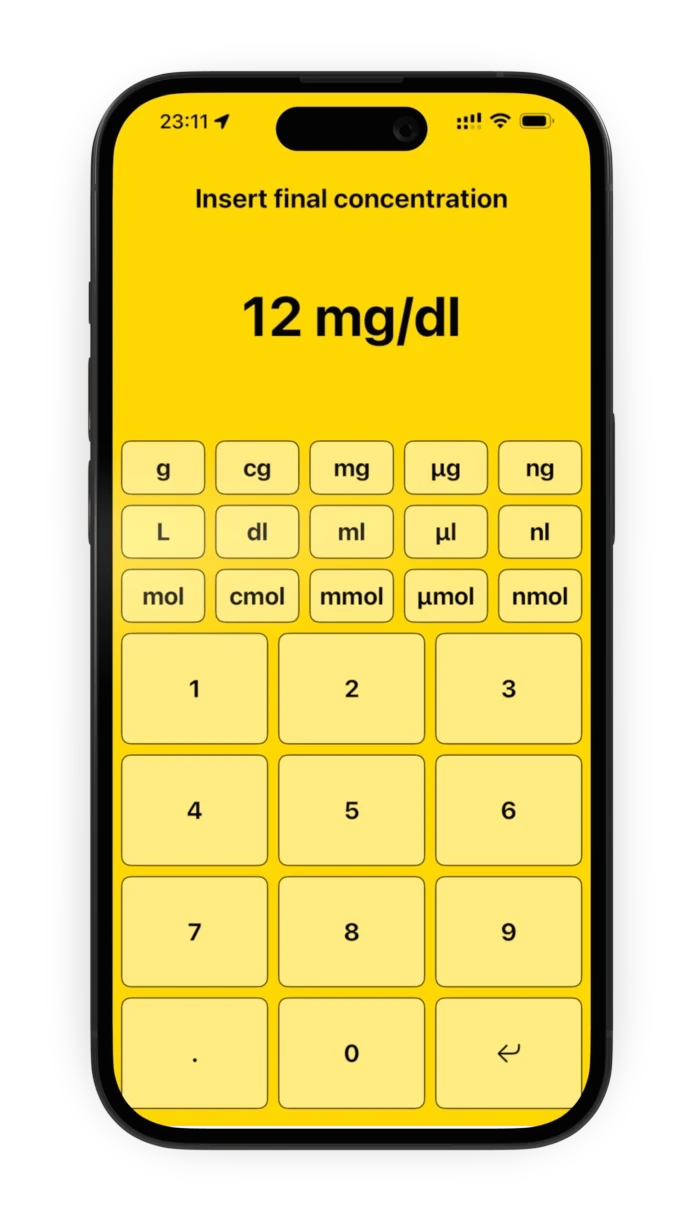
Step 2
What you want
The concentration you are aiming for, in the yellow bar. It has to be lower than the first one and expressed in the same family of units.
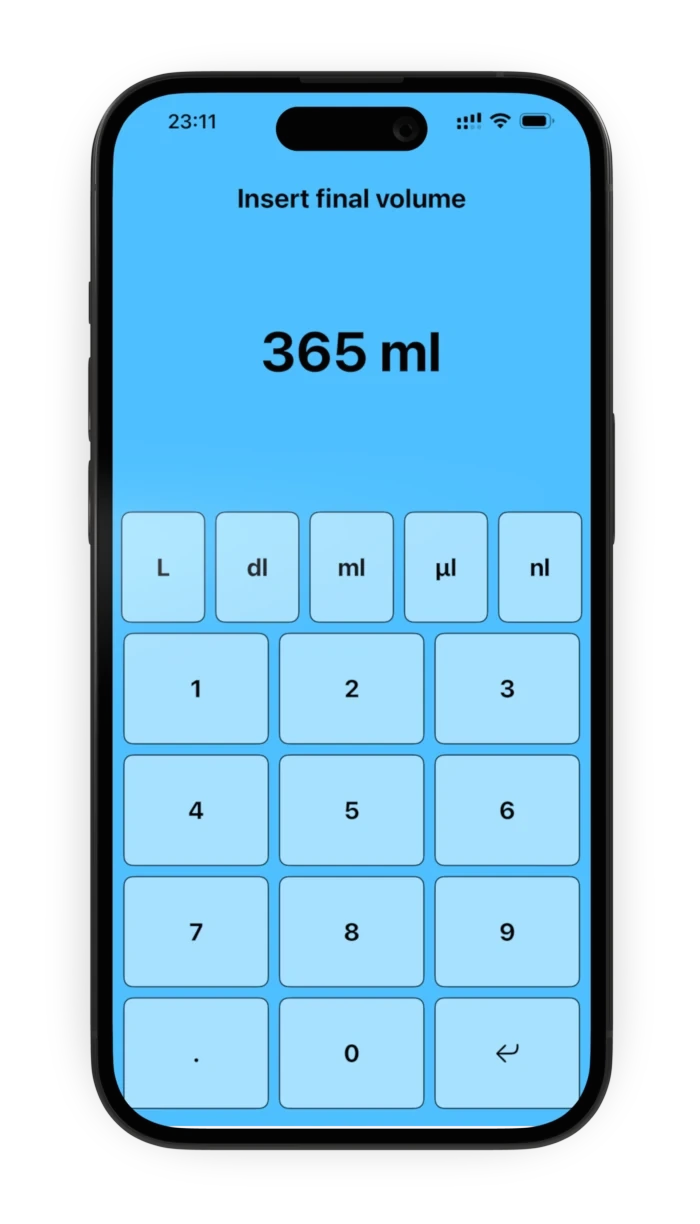
Step 3
How much of it
The volume you need to end up with, in the blue bar. Volume units only here, so there is nothing irrelevant to tap by mistake.
The answer is the pair you actually need
Most calculators hand back V₁ and leave you to subtract. Dilution+ reports both volumes: the stock solution to measure, and the water or solvent to add to it. Two numbers, two measuring steps, nothing left to work out on paper.
The example above
A 35 mg/dl stock, a 12 mg/dl target and 365 ml to make. Measure 125.1 ml of the stock, top it up with 239.9 ml of solvent, and you have 365 ml at 12 mg/dl.
Change any one of the three bars afterwards and the pair recalculates immediately — no button to press. Tap the large number on a keypad screen to clear that input and start it again.
Fifteen units, and it does the conversion
A concentration can be given two ways: as a mass over a volume — tap a mass unit, then a volume unit — or as a molarity, by tapping a single molar unit. Choosing one clears the other, so an input can never end up half in one system and half in the other.
Mass
The numerator of a mass-over-volume concentration, from grams down to nanograms.
Volume
The denominator of that ratio, and the only units offered for the final volume.
Molarity
A single tap expresses the concentration as a molarity instead, with no mass or volume needed.
Mix them freely on the way in
The two concentrations only have to belong to the same family — both molar, or both a mass over a volume. Beyond that nothing has to match: enter a stock in mg/dl, a target in µg/ml and a final volume in litres, and the arithmetic still lands where it should.
And it picks the unit on the way out
Results are rendered in whichever unit keeps the figure comfortably readable, stepping from picolitres up to litres as needed. You get 239.9 ml rather than 0.0002399 L, whatever you happened to type in.
It would rather say nothing than say something wrong
When the three inputs do not describe a dilution that can actually be made, the result panel says so in plain words instead of quietly returning a number. Here is a whole run of it: three perfectly valid entries that add up to an impossible request.
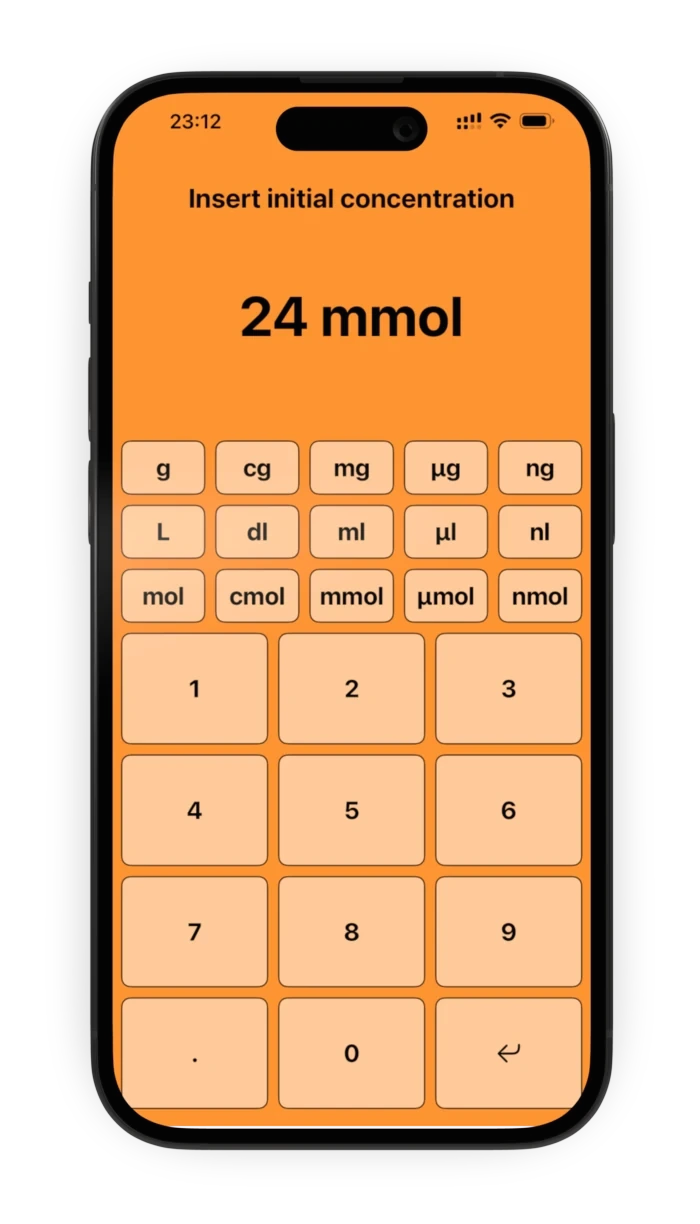
Input 1
24 mmol
A molarity for the stock, entered with a single tap on mmol.
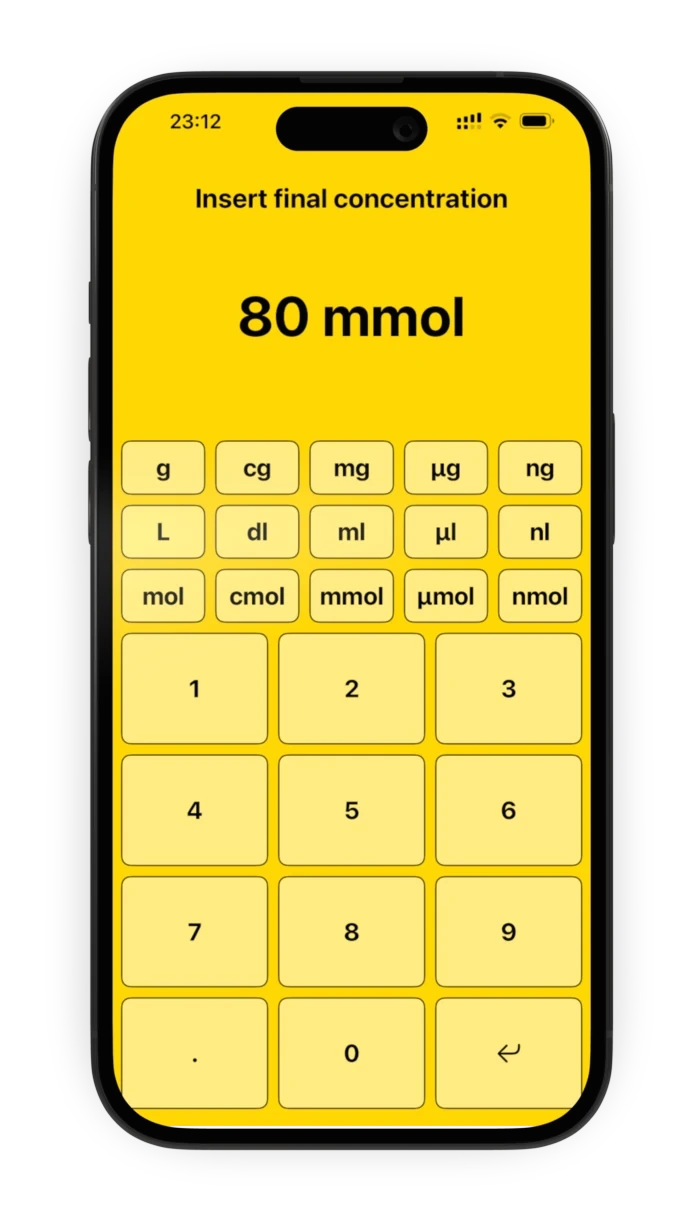
Input 2
80 mmol
A molarity for the target too, so the two are comparable — but it is the larger of the pair.
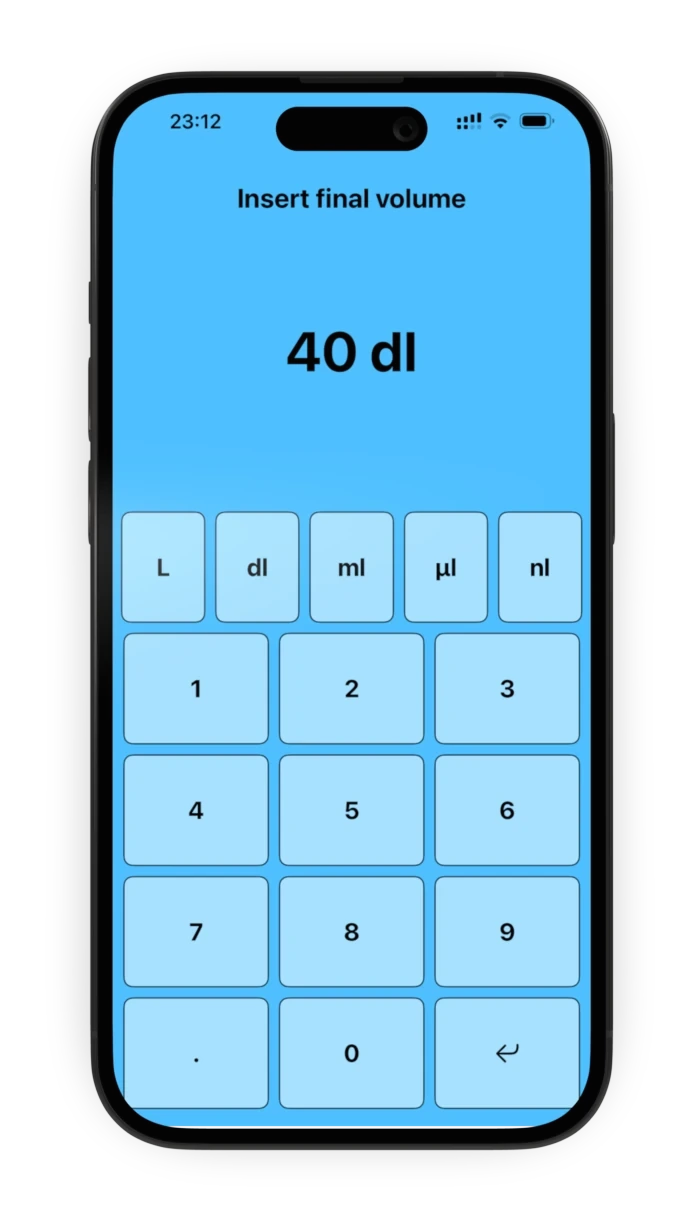
Input 3
40 dl
A perfectly ordinary final volume. Nothing here is wrong on its own.
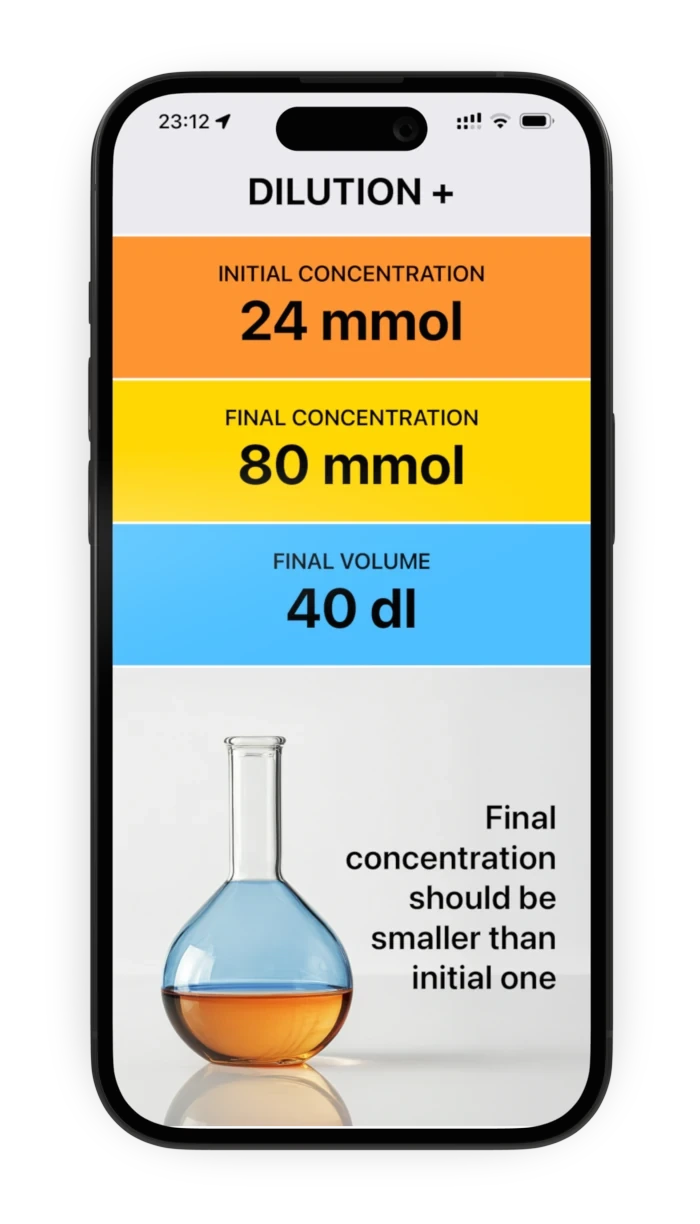
The answer
Final concentration should be smaller than initial one
Going from 24 mmol up to 80 mmol is a concentration, not a dilution. The app names the problem rather than returning a negative volume of solvent.
A dilution has to dilute
If the target concentration is not lower than the starting one, the app says so rather than returning a negative volume of solvent.
No mixing systems
One concentration in mmol and the other in mg/dl is not a comparison the app can make, and it tells you instead of guessing at a molar mass.
Nothing half-typed
A value with no unit, a unit with no value, or a number that is not a number all stop at the keypad, with the title line naming what is missing.
Easy to take back
Tap the big readout on any keypad screen to wipe that input and start it over. Nothing is committed until you press ↵.
Who it is for
Lab technicians
The calculation you do a dozen times a day, done on the bench in the time it takes to reach for the stock bottle.
Students
A way to check the dilution you worked out by hand, and to see which unit the answer naturally wants to be in.
Researchers
Serial dilutions and working solutions from a stock, with the mass-to-molar decision made explicitly rather than assumed.
Anyone off the grid
Field work, a basement lab, a plane. There is no network call to fail, because there is nothing on the other end of one.
A calculator has no business knowing you
Dilution+ has no account, no sign-in and no profile. It opens no network connection, keeps no history, and there is no server behind it — the whole app is the arithmetic and the keypads.
No account, ever
No sign-up, no sign-in, no profile. The app opens straight onto the calculator and asks you for nothing.
No server behind it
Arpacore B.V. runs no backend, database or cloud service for this app. Nothing is uploaded because there is nowhere to upload it to.
No analytics, no ads
No advertising SDK, no tracking technology, no crash reporting that leaves the device. We do not know who uses the app, or when.
Nothing to delete
The values you type are not saved anywhere off the device. Uninstalling removes every trace of the app.
Small, quiet, and always there
Dilution+ runs on iPhone, in portrait, and needs nothing else — no signal, no login, no companion app. It is the sort of tool that is worth having installed precisely because you only need it for eleven seconds at a time.
Tapping the DILUTION + bar at the top opens a short Info panel with the version, the licence and a link to report a problem. That is the entire rest of the app.
It has been on the App Store since 2021 and is still maintained — this is version 1.2.
Measure twice. Calculate once.
Dilution+ is a calculation aid for laboratory and educational use. It is not a medical device and does not provide medical, pharmaceutical or dosing advice. It assumes an ideal dilution in which volumes add — it does not account for volume contraction, excipients, solubility limits or the properties of any particular substance. Always verify a calculation against your own protocol before preparing anything, and follow the safety procedures of your laboratory.