CTC-AE+
The whole CTC-AE,
offline, in three taps.
CTC-AE+ is the adverse event reference oncology teams have been opening since 2010: the complete NCI Common Terminology Criteria in both v4.03 and v5.0, with every term, every MedDRA code and all five graded definitions — bundled inside the app, so it answers with no network at all.
Version 4 adds the part people kept asking for: an adverse event logger. Trials, patients, graded events — kept in your own private iCloud, exported as CSV whenever you want them somewhere else.
Version 4.2 · One purchase covers iPhone, iPad and Mac
Works entirely offline · No account · App Store privacy label: Data Not Collected
The grade is needed at the bedside, not at the desk
Grading an adverse event means finding the right term among thousands, reading five definitions that differ by a single clause, and deciding which one this patient matches. The reference for that is a several-hundred-page PDF — searchable at a workstation, useless on a ward round.
CTC-AE+ carries the same terminology in an app that opens instantly and works with the Wi-Fi off. Pick the organ system, pick the term, read the five grades side by side. Then, if you want, record what you decided against the patient it belongs to.
Four standards, one search field
Everything is bundled at build time and rendered locally — no lookup, no loading spinner, no request leaving the device. Star the terms a protocol keeps returning to and they collect in a quick list of their own.
CTC-AE v4.03
The complete v4.03 terminology, published by the NCI in June 2010 and still the version many active protocols are written against.
CTC-AE v5.0
The current v5.0 criteria from November 2017, kept alongside v4.03 rather than replacing it, so you grade against whichever the protocol specifies.
ECOG & Karnofsky
Both performance status scales in full, each level cross-referenced to its equivalent on the other.
Lansky (pediatric)
The Lansky play-performance scale for children, described in the terms a parent would actually report.
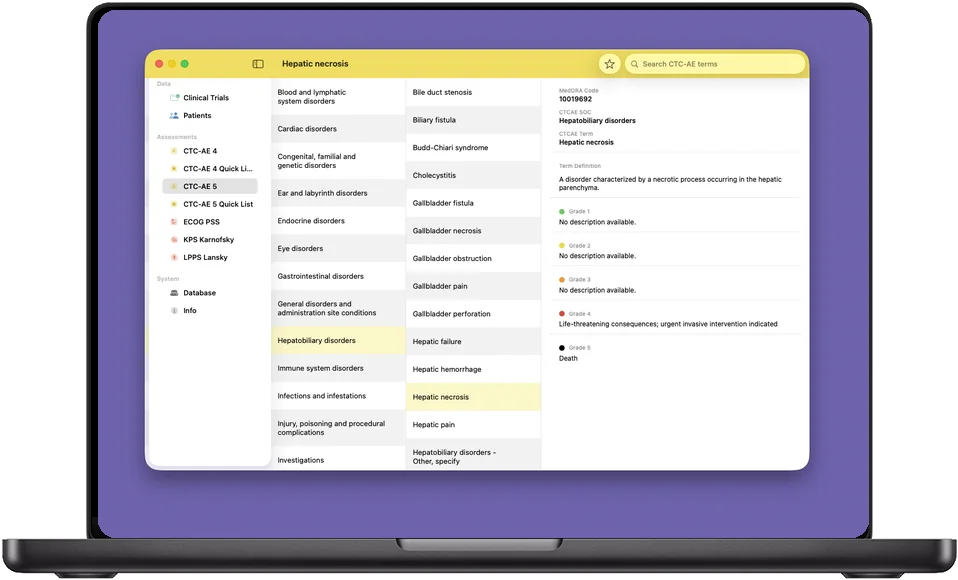
Organ system → term → grade
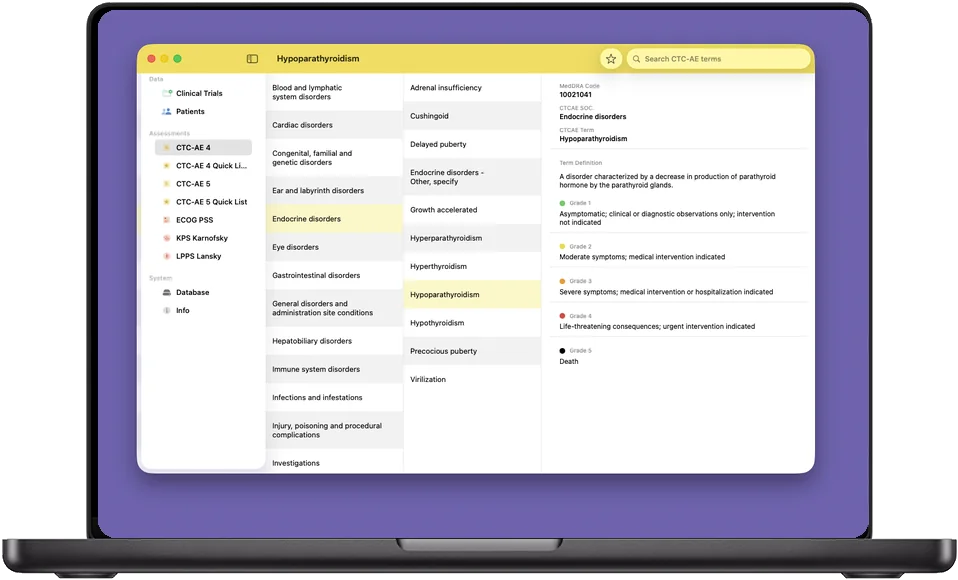
Three columns, no menus to remember. Choose a system organ class, scan its terms, and the detail pane gives you the MedDRA code, the CTCAE SOC, the term definition, and all five grades in full — not abbreviated, not paraphrased.
Type into the search field instead and it goes straight to the term. On iPhone the same three levels become three screens; on iPad and Mac they sit side by side.
Five grades, colour-coded end to end
The same severity colour follows a grade everywhere it appears — in the reference, in the picker, and down the event list — so the shape of a patient's toxicity profile is readable before you have read a word of it.
| Grade | Severity | What it means in the criteria |
|---|---|---|
| Grade 1 | Mild | Asymptomatic or mild symptoms; clinical or diagnostic observations only; intervention not indicated. |
| Grade 2 | Moderate | Minimal, local or non-invasive intervention indicated; limiting age-appropriate instrumental activities of daily living. |
| Grade 3 | Severe | Severe or medically significant but not immediately life-threatening; hospitalization indicated; disabling; limiting self-care activities of daily living. |
| Grade 4 | Life-threatening | Life-threatening consequences; urgent intervention indicated. |
| Grade 5 | Death | Death related to the adverse event. |
Grade definitions are term-specific in the criteria themselves; the app always shows the wording that belongs to the term you are reading.
On iPhone, where the round happens
The whole app fits on a phone screen without becoming a smaller version of something else. From the home screen to a graded definition is three taps, and none of them need a signal.
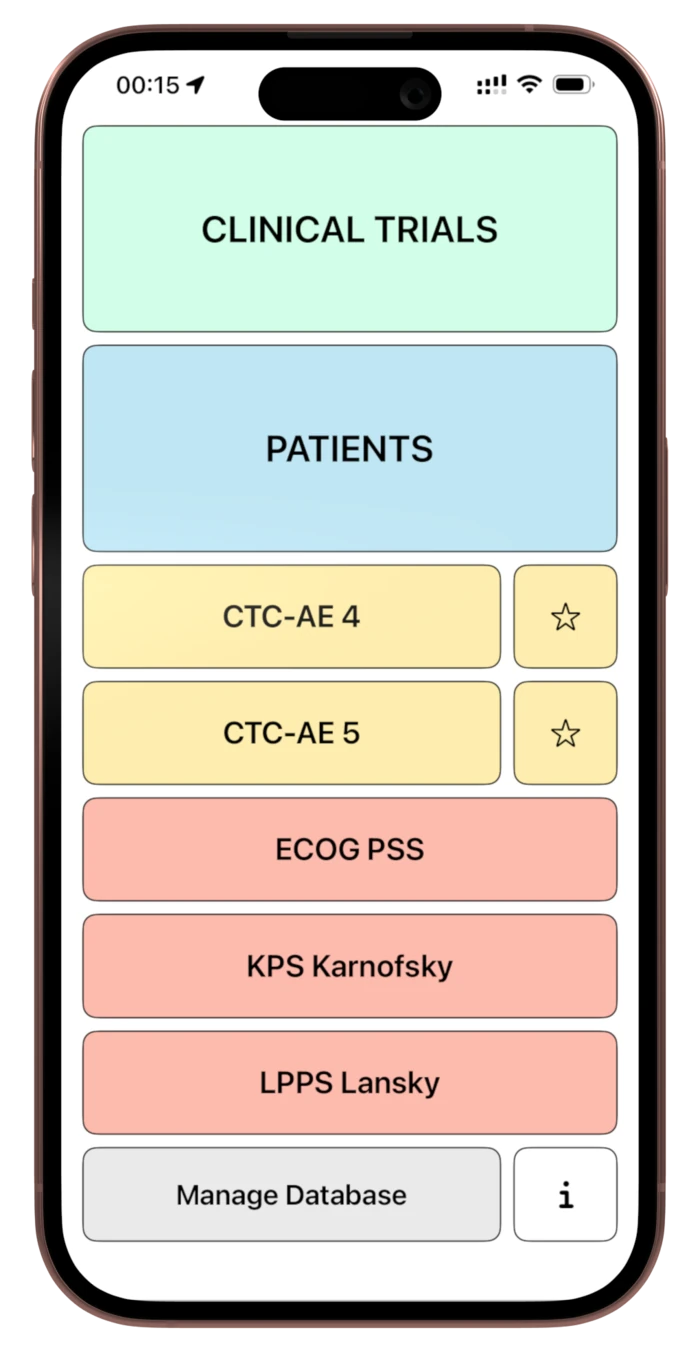
Start
The home screen puts every reference and both logger levels one tap away, with a star beside each CTC-AE version for its quick list.
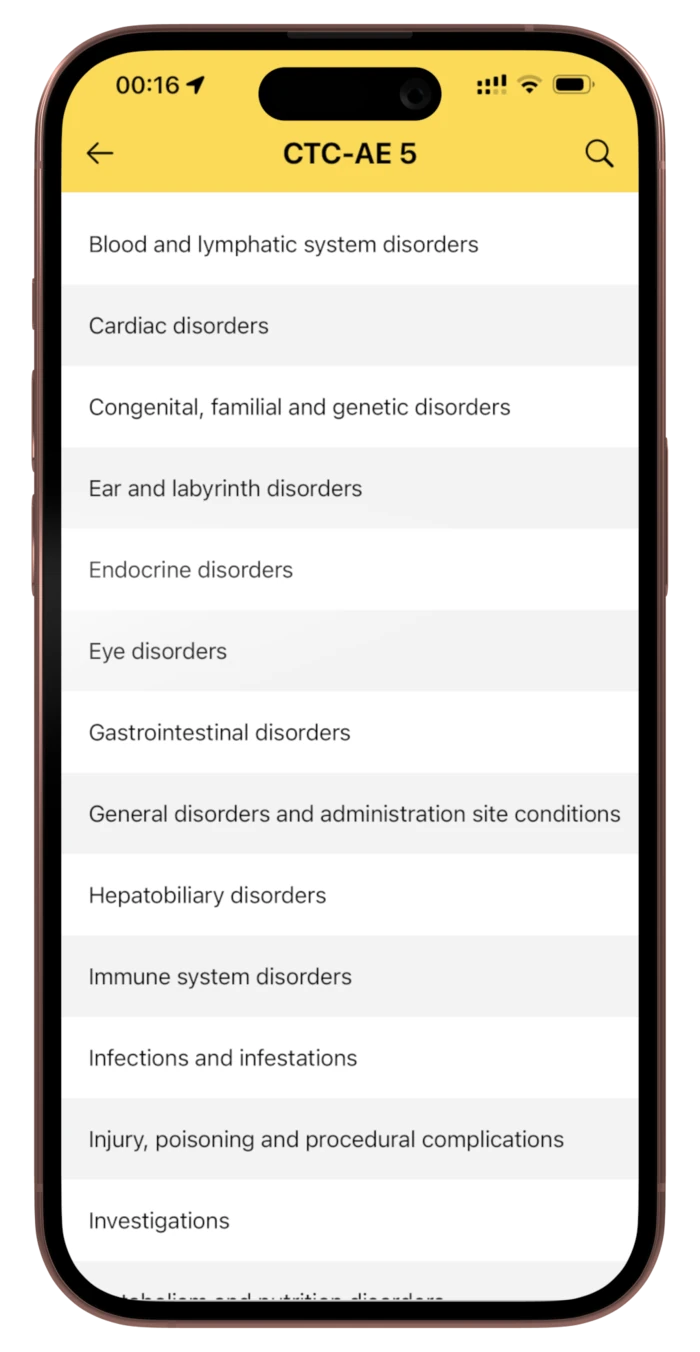
Tap 1
Pick the system organ class — or go straight to the search field in the navigation bar.
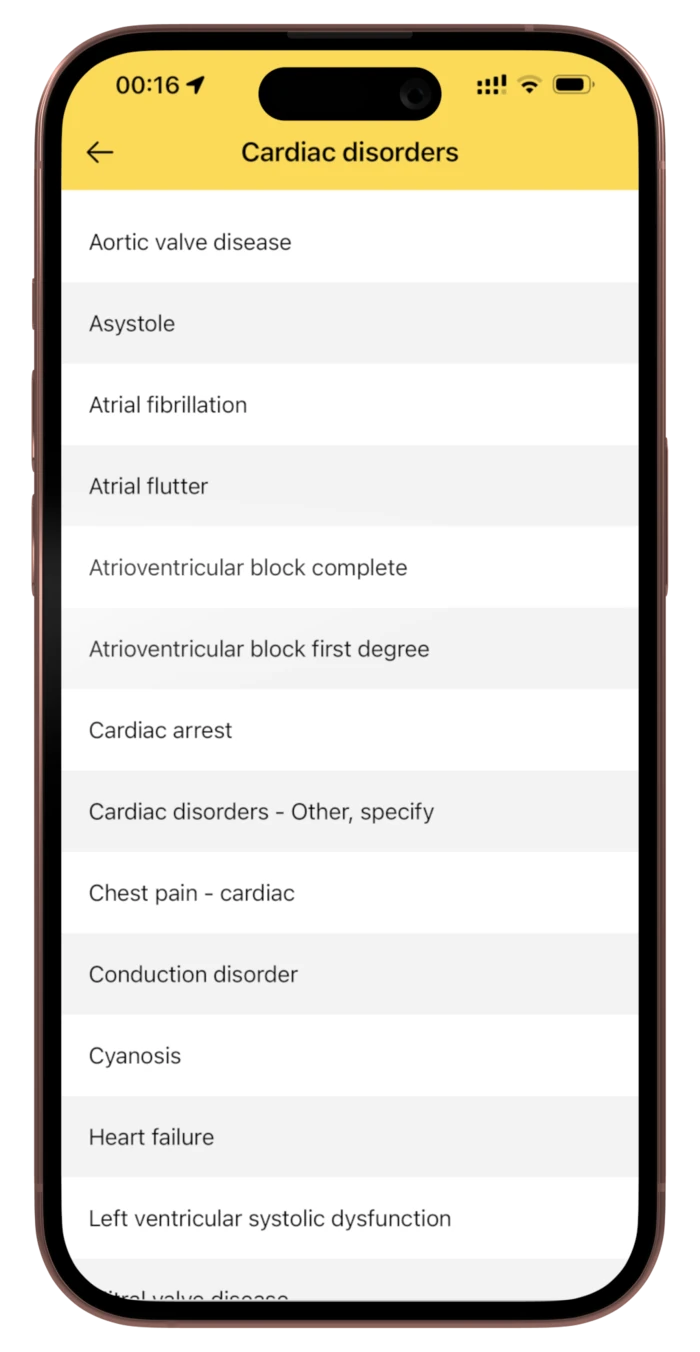
Tap 2
Its terms, alphabetically, in a list built to be scanned with a thumb.
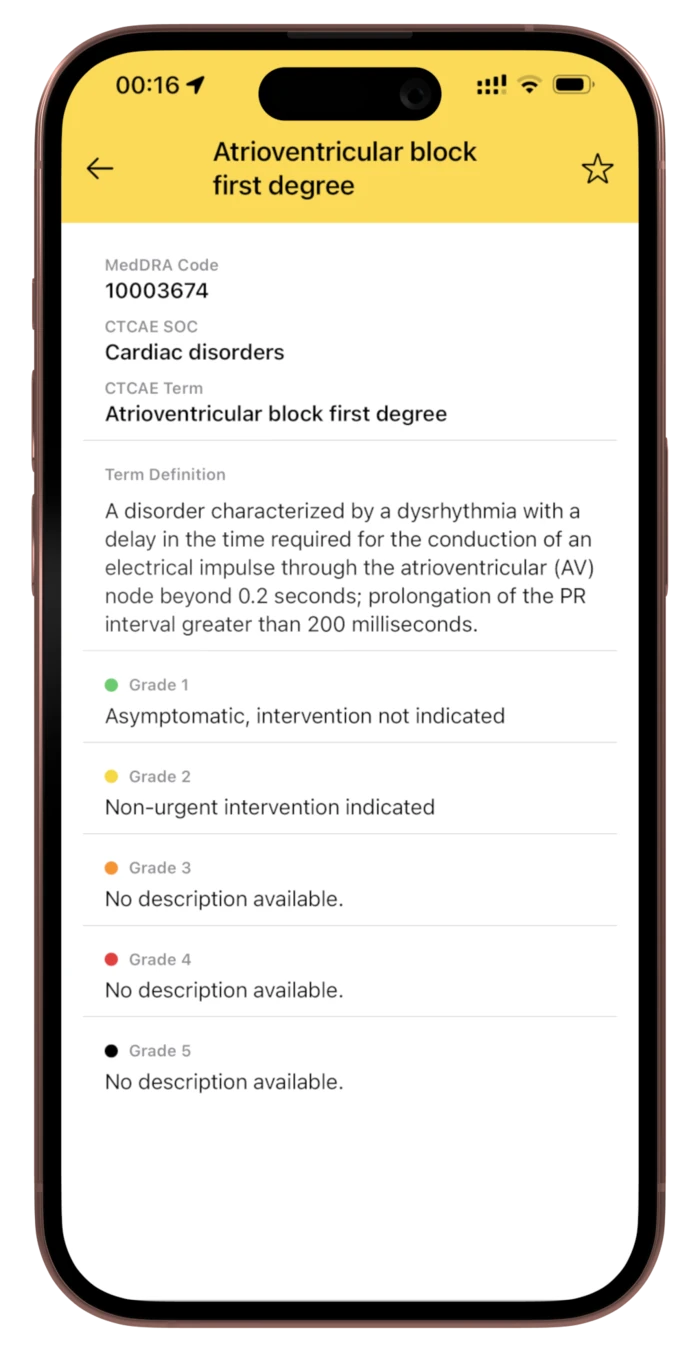
Tap 3
The MedDRA code, the definition and all five grades — with the star to add it to your quick list.
The performance scales, in the same pocket
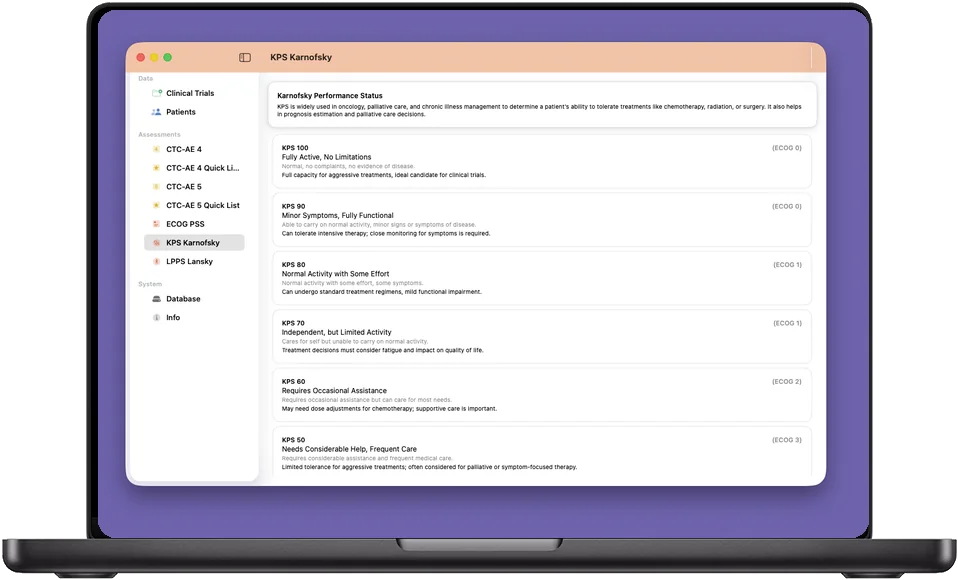
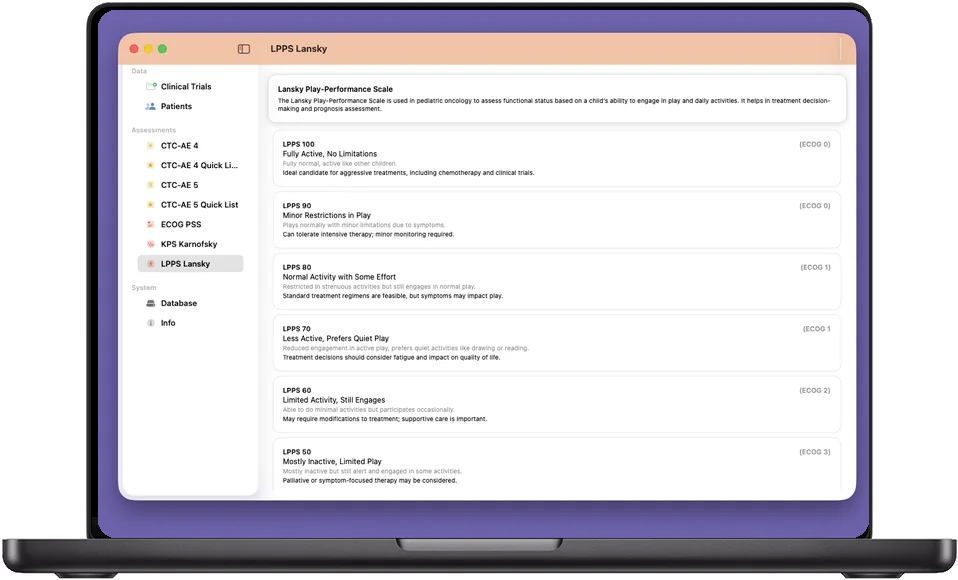
Three scales sit beside the terminology, each with its full descriptor rather than a one-line label — including the note on what the level implies for tolerating aggressive treatment, which is usually the reason you looked it up.
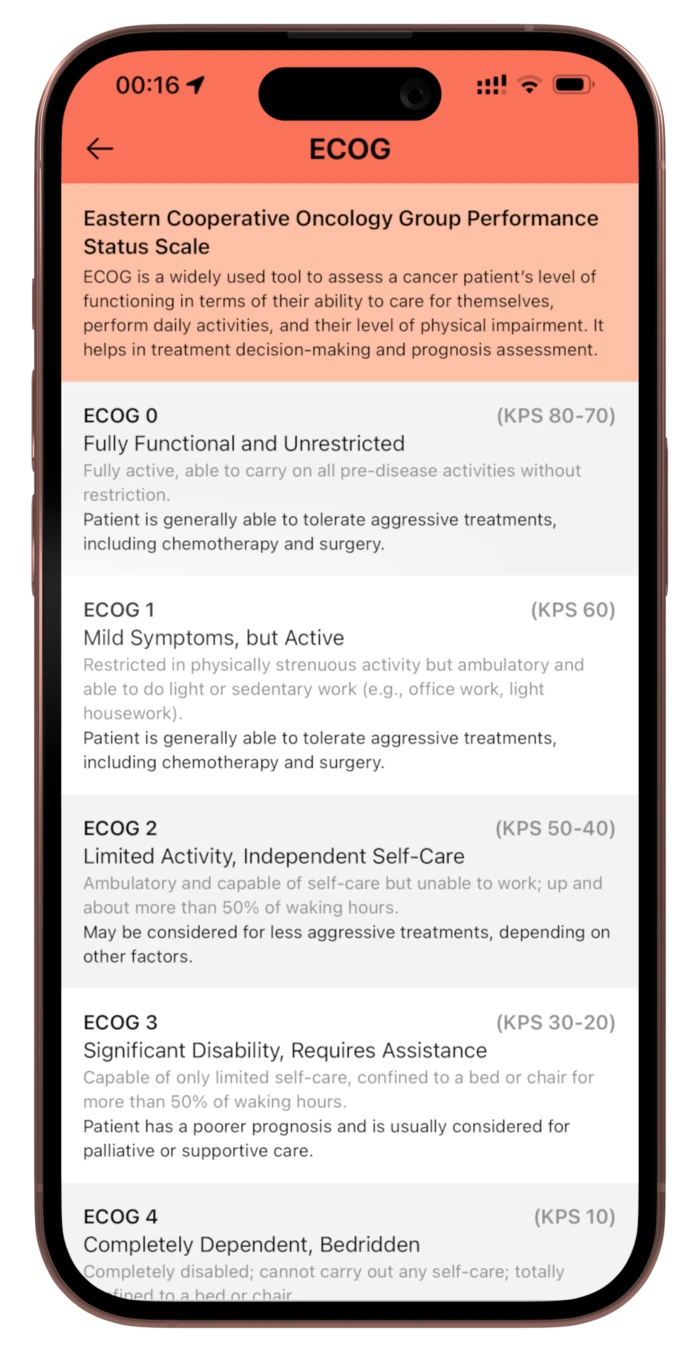
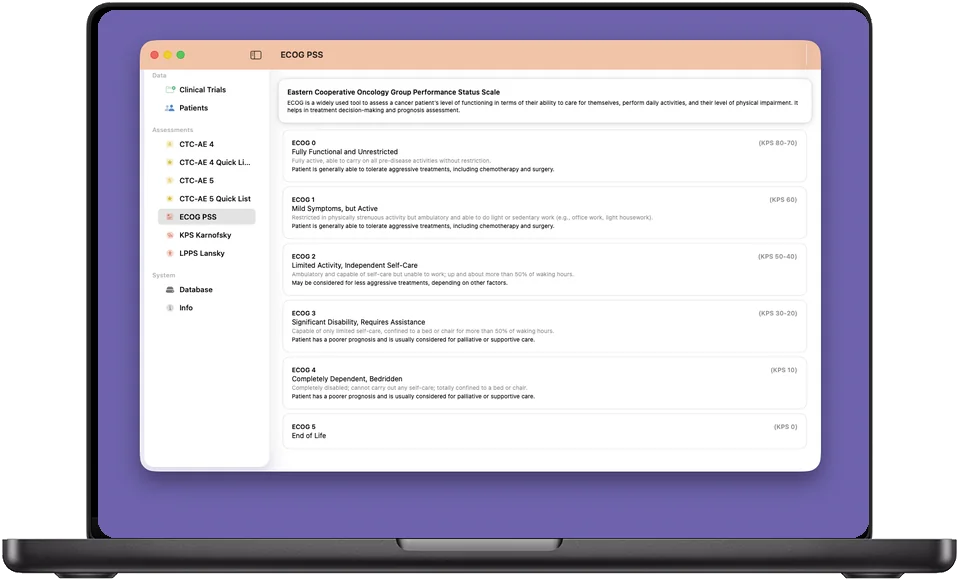
ECOG Performance Status
Six levels from fully functional and unrestricted to end of life, each with the descriptor and the note on what it means for tolerating aggressive treatment.
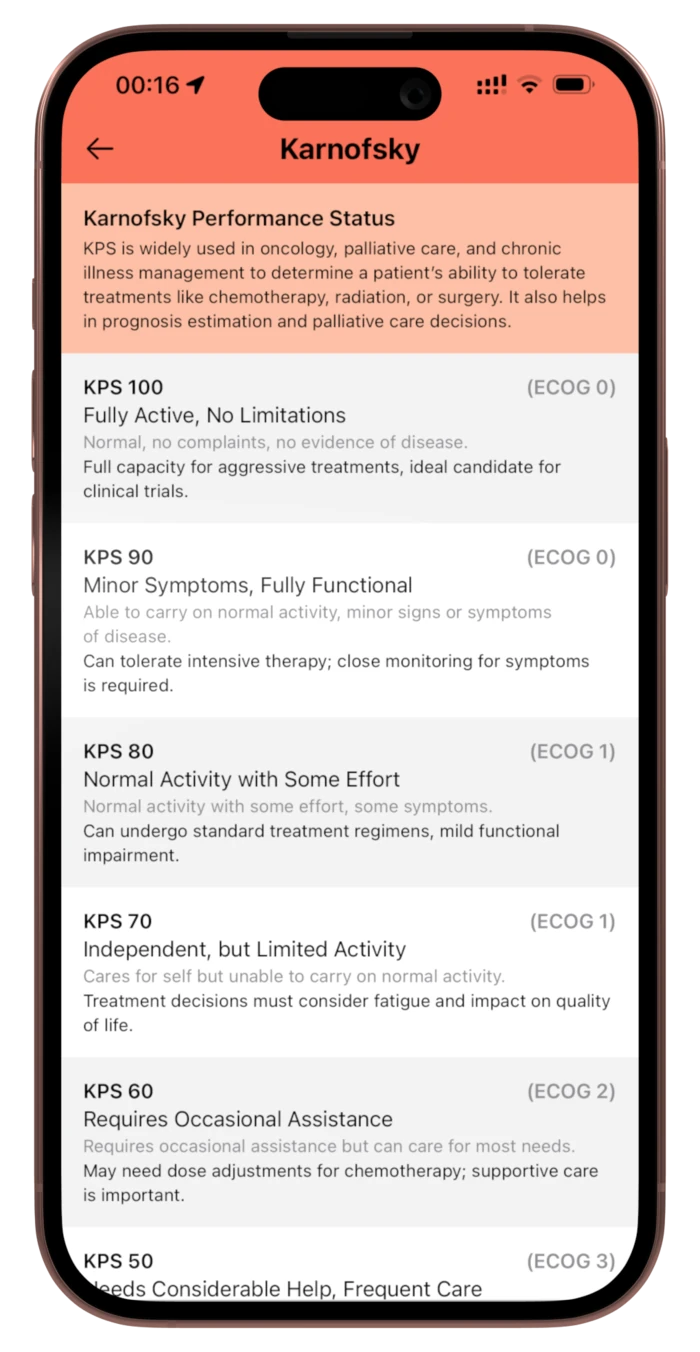
Karnofsky (KPS)
The full hundred-to-zero scale in ten-point steps, each step with its own description rather than a bare number.
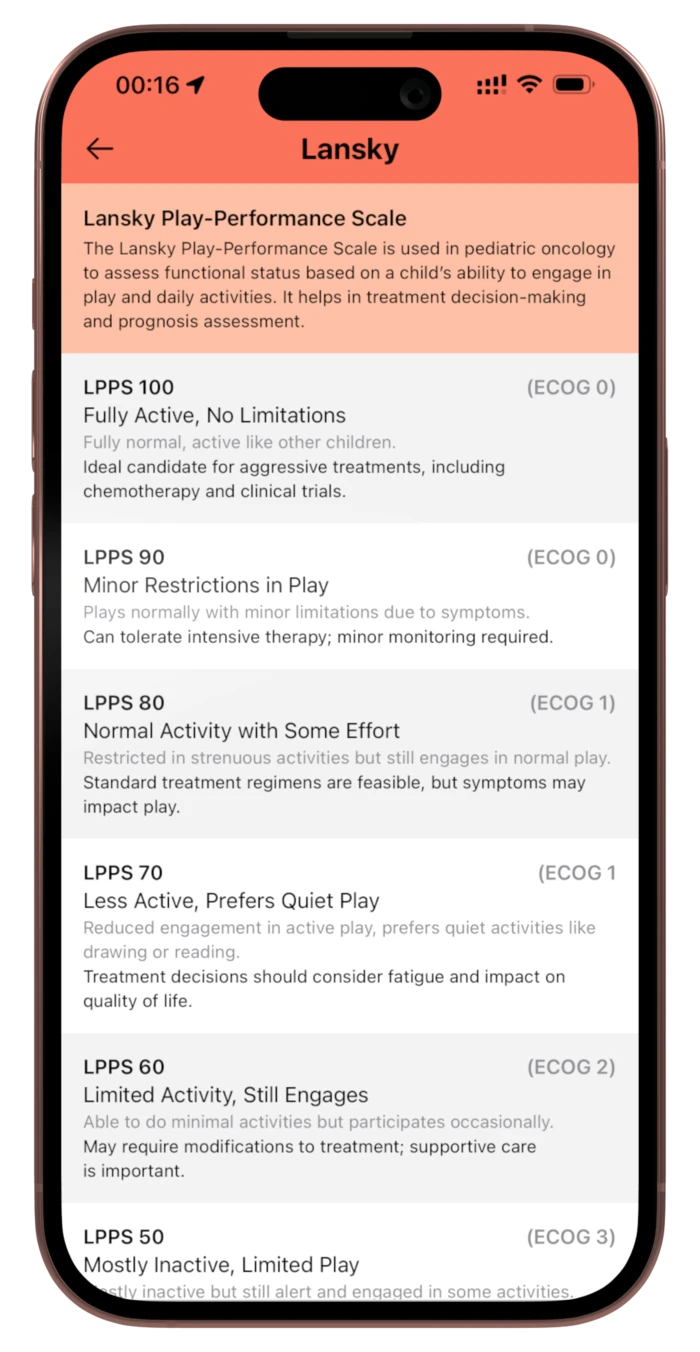
Lansky (LPPS)
The pediatric play-performance scale, graded by what the child is actually doing — from fully active to no play at all.
Every level carries its cross-reference
ECOG levels show their Karnofsky equivalent and Karnofsky levels show their ECOG one, so a chart written on one scale can be read against a protocol written on the other without a conversion table.
The Info screen lists the primary sources behind all of it — the NCI criteria, Oken's 1982 ECOG paper, Buccheri's comparative study, Péus on the Karnofsky scale — each with a link to the original document.
A reference that remembers what you graded
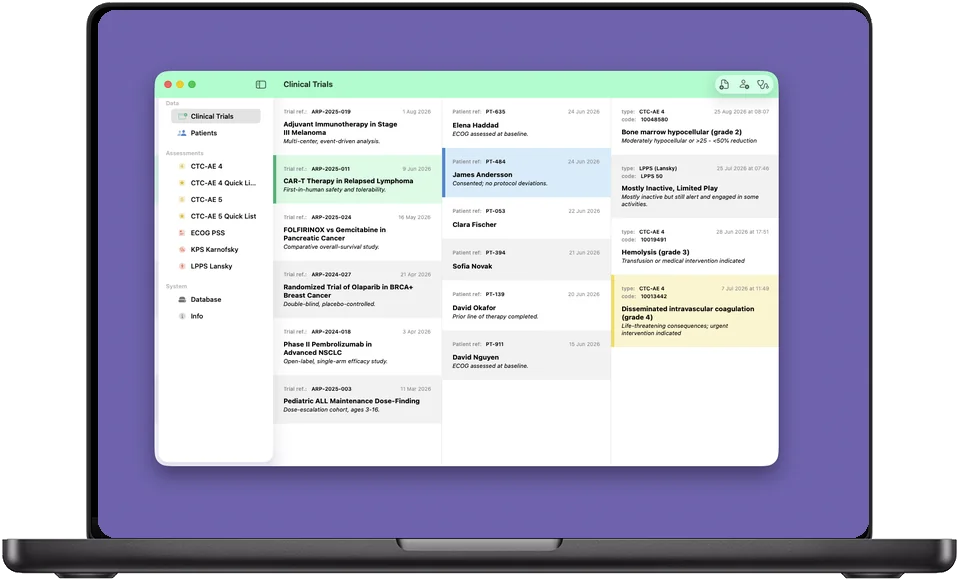
The logger turns the reference into a working record: trials hold patients, patients hold graded events. Three levels, each one reachable in a tap, and every event linked back to the exact term and grade it came from.
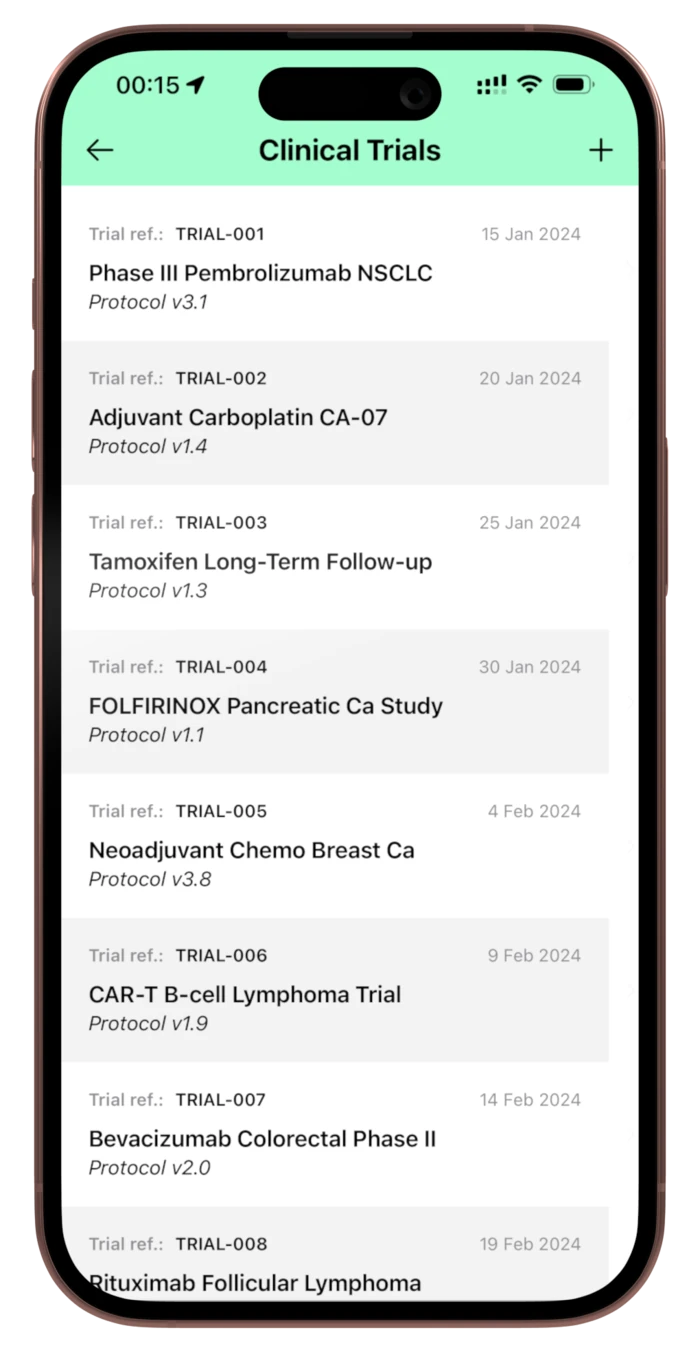
Step 1
Register the trial
A reference code, a name and whatever notes you want to keep — protocol version, design, arm. Everything stays editable afterwards.
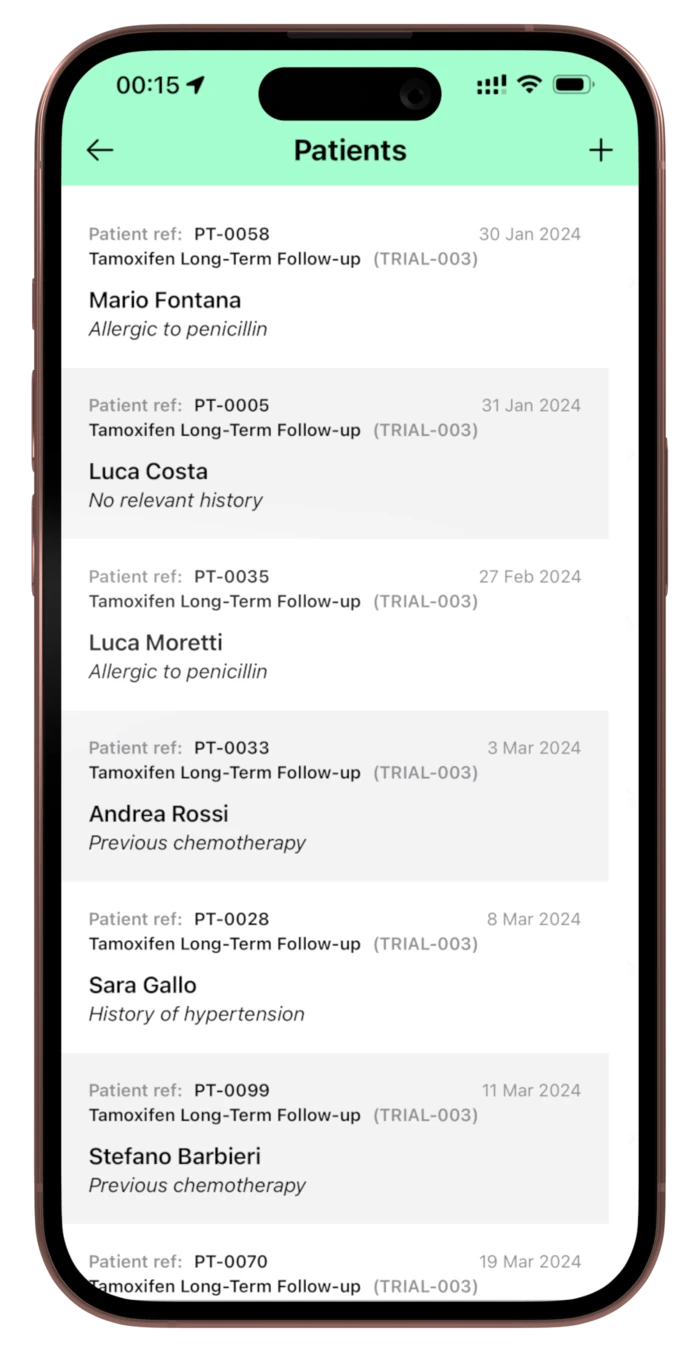
Step 2
Add the patients
Each patient belongs to a trial and carries a reference of your choosing, plus notes for stage, prior therapy or consent.
Step 3
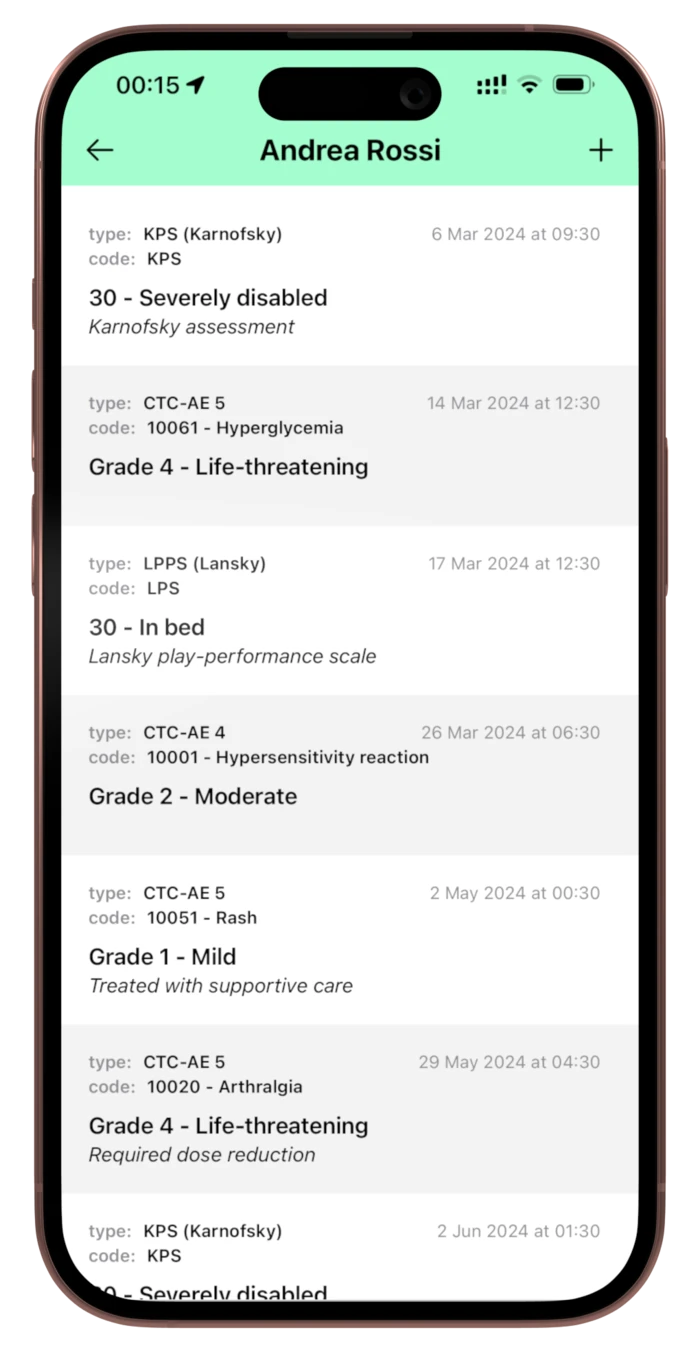
Log what happened
Pick the source — CTC-AE v4.03, v5.0, a quick list, a performance scale or a generic event — and grade it straight from the criteria.
Graded from the criteria, not from memory
An event is logged by choosing its source — CTC-AE v4.03, v5.0, your starred quick list, or one of the three performance scales — and then ticking the grade whose definition matches. The MedDRA code, the SOC and the grade wording are captured with it.
For everything that has no CTCAE term, a generic event takes your own code and free-text note, so a dose reduction or a supportive-care decision sits on the same timeline as the graded toxicities rather than in a separate notebook.
One patient, the whole course
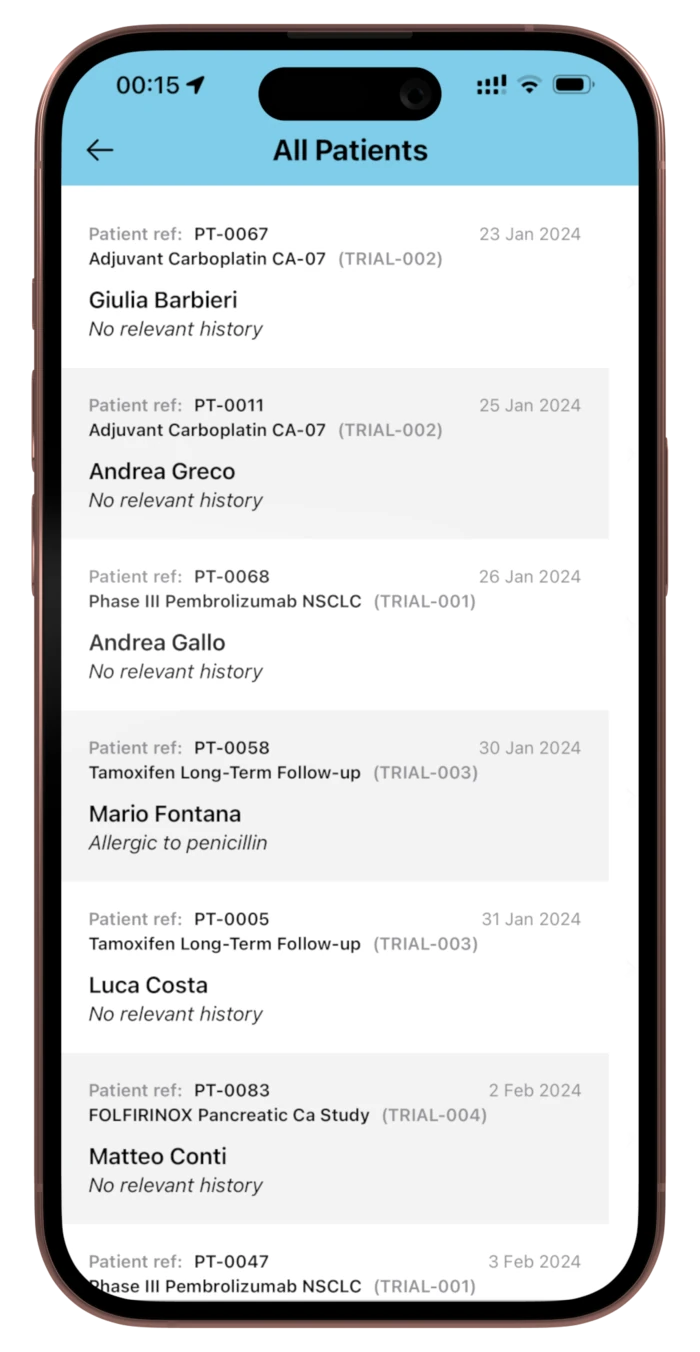
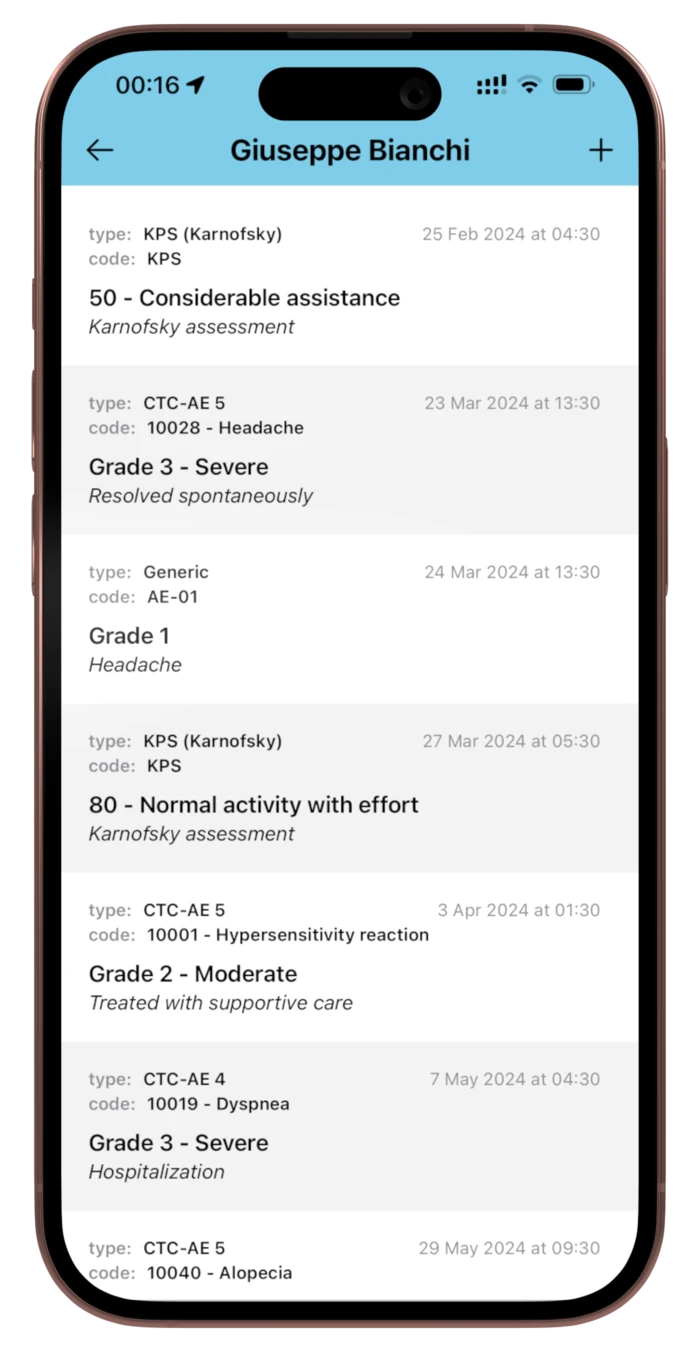
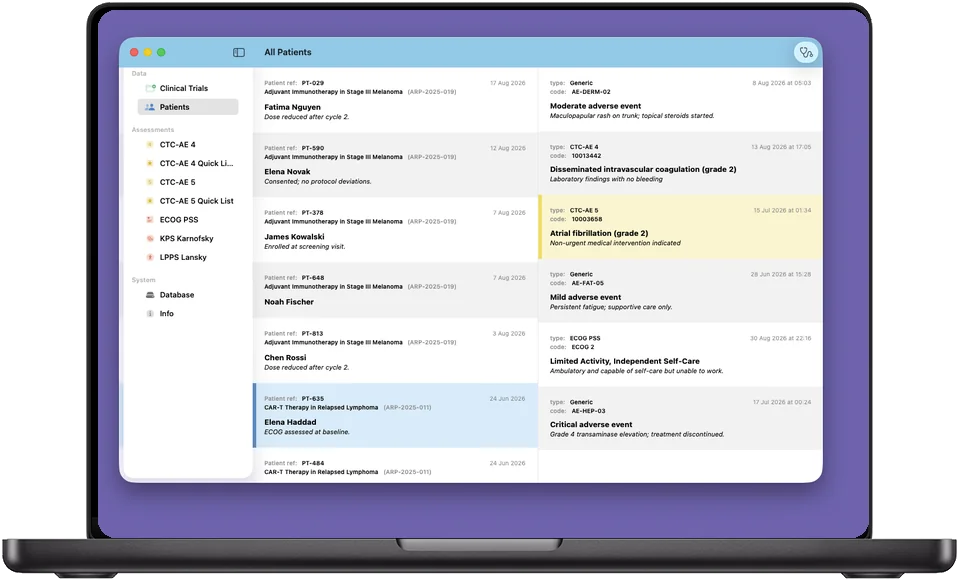
All Patients gathers everyone across every trial in one list. Open one and the events run in date order with the grade definition spelled out under each one — a febrile neutropenia that went from grade 4 to grade 3, a performance status recorded at baseline, the pericarditis in between.
Which is the view you actually want when someone asks how this patient has tolerated the protocol so far.
The Adverse Event Logger is a one-time in-app purchase, not a subscription. The reference — both CTC-AE versions and all three performance scales — is in the app itself and stays fully usable without it.
And on the Mac, where the writing happens
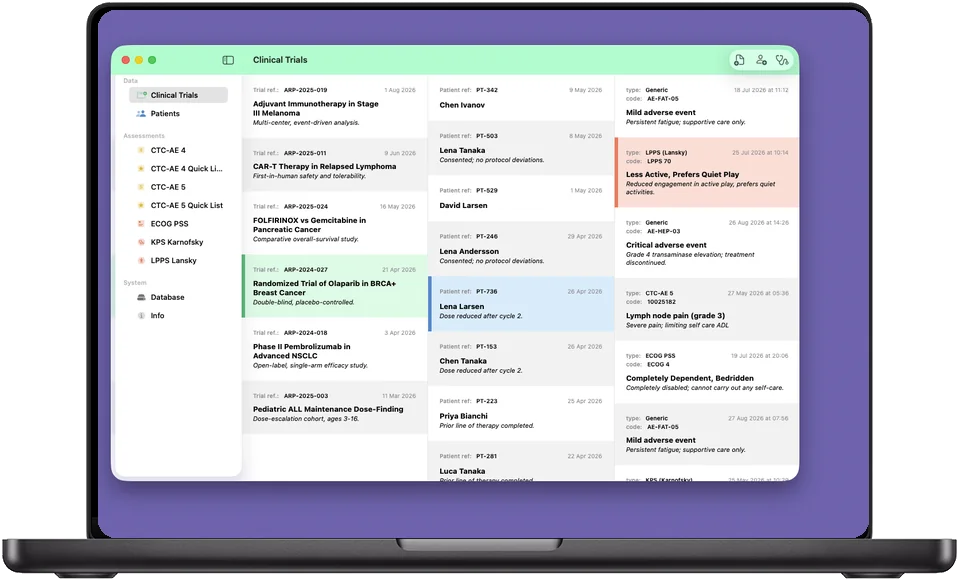
A real Mac window with a sidebar and resizable columns — trials, patients and events visible at once. The same database, synced across every device you are signed into, so the phone captures it on the ward and the Mac has it when you sit down to write it up.
Your data leaves the way you tell it to
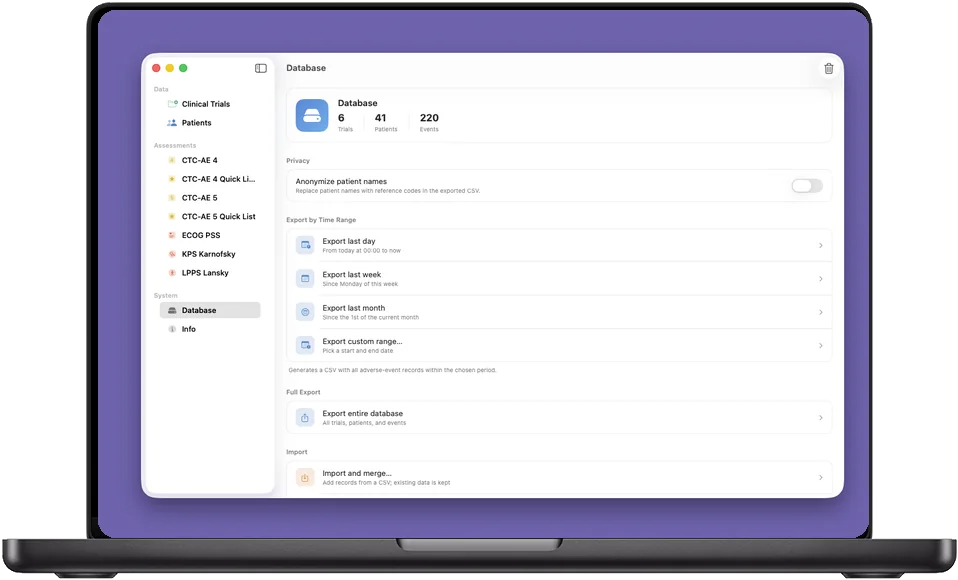
Nothing is exported automatically, and nothing is exported anywhere you did not choose. When you want the data out, the Database screen writes a CSV and hands it to the share sheet — into a spreadsheet, an EDC upload, a colleague's inbox, or nowhere at all.
CSV by time range
Export the last day, the last week, the last month, or a custom range you pick — every adverse event recorded inside that window, in one file.
Or the whole database
Trials, patients and events together, when you want the complete picture rather than a slice of it.
Import and merge
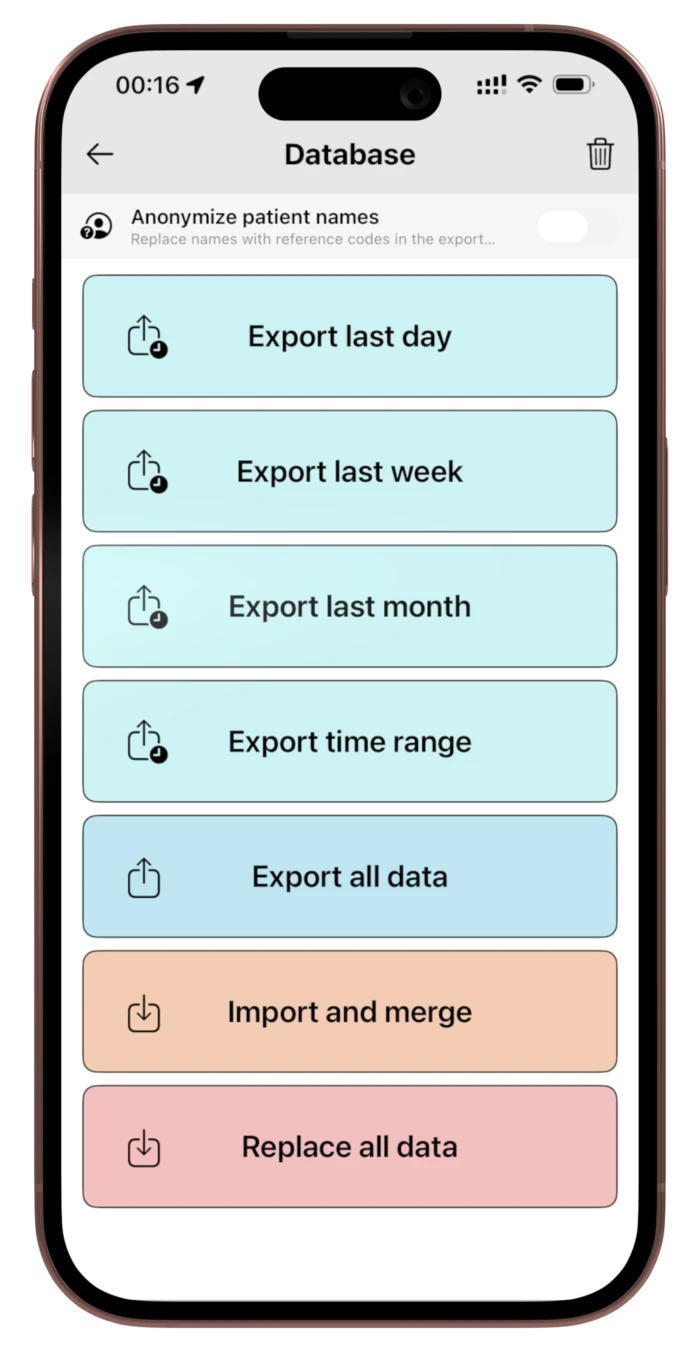
Bring a CSV back in and add its records to what is already there, or replace everything outright. Both are your call, and neither happens by itself.
Anonymize on the way out
One toggle replaces patient names with their reference codes in the exported CSV, so what leaves the device is already pseudonymized. A separate setting scrambles names on screen — useful when a monitor is visible from the corridor — without touching what is stored.
You decide what any of this contains in the first place. CTC-AE+ is a reference and educational tool, not a clinical record system, and the app never requires an identifier of any kind.
We never see any of it
There is no Arpacore server behind CTC-AE+. What you enter is stored on your device and in your own private iCloud container, which we have no access to. The App Store privacy label reads Data Not Collected.
No Arpacore server, at all
The app has no backend to talk to. There is no database of ours holding anything, because there is no infrastructure between you and the app.
Your iCloud, not ours
Sync runs through CloudKit in your own private container, so the same records appear on your iPhone, iPad and Mac — and nowhere else. Apple is the only processor involved, under your Apple ID.
Face ID or Touch ID lock
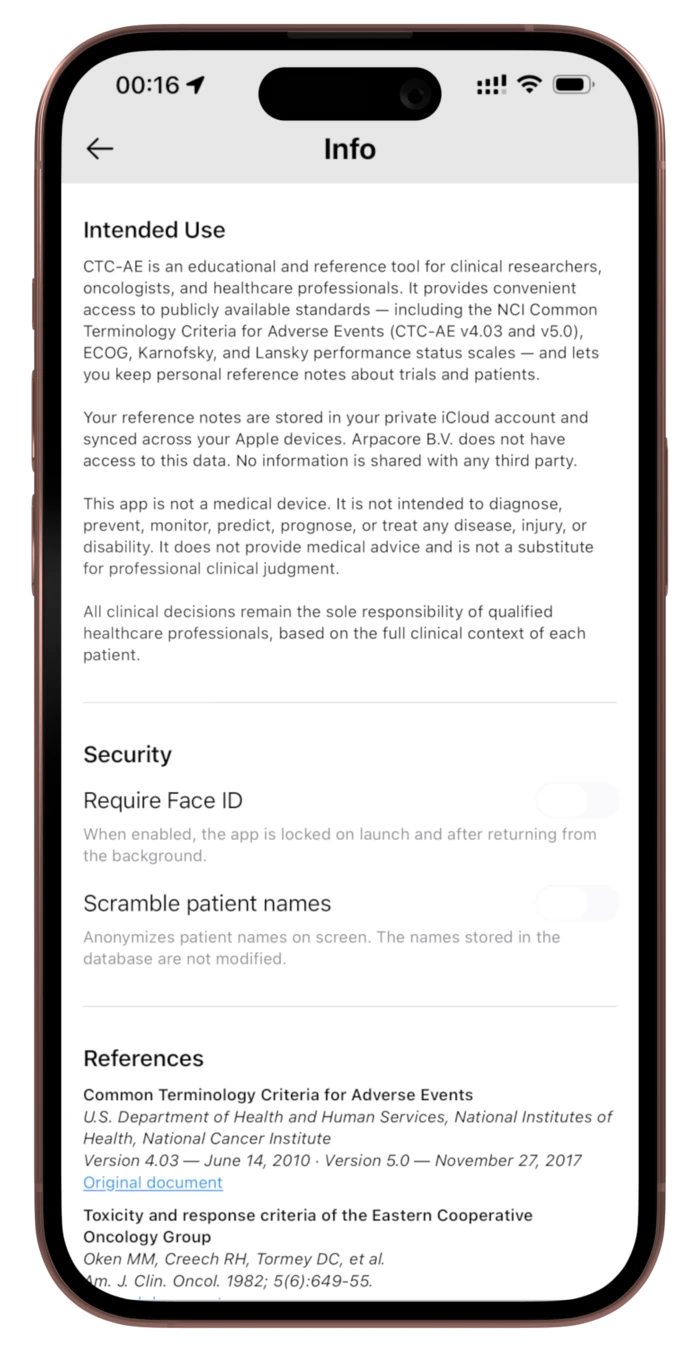
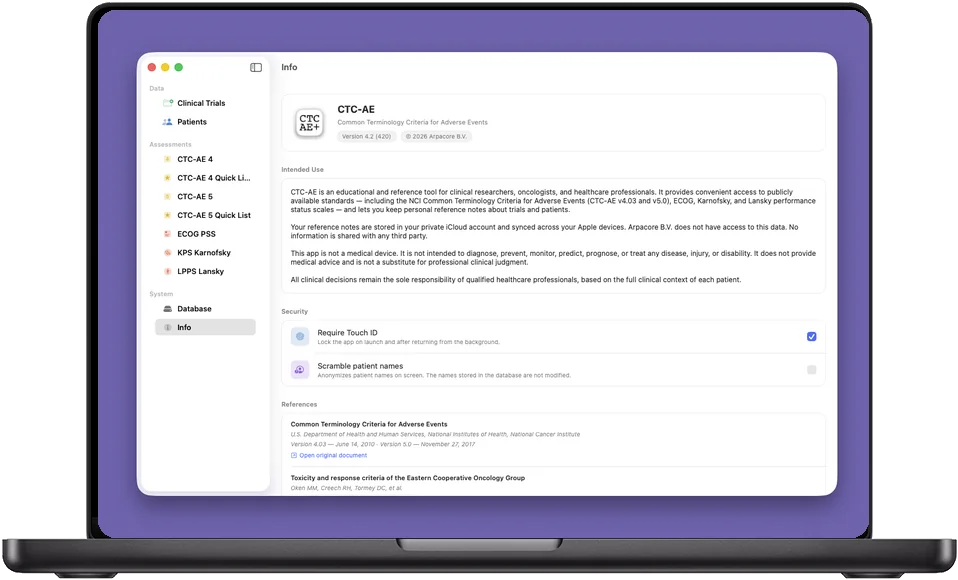
Optionally lock the app on launch and whenever it returns from the background. Authentication is handled on-device by Apple; no biometric data ever leaves it.
Scramble names on screen
Anonymize patient names in the interface without altering what is stored — for shared screens, projectors and rooms with the door open.
No account, no sign-up, no profile
Nothing to register, nothing to log into, no email address asked for. We could not identify a user if we tried.
No analytics, ads or third-party SDKs
No trackers, no advertising frameworks, no third-party crash reporting, no cookies. We do not know who uses the app, when, or how.
 Read the privacy policy
 Who it is for
Oncologists
The graded criteria at the bedside, in the version the protocol asks for, without leaving the room to look one up.
Clinical research staff
Study coordinators and CRAs grading toxicities consistently across a trial, then exporting the record as CSV.
Pharmacovigilance and pharmacy
MedDRA codes and CTCAE system organ classes to hand when a case narrative has to line up with the terminology.
Fellows and students
A way to learn the criteria by reading the actual definitions — the difference between a grade 2 and a grade 3 is where a lot of oncology training lives.
Buy once, on every Apple device you use
CTC-AE+ is a single universal purchase for iPhone, iPad and Mac. Buy it once and it installs on all of them, with the same database following you through your own iCloud account.
It is about two megabytes and needs no network connection for anything, because the entire reference ships inside the app. Sign out of iCloud and it simply keeps everything locally on that device instead.
It has been on the App Store since January 2010 and is still maintained — version 4.2 shipped in May 2026.
Grade it from the criteria, not from memory.
CTC-AE+ is intended for educational and reference purposes only. It is not a medical device, and it is not intended to diagnose, prevent, monitor, predict, prognose or treat any disease, injury or disability, nor to provide medical advice. All clinical decisions remain the sole responsibility of qualified healthcare professionals. The Common Terminology Criteria for Adverse Events are published by the U.S. National Cancer Institute and are reproduced here for reference; this app is not affiliated with, endorsed by, or sponsored by the NCI or the NIH.